
Android 17 Bubbles: The Multitasking Feature That Finally Gets It Right
I'll be honest — I've never been a multitasking power user on Android. Split-screen felt clunky, picture-in-picture always seemed to get in the way, and Bubbles, Google's floating app shortcut system, felt like a half-baked idea that nobody asked for. That all changed with Android 17. After spending a few weeks with the latest update on my Pixel, I can say without hesitation: Android 17 Bubbles has genuinely transformed the way I use my phone. If you've been sleeping on this feature, it's time to wake up.
What Are Android Bubbles, and Why Did They Struggle Before?
Bubbles were first introduced in Android 11 as a way to keep conversations and apps accessible without fully leaving what you were doing. The idea was simple: a small floating icon, or "bubble," would hover over your screen, letting you tap into a conversation or task at any time. Think of Facebook Chat Heads, but baked right into the operating system.
The problem was execution. Early versions of Bubbles felt inconsistent. App support was limited, the bubbles themselves were easy to accidentally dismiss, and the expanded view — the small floating window that appeared when you tapped a bubble — was often too cramped to be useful. Most Android users simply ignored the feature entirely, and developers didn't rush to adopt it because uptake was so low. It became something of a forgotten corner of the operating system.
What Android 17 Changes About Bubbles
Android 17 takes the Bubbles concept and refines it in ways that are immediately noticeable. Google has clearly listened to years of user feedback, and the result is a system that feels intentional rather than experimental.
Smarter Positioning and Gesture Control
One of the biggest frustrations with older Bubbles was that they seemed to float wherever they wanted, often covering important UI elements or getting in the way of content. Android 17 introduces smarter magnetic snapping, meaning bubbles now gravitate intelligently to screen edges based on your usage patterns. The system learns where you prefer your bubbles and adjusts accordingly. Dismissing a bubble is also far more deliberate — accidental swipe-offs are dramatically reduced thanks to a refined gesture recognition system that distinguishes between a purposeful flick and an accidental brush.
Expanded Window Sizing and Flexibility
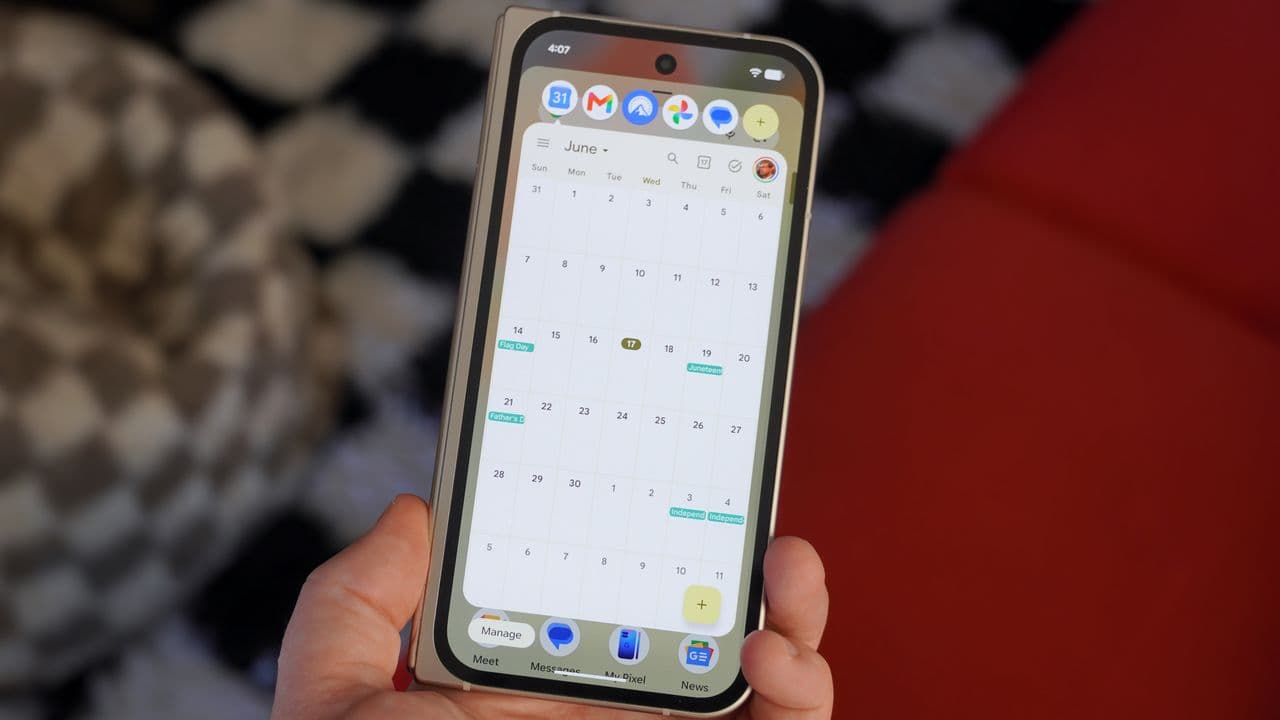
The expanded bubble window — the mini floating app that pops open when you tap a bubble — has received a significant size upgrade in Android 17. You can now resize these windows freely, making them large enough to actually read and interact with content comfortably. On a Pixel 9 Pro's tall display, this means you can have a messaging thread open in a generously sized floating panel while watching a video, browsing the web, or working in a document below it. It sounds small, but the difference in usability is enormous.
Broader App Support
Google has pushed hard for broader developer adoption in Android 17, and it shows. Beyond messaging apps like Google Messages and WhatsApp, you'll now find Bubbles support in productivity apps, note-taking tools, and even some email clients. This expanded ecosystem means Bubbles is no longer a feature that only makes sense in chat-heavy workflows. Whether you're pulling a recipe from a browser bubble while cooking, or referencing a note while writing an email, the use cases have multiplied significantly.
How Bubbles Fits Into the Bigger Pixel Multitasking Picture
What makes Bubbles particularly compelling on Pixel devices is how Google has woven it into the broader multitasking ecosystem. Android 17 on Pixel doesn't treat Bubbles as an isolated feature — it integrates naturally with split-screen mode and the taskbar that debuted on larger Android devices.
You can now drag a bubble directly into a split-screen layout, instantly creating a two-app view without fumbling through menus. Conversely, you can collapse a split-screen app down into a bubble to free up screen space without losing your place. This fluidity between multitasking modes is something Android has lacked for years, and it's the kind of thoughtful integration that makes the entire system feel cohesive rather than cobbled together.
Pixel-Specific Optimizations
Google's tight control over Pixel hardware and software means Android 17 Bubbles benefits from optimizations that other Android phones may not replicate as smoothly. The Tensor chip's efficiency means floating windows don't cause the stuttering or thermal throttling that might plague other devices under multitasking load. Animations are fluid, app switching is instant, and the whole experience carries the polish you expect from a first-party device.
Tips for Getting the Most Out of Android 17 Bubbles on Your Pixel
- Enable Bubbles in Settings: Head to Settings, then Apps, then Special App Access, and make sure Bubbles is turned on for your most-used apps. Not all apps enable it by default.
- Train your preferred bubble position: Spend a few days consciously dragging bubbles to your preferred screen edge. Android 17's learning system will pick up on this and start placing new bubbles there automatically.
- Use Bubbles for reference tasks: Bubbles shine brightest when you need a secondary source of information — a recipe, a chat thread, a quick note — while your main focus stays on a full-screen app.
- Combine with split-screen for power use: Drag a bubble into split-screen when you need more screen real estate for that secondary task. It's a seamless transition that takes seconds once you've practiced it.
- Customize notification-to-bubble conversion: In your notification settings, you can choose which apps automatically offer a bubble when a new notification arrives. Curate this list carefully to avoid bubble clutter.
Is Android 17 Bubbles the Multitasking Future?
After years of watching Android's multitasking story evolve in fits and starts, Android 17 Bubbles finally feels like a genuine step forward rather than a feature in search of a purpose. It won't replace dedicated tablet-style windowing for heavy productivity work, and it's not trying to. What it does instead is give everyday users a lightweight, always-accessible way to keep important information and conversations within reach without surrendering their main task to another full-screen app.
For Pixel users especially, Android 17 Bubbles delivers on a promise that Google first made back in 2020. The hardware is ready, the software is mature, and the feature is genuinely useful. If you've dismissed Bubbles in the past — and most Android users have — Android 17 is the version that deserves a second look. It won't take long before you wonder how you managed without it.