
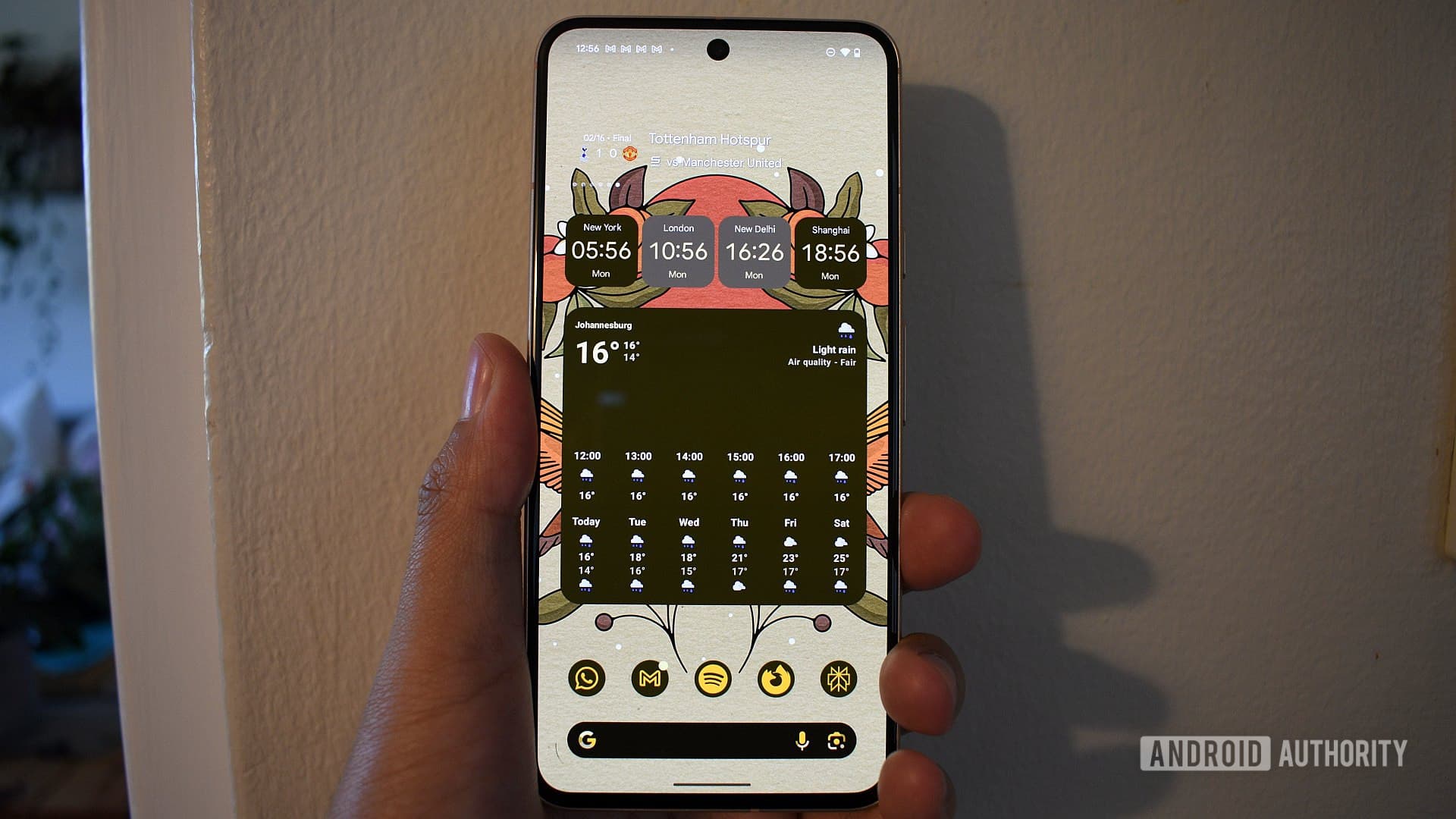
The Android Widget You Simply Cannot Live Without
Android has long held a meaningful advantage over its competitors in one particular area: widgets. Unlike other mobile operating systems that have historically kept their home screens relatively static, Android has always allowed users to transform their home screens into dynamic, personalized dashboards. From glanceable weather updates to interactive music controls, widgets give Android users the ability to access critical information at a single glance, without ever opening an app.
But with so many widgets available across the Google Play Store and built into core Android apps, a natural question arises: which one do Android users consider truly essential? Recently, Android Authority ran a survey asking readers exactly that — what is the one Android widget you simply cannot live without? The responses were illuminating, opinionated, and surprisingly varied.
Why Android Widgets Still Matter in 2025
Before diving into the survey results, it is worth taking a step back to appreciate just how far Android widgets have come. In the early days of Android, widgets were chunky, battery-draining blocks of functionality that often slowed down a phone more than they helped. Today, they are sleek, responsive, and deeply integrated with the apps people use most.
With the introduction of Material You design and adaptive widgets in Android 12 and beyond, widgets now blend seamlessly into your home screen aesthetic, dynamically matching your wallpaper colors and overall design language. This has sparked a renewed appreciation for home screen customization across the Android community.
Even users who once stripped their home screens down to bare essentials have found reasons to bring widgets back. As one contributor noted, the shift toward information-dense launchers like AIO Launcher has actually reduced the need for many third-party widgets — but the truly useful ones have remained firmly in place.
The Most Popular Categories of Android Widgets
Survey responses from readers pointed to several clear categories of widgets that users rely on every single day. While individual preferences differed, the themes were consistent.
Weather Widgets
Unsurprisingly, weather widgets topped many readers' lists. Being able to glance at today's forecast, hourly temperature, or rain probability without opening a dedicated app is a genuine quality-of-life improvement. Apps like Weather by 1Weather, Geometric Weather, and Google's own Weather service all offer home screen widgets that integrate beautifully into modern Android launchers.
For commuters, travelers, and anyone who spends time outdoors, having live weather data on the home screen is not just convenient — it is essential. This widget category consistently ranks among the most downloaded on the Play Store for good reason.
Navigation and Maps Widgets
Google Maps widgets have become a staple for users who are frequently on the move. With a Maps widget on your home screen, you can initiate navigation to saved locations like home or work in a single tap, without the extra steps of opening the app and entering a destination. One Android Authority team member, Pankil, specifically highlighted Google Maps as one of his must-have widgets, and reader responses echoed this sentiment strongly.
Productivity and Calendar Widgets
For professionals, students, and anyone managing a busy schedule, calendar and task widgets are non-negotiable. Apps like Google Calendar, Fantastical, and Todoist offer widgets that display upcoming events, deadlines, and to-do lists directly on the home screen. Users consistently cited the ability to see their next meeting or appointment at a glance as one of the biggest time-saving benefits of Android's widget ecosystem.
AI and Search Widgets
With the rise of AI-powered assistants, widgets from tools like Gemini have entered the must-have conversation. Pankil also mentioned Gemini as a widget he relies on daily, and it reflects a growing trend of users wanting fast, frictionless access to AI tools without digging through app drawers. As AI becomes more embedded in everyday Android use, expect this category to grow significantly.
Browser and Bookmarks Widgets
Browser widgets, including those from Brave, allow users to launch private browsing sessions or jump directly to bookmarked sites from the home screen. For privacy-conscious users and heavy web browsers, having this kind of shortcut readily available is a small but meaningful convenience that adds up over time.
What the Survey Tells Us About Android Home Screen Habits
What is most interesting about the survey results is not just which widgets were named, but the variety of workflows they represent. Android users are not a monolith. A frequent traveler swears by Google Maps. A productivity professional cannot go a day without their calendar widget. A news reader keeps a headlines widget front and center. A fitness enthusiast has health stats pinned to their screen.
This diversity is precisely what makes Android's widget system so powerful. There is no single correct way to set up a home screen, and the best widget for you is ultimately the one that saves you the most time and effort in your specific daily routine.
How to Find Your Perfect Android Widget
If you are looking to optimize your own Android home screen, here are a few practical tips to help you identify which widgets genuinely earn their space:
- Start with the apps you open most frequently each day and check whether they offer a widget. If they do, try replacing that habit with a widget interaction instead.
- Prioritize glanceability. The best widgets deliver information instantly, without requiring any taps or interaction.
- Avoid widget overload. A cluttered home screen defeats the purpose. Choose three to five widgets maximum and ensure each one serves a distinct purpose.
- Experiment with different launcher apps. Some launchers, including AIO Launcher and KWGT-based setups, offer more customization options and better widget support than the default launcher on your device.
- Revisit your widget setup every few months. Your most-used apps and daily routines change over time, and your home screen should evolve accordingly.
The Verdict: One Widget to Rule Them All
While the survey results made it clear that Android users have passionate, personal relationships with their favorite widgets, the weather widget emerged as the most universally cited essential. It is glanceable, always relevant, and replaces a daily app-opening habit with a zero-tap information hit. That said, the real winner here is Android itself — for being the platform that makes this level of home screen personalization possible in the first place.
Whether you are a minimalist who keeps one clock widget and nothing else, or a power user with a fully tiled dashboard of live information, the beauty of Android widgets is that they adapt to you. So tell us — what is the one widget you could not imagine starting your day without?