
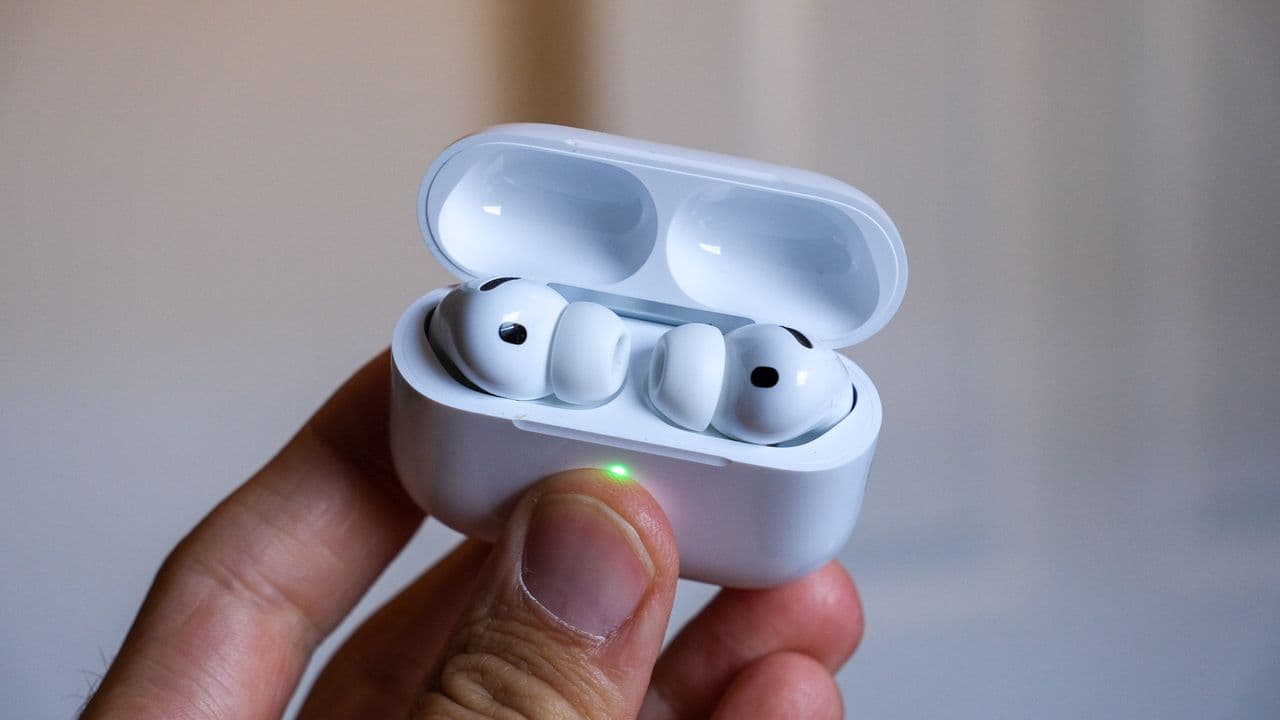
Apple Finally Addressed the AirPods Issue Everyone Was Complaining About
For years, AirPods have sat comfortably at the top of the true wireless earbuds market. Their seamless integration with Apple devices, intuitive controls, and solid audio quality have made them a go-to choice for millions of iPhone, iPad, and Mac users around the world. But despite all of their strengths, there has always been that one nagging problem — the kind that made even the most devoted Apple fans grit their teeth in frustration. Now, quietly and without much fanfare, Apple appears to have fixed it.
Whether through a firmware update, a software patch baked into a recent iOS release, or a hardware revision in a newer model, Apple has a long history of sneaking significant improvements into its products without a big press release. This time, however, the change is too meaningful to go unnoticed — especially for the millions of people who use AirPods every single day.
What Was the Biggest AirPods Problem?
Ask any long-time AirPods user what bothers them most, and you'll likely hear the same answers: inconsistent Bluetooth connectivity, automatic device-switching that switches at the wrong moment, audio dropouts during calls or music playback, and a general sense that the earbuds sometimes have a mind of their own when it comes to which device they want to pair with.
The automatic device-switching feature, introduced with iOS 14 and subsequent AirPods firmware, was supposed to be a killer convenience feature. In theory, your AirPods should intelligently detect which Apple device you're actively using and connect to it automatically. In practice, the feature often misfired. You'd be watching a video on your Mac, and suddenly your AirPods would jump to your iPhone because it received a notification. Or you'd be on a phone call and the audio would inexplicably reroute mid-conversation.
Beyond switching issues, many users also reported persistent audio dropouts — brief but jarring interruptions in sound that seemed impossible to pin down. These could be caused by interference, distance from the source device, or simply unpredictable firmware behavior. For a product at AirPods' price point, this level of unreliability was hard to justify.
How Apple Fixed the Problem
Apple's approach to fixing AirPods issues has historically been incremental and often invisible. Firmware updates are pushed to AirPods automatically when they are in their charging case, connected to a paired device, and within Bluetooth range — a process users have no control over and receive no direct notification about. This means millions of users can receive meaningful improvements to their earbuds without ever knowing an update occurred.
The latest round of updates appears to have brought significant refinements to how AirPods handle:
- Device switching logic — The algorithm governing when and how AirPods switch between paired Apple devices has been tightened, resulting in fewer unintended jumps between iPhone, iPad, and Mac.
- Bluetooth stability — Under-the-hood improvements to Bluetooth signal management have reduced the frequency of audio dropouts, particularly in environments with high wireless interference.
- Call audio routing — AirPods now more reliably maintain their connection to the correct device during active phone or FaceTime calls, addressing one of the most frustrating scenarios users have reported.
- Reconnection speed — After returning to the case and taking the AirPods out again, reconnection to the last-used device appears faster and more consistent.
Why This Matters More Than You Think
It's easy to dismiss firmware updates as minor tweaks, but in the case of AirPods, the software experience is every bit as important as the hardware. Apple has invested heavily in custom chips like the H1 and H2, which power features like Adaptive Transparency, Personalized Spatial Audio, and Conversation Awareness. But none of those features mean much if the fundamental act of listening to audio is interrupted by connectivity hiccups.
For professionals who rely on AirPods for calls and video conferences, improved call stability isn't a luxury — it's a necessity. For commuters and gym-goers who need consistent audio during movement, reduced dropouts translate directly to a better daily experience. And for anyone who owns multiple Apple devices, a smarter switching system means less time fumbling with manual Bluetooth controls and more time actually enjoying their music, podcasts, or audiobooks.
How to Make Sure You Have the Latest AirPods Firmware
Since you can't manually trigger a firmware update, ensuring your AirPods are up to date requires a bit of passive patience. To speed up the process, place your AirPods in their charging case, connect the case to power, and keep your paired iPhone nearby with an active internet connection. Apple will push the update automatically.
To check your current firmware version, go to Settings on your iPhone, tap Bluetooth, and tap the info icon next to your AirPods. Scroll down to see the firmware version listed under "About." You can then compare this against the latest known firmware version using a quick web search or community resources like MacRumors or 9to5Mac.
What AirPods Users Should Expect Going Forward
Apple's willingness to continue refining the AirPods experience through software is one of the strongest arguments for staying within the Apple ecosystem. Unlike many competing earbuds that are essentially static products after purchase, AirPods regularly gain new capabilities and fixes long after you've bought them.
Looking ahead, users can likely expect further improvements to noise cancellation performance, more nuanced Adaptive Transparency behavior, and potentially even new health-related features tied to future iOS and watchOS updates. Apple has hinted at expanded health monitoring capabilities for AirPods in the future, and each firmware iteration brings the platform closer to that vision.
Final Thoughts
Apple's quiet fix for one of the most persistent AirPods frustrations is a reminder that great hardware is only as good as the software running it. If you've been dealing with erratic device switching, audio dropouts, or unreliable call performance, there's genuine reason for optimism. Update your iPhone, leave your AirPods charging overnight, and give them a fresh try in the morning. You might be pleasantly surprised by just how much smoother the experience feels — even if Apple never sent you a single notification to tell you something changed.