
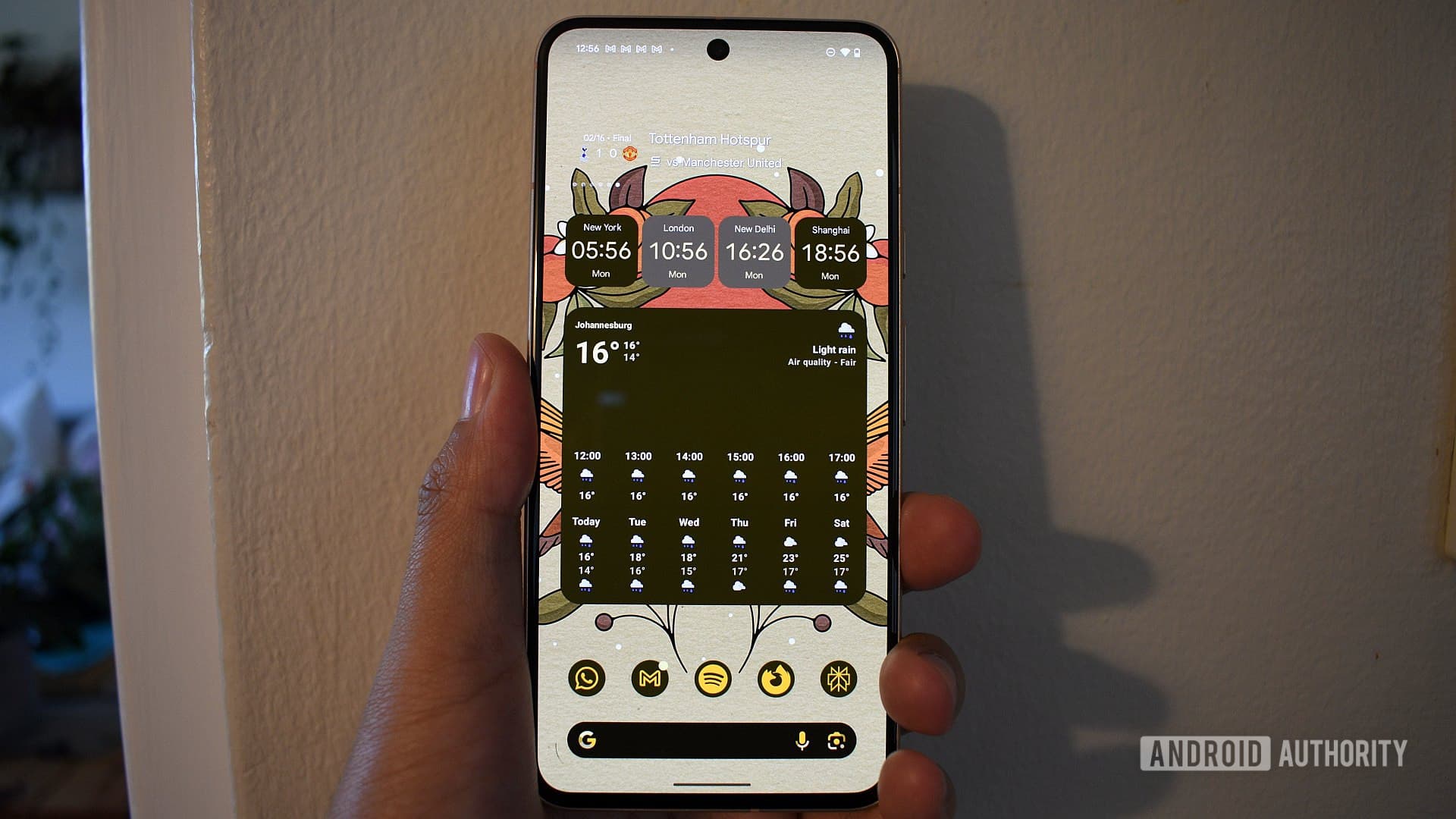
The Android Widget Debate: Which One Is Truly Essential?
Android has always offered something iOS users have long envied: deep, meaningful home screen customization. At the heart of that customization lies the widget — a live, interactive window into your favorite apps without ever needing to open them. But with hundreds of widgets available across thousands of apps, a question naturally arises: which one do Android users actually consider indispensable? We dove into community feedback, surveyed real users, and explored the broader Android ecosystem to find out which single widget people simply refuse to go without.
A Brief History of the Android Widget Obsession
For longtime Android enthusiasts, widgets are nothing new. Power users have been crafting elaborate home screens for years, stacking widgets that display everything from historical trivia and word-of-the-day prompts to sun and moon rise times and precision countdown timers. The Android widget ecosystem has always celebrated creativity and niche utility, giving users the freedom to build home screens that feel genuinely personal.
Over time, however, many users have gravitated toward more streamlined setups. Alternative launchers like AIO Launcher have gained popularity precisely because they strip away the visual clutter and surface only the most relevant information at a glance. This shift toward minimalism has pushed users to make harder choices: if you could only keep one widget, which would it be?
What Makes a Widget "Essential"?
Before we get to the results, it helps to define what makes a widget truly essential rather than just convenient. The best widgets share a few key qualities:
- Glanceability: The information they display should be instantly readable without requiring any interaction. A great widget delivers value the moment your eyes land on it.
- Relevance: Essential widgets surface information that is personally meaningful and time-sensitive — things you would otherwise need to open an app to check multiple times per day.
- Reliability: A widget that crashes, fails to update, or drains your battery quickly is no widget at all. The best ones run quietly and consistently in the background.
- Integration: Widgets that connect meaningfully to your broader workflow — syncing with your calendar, navigation habits, or communication apps — tend to earn permanent spots on home screens.
The Top Android Widgets Users Love Most
When we look at what the Android community consistently rallies around, a handful of widgets rise to the top again and again. Here is a closer look at the most beloved options and why they resonate so deeply with users.
Weather Widgets
Perhaps unsurprisingly, weather widgets dominate the conversation. Apps like Weather Widget by Overdrop, Today Weather, and even the built-in Google weather integration give users an at-a-glance view of current conditions and the forecast ahead. For commuters, outdoor workers, and anyone who simply hates being caught in an unexpected downpour, a weather widget on the home screen is practically non-negotiable. The ability to see temperature, precipitation chances, and hourly forecasts without unlocking and navigating to an app is a daily quality-of-life win that users simply are not willing to give up.
Google Maps and Navigation Widgets
Navigation widgets, particularly from Google Maps, also earned strong praise. The ability to tap directly into turn-by-turn directions or check real-time traffic conditions from the home screen saves meaningful time for daily commuters. Some users specifically cited the Google Maps widget as one of their must-haves, appreciating how quickly it surfaces commute estimates and saved locations without any unnecessary friction.
Calendar Widgets
Calendar widgets represent another category where users feel genuine attachment. Being able to see today's and tomorrow's events at a glance — without diving into an app — helps people manage their days with far less cognitive overhead. Apps like Google Calendar, Fantastical, and Business Calendar all offer robust widget options that users have built their morning routines around. For professionals managing packed schedules, removing the calendar widget feels like losing a personal assistant.
Productivity and AI Widgets
A newer but rapidly growing category involves AI and productivity widgets. Widgets tied to tools like Gemini are gaining traction among users who want instant access to AI-powered assistance from their home screen. Similarly, browser widgets — including those from Brave — allow users to launch private searches or jump into reading lists with a single tap, blending security and convenience in a way that is increasingly hard to ignore.
Music and Media Widgets
Music control widgets from Spotify, YouTube Music, and other streaming services also make frequent appearances on users' most-loved lists. The ability to pause, skip, and adjust volume without unlocking a phone or pulling down a notification shade is a small but deeply satisfying convenience — one that music lovers and podcast fans are particularly reluctant to sacrifice.
The Verdict: Personalization Is the Point
What this survey ultimately reveals is not a single winner but rather a deeply personal answer. The widget you cannot live without is the one that fits most tightly into your specific daily rhythm. Whether that is a weather widget that greets you every morning, a calendar that keeps your day organized, or an AI tool that answers your questions before you even think to ask, the magic of Android widgets lies in that individual fit.
The fact that Android still offers this level of home screen freedom — while competitors remain far more restrictive — is a reminder of why so many users choose the platform in the first place. So go ahead: take stock of your current setup, and ask yourself which widget you would truly hate to lose. That one is your answer.