
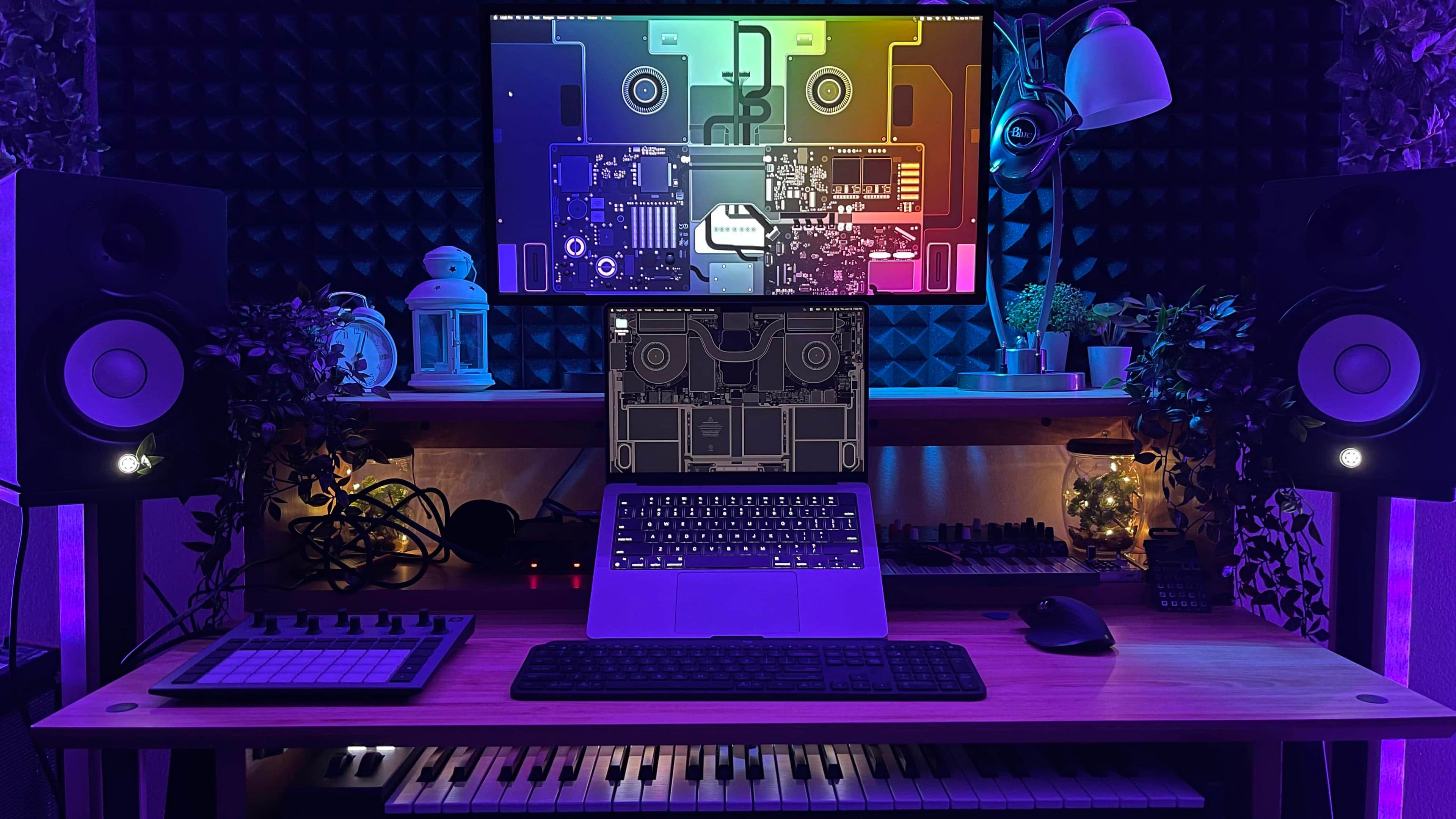
Best Mac Setups for Streamers and Content Creators in 2024
Whether you're building a YouTube channel from scratch, going live on Twitch every night, or producing polished podcasts for a growing audience, your workstation is everything. The right Mac setup doesn't just make your workflow faster — it makes your content better, your streams smoother, and your creative sessions far less frustrating. If you've been wondering what the best Mac setups for streamers and content creators look like, you're in the right place. Let's break down exactly what you need, from the machine itself to the accessories that tie it all together.
Why Mac Is a Top Choice for Content Creators
Apple Silicon has completely changed the game. Since the launch of the M1 chip and the subsequent M2, M3, and M4 generations, Macs have become serious powerhouses for creative work. Video editing, audio mixing, graphic design, and live streaming all demand significant processing muscle, and modern Macs deliver that without the fan noise, heat throttling, or battery anxiety that once plagued creative professionals.
macOS also integrates seamlessly with industry-standard creative software like Final Cut Pro, Logic Pro, Adobe Premiere Pro, and DaVinci Resolve. Throw in the rock-solid stability of the operating system and the tight hardware-software integration Apple is known for, and it becomes clear why so many top creators have gone all-in on Mac.
Choosing the Right Mac for Your Creative Needs
Not every Mac is the right fit for every creator. Your choice should depend on whether you prioritize portability, raw performance, or a balance of both.
MacBook Pro (M3 Pro or M3 Max)
For creators who move around — traveling to events, filming on location, or working from coffee shops — the MacBook Pro is the gold standard. The 14-inch and 16-inch models powered by M3 Pro or M3 Max chips handle 4K and even 8K video editing with ease. The Liquid Retina XDR display is stunning for color grading, and the battery life is genuinely impressive given the performance on tap. If you stream from multiple locations or need a portable editing powerhouse, this is your machine.
Mac Studio (M2 Ultra or M3 Ultra)
If you work primarily from a fixed desk and want maximum performance per dollar, the Mac Studio is a compelling choice. It's compact enough to sit cleanly on a desk, but under the hood it punches well above its weight class. Content creators handling massive media files, running multiple displays, or rendering complex graphics will appreciate the raw throughput the Ultra chip configurations offer. For a dedicated streaming and editing station, the Mac Studio is hard to beat.
Mac Mini (M4)
Budget-conscious creators shouldn't overlook the Mac Mini. The M4 version delivers performance that would have seemed unbelievable just a few years ago at a price point that won't break the bank. Pair it with a quality monitor and the right peripherals, and you have a surprisingly capable content creation hub. It's a particularly smart entry point for newer creators still building their audience and revenue.
Essential Accessories for the Ultimate Streaming Mac Setup
The Mac is the heart of your setup, but the accessories around it determine whether your content looks and sounds professional. Here's what every serious streamer or creator should consider adding to their desk.
External Display
A large, color-accurate monitor makes a massive difference for video editing and streaming. The Apple Studio Display is a natural complement to any Mac and delivers exceptional color accuracy. Alternatively, monitors from LG, ASUS ProArt, and BenQ offer excellent value for creators on a tighter budget. Look for at least a 27-inch panel with 4K resolution and good color coverage across the sRGB and DCI-P3 color spaces.
Webcam and Camera
Your stream or video quality is only as good as your camera. While the webcam on a MacBook Pro is decent for casual use, dedicated content creation calls for a dedicated camera. The Logitech Brio 4K is a popular webcam upgrade, but many creators go further and use a mirrorless camera like the Sony ZV-E10 with a capture card such as the Elgato Cam Link 4K for truly broadcast-quality video.
Microphone
Audio quality is arguably more important than video quality. Viewers will forgive slightly imperfect visuals long before they'll put up with muddy, distorted, or echo-filled audio. The Blue Yeti, Rode NT-USB Mini, and Elgato Wave:3 are all popular choices that plug directly into a Mac via USB. For a more professional setup, a dynamic microphone like the Shure SM7B paired with an audio interface such as the Focusrite Scarlett Solo is the go-to combination for serious streamers and podcasters.
Lighting
Good lighting transforms even mediocre cameras into compelling visual setups. A key light placed in front of you eliminates shadows and gives your face an even, flattering look. The Elgato Key Light and Ring Light options are popular among creators for their ease of use and compatibility with Mac via USB-C. For more advanced setups, a three-point lighting arrangement with a key light, fill light, and backlight creates that polished, studio look.
Capture Cards and Stream Decks
If you're gaming and streaming simultaneously, a capture card like the Elgato 4K60 Pro allows you to route high-quality video from a console or secondary PC into your Mac for streaming. The Elgato Stream Deck is another desk staple for streamers — a programmable controller that lets you switch scenes, trigger sound effects, manage overlays, and control your stream with the tap of a button, all without breaking your creative flow.
Software That Powers the Best Mac Streaming Setups
Hardware alone won't carry you to the top. The software you run on your Mac shapes every stage of your content pipeline. For live streaming, OBS Studio is free, powerful, and widely used. Ecamm Live is a Mac-native alternative that many creators prefer for its polished interface. For video editing, Final Cut Pro remains the fastest editor on Mac thanks to Apple's deep hardware optimization. Logic Pro handles audio production beautifully, while Adobe Creative Cloud gives you access to Premiere, After Effects, and Photoshop if you work across multiple platforms.
Tips for Optimizing Your Mac for Streaming and Content Creation
- Close background apps and browser tabs before going live to free up RAM and CPU resources for your streaming software.
- Use wired Ethernet instead of Wi-Fi wherever possible for a more stable upload connection during live streams.
- Invest in fast external SSD storage for media files — Thunderbolt 4 drives give you read and write speeds fast enough to handle 4K footage without dropped frames.
- Keep macOS and your creative apps updated to ensure you have the latest performance improvements and bug fixes.
- Use Activity Monitor to identify any processes consuming unexpected resources before a big stream or editing session.
Building the Setup That Works for You
The best Mac setup for a streamer or content creator isn't a single universal answer — it's the configuration that fits your content type, budget, workflow, and space. A solo podcaster has very different needs from a full-time gaming streamer or a video editor working with agency clients. Start with the Mac that aligns with your performance requirements and budget, then build your peripheral setup deliberately over time, prioritizing audio quality first, then camera, then lighting.
The creators who stand out aren't necessarily the ones with the most expensive gear. They're the ones who understand their tools, invest smartly, and show up consistently. A thoughtful Mac setup gives you the foundation to do exactly that — and the Apple ecosystem makes it easier than ever to keep upgrading as your channel or brand continues to grow.