
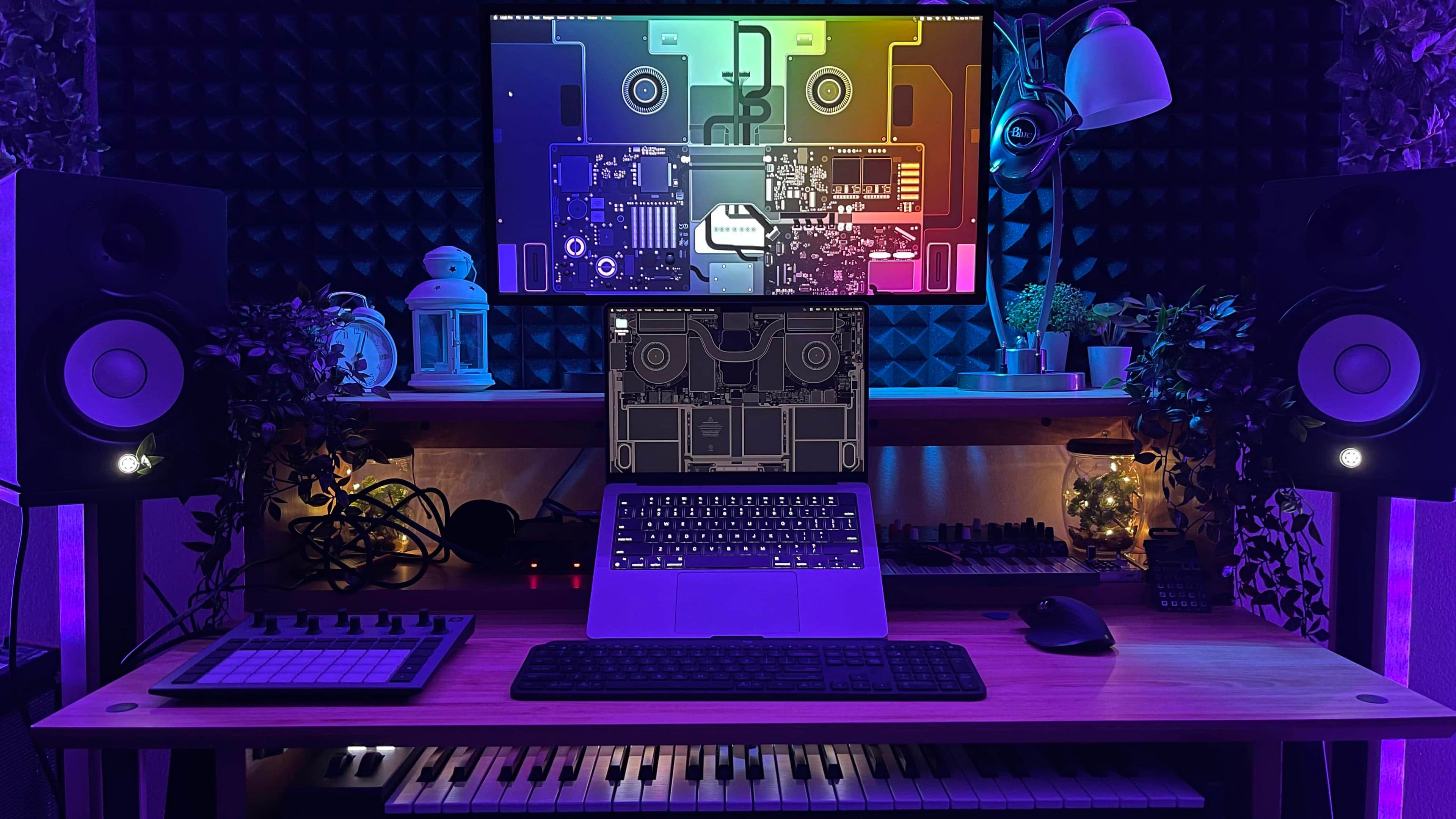
Best Mac Setups for Streamers and Content Creators
Whether you're building a YouTube channel from scratch, going live on Twitch every night, or editing short-form videos for social media, your workspace is more than just furniture — it's your production studio. And if you're in the Apple ecosystem, you already have one of the most powerful creative platforms in the world at your fingertips. But raw hardware alone won't cut it. The best Mac setups for streamers and content creators combine the right machine, the right accessories, and a workflow built for efficiency and output quality.
In this guide, we break down everything you need to know to build a Mac setup that looks great on camera, performs flawlessly under pressure, and helps you create content that stands out in an increasingly crowded digital landscape.
Choosing the Right Mac for Content Creation and Streaming
Before you invest in monitors, microphones, or capture cards, you need the right Mac at the center of your setup. The good news is that Apple's current lineup — powered by Apple Silicon — is exceptionally well-suited for the demands of streaming and content creation.
Mac Mini (M2 or M2 Pro)
For creators who want maximum desk real estate and budget flexibility, the Mac Mini is a phenomenal starting point. The M2 chip handles 4K video editing, live encoding, and multitasking with ease. Pair it with your choice of monitor, and you have a highly customizable setup that grows with your needs. The M2 Pro variant takes things further with additional CPU and GPU cores, making it ideal for creators working with complex timelines in Final Cut Pro or DaVinci Resolve.
MacBook Pro (M3 Pro or M3 Max)
If you need portability without sacrificing power, the MacBook Pro with M3 Pro or M3 Max is the go-to choice for professional streamers and video producers. The stunning Liquid Retina XDR display doubles as a high-quality color reference monitor, and the battery life means you can create on the go without hunting for outlets. When you're back at your desk, simply dock it to an external monitor for a full workstation experience.
Mac Studio or Mac Pro
For power users handling 8K footage, multi-camera productions, or simultaneous streaming and recording in high resolution, the Mac Studio or Mac Pro represents the ultimate investment. These machines eliminate any bottleneck in your creative pipeline and are built to handle the most demanding professional workloads without breaking a sweat.
Essential Accessories for a Creator-Ready Mac Setup
Once you've picked your Mac, the surrounding gear defines the quality and comfort of your creative workflow. Here are the key accessories every serious streamer and content creator should consider.
External Monitor
A high-quality monitor dramatically improves your editing accuracy and streaming experience. Apple's own Studio Display offers excellent color calibration and a 5K resolution that pairs seamlessly with any Mac. For creators on a tighter budget, LG's UltraFine 4K display is a popular and widely recommended alternative that still delivers accurate, vibrant color reproduction.
Microphone
Audio quality can make or break your stream or video. Your audience will forgive average video quality far more readily than poor audio. USB condenser microphones like the Blue Yeti or Rode NT-USB+ plug directly into your Mac without any additional interface and deliver broadcast-quality sound. If you want to take it a step further, an XLR microphone paired with an audio interface such as the Focusrite Scarlett Solo gives you even greater control over your sound.
Webcam or Camera
The built-in camera on most Macs is perfectly serviceable, but if you want to elevate your stream visuals, an external camera makes a noticeable difference. The Logitech Brio 4K is a popular plug-and-play webcam for streamers, while mirrorless cameras like the Sony ZV-E10 connected via a capture card like the Elgato Cam Link 4K offer a cinematic look that sets your content apart.
Capture Card
If you're a gaming content creator or want to stream footage from a console or DSLR camera, a capture card is essential. The Elgato 4K60 Pro and AVerMedia Live Gamer series are both macOS-compatible options that integrate smoothly with popular streaming software.
Lighting
Good lighting transforms the visual quality of your stream without requiring an expensive camera upgrade. The Elgato Key Light and Elgato Key Light Air are purpose-built for content creators, offering adjustable color temperature and brightness that you can control directly from your Mac or iPhone. Position one or two lights in a key-and-fill configuration for a polished, professional look.
Software That Powers the Best Mac Streaming Setups
Hardware is only half the equation. The software you run on your Mac is what ties everything together and defines your production quality.
- OBS Studio: The industry-standard open-source streaming and recording software, fully compatible with macOS and completely free to use.
- Final Cut Pro: Apple's professional video editing software is optimized specifically for Apple Silicon, making it incredibly fast for rendering and exporting on any modern Mac.
- DaVinci Resolve: A free (with a paid Studio tier) professional-grade editor and color grading tool that's a favorite among YouTube creators and filmmakers.
- Ecamm Live: A macOS-native live streaming app that's especially popular among creators who want a polished, interview-style broadcast setup with minimal technical complexity.
- Logic Pro: For podcasters and music content creators, Logic Pro delivers professional audio production tools at a fraction of the cost of competing solutions.
Desk and Ergonomic Setup Tips for Long Creative Sessions
The best Mac setup for streaming and content creation isn't just about tech — comfort and organization matter too. An ergonomic chair, a sit-stand desk, and proper cable management all contribute to a cleaner, healthier workspace. Brands like Uplift, FlexiSpot, and Autonomous offer excellent standing desks at a range of price points that work beautifully with Mac-centric aesthetics.
Consider investing in a monitor arm to free up desk space and position your screen at the optimal eye level. A well-organized desk reduces cognitive clutter and keeps you focused on creating rather than fumbling with tangled cables or crowded surfaces.
Build the Mac Setup That Works for You
There's no single "perfect" Mac setup for every streamer or content creator. Your ideal configuration depends on your content type, your budget, the platform you create for, and the space you're working in. But the core principle remains consistent across all the best setups: invest in quality where it counts — your Mac, your audio, and your lighting — and build outward from there as your channel or brand grows.
With the right Mac at its core and the right tools surrounding it, your creative workstation becomes more than just a place to work. It becomes the engine that powers your entire creative career.