
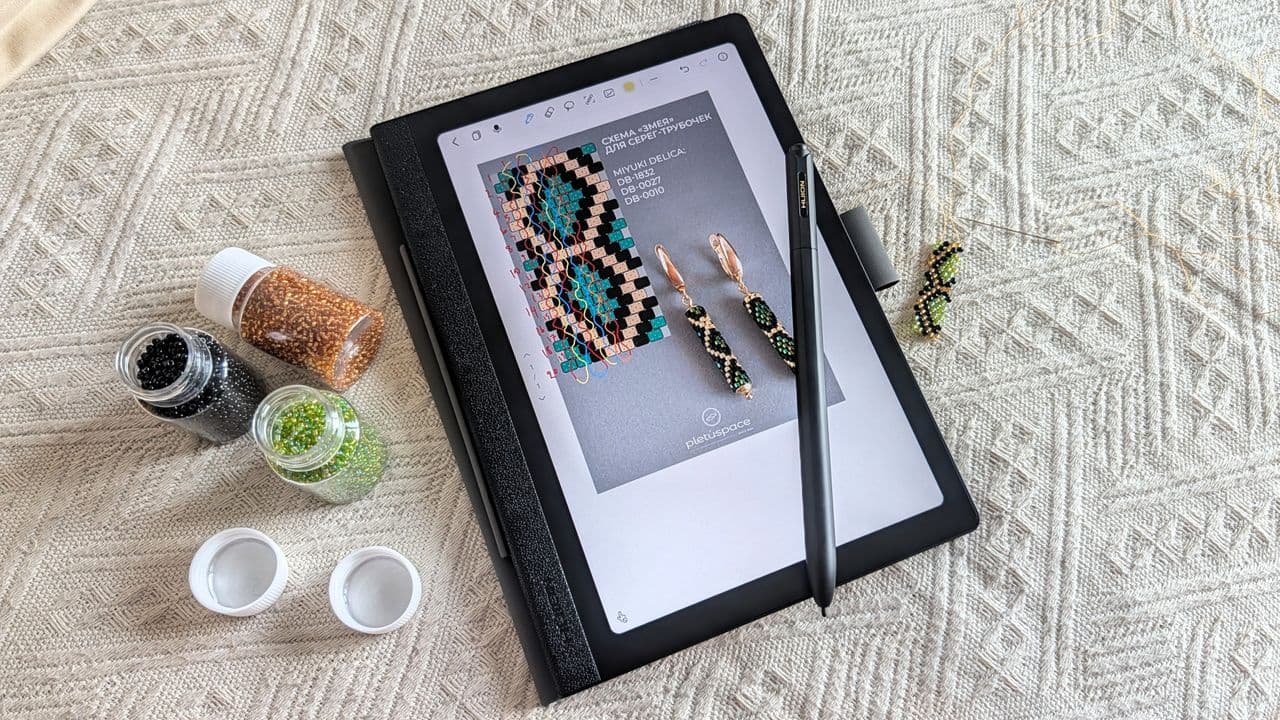
Huion Note E Android Tablet: A Paper-Like Experience You Didn't Know You Needed
When most people think of Huion, they picture professional drawing tablets and high-end graphics peripherals built for artists and designers. But the brand has been quietly and steadily expanding its reach into more consumer-friendly territory. After making waves with the Kamvas Slate 11 for amateur artists and hobbyists, Huion has now introduced something even more intriguing: the Huion Note E, an Android 15 tablet designed to blur the line between a standard Android slate and an E Ink reading device.
Released on May 20, 2026, and priced at $369 on Amazon, the Huion Note E isn't trying to compete head-to-head with the Samsung Galaxy Tab or the Amazon Kindle. Instead, it carves out a surprisingly clever niche all its own — and after spending meaningful time with it, it's hard not to be impressed by how well it pulls that off.
What Makes the Huion Note E Different?
The most immediately striking feature of the Huion Note E is its 8.4-inch IPS LCD display. On paper, that doesn't sound revolutionary. But Huion has applied a special anti-glare, paper-like coating over the screen that mimics the matte texture and low-reflectivity feel of actual paper — or even an E Ink display. The result is a screen that feels far less aggressive on the eyes than a typical glossy tablet panel, making it ideal for long reading sessions, note-taking, or casual browsing in bright environments.
This is not an E Ink tablet. You won't get the weeks-long battery life or the ultra-crisp monochrome rendering of a Kindle or a reMarkable. But the trade-off is meaningful: you get all the fluidity, color capability, and app versatility of a full Android experience while still benefiting from the calm, low-distraction visual character that makes E Ink devices so appealing to productivity-focused users and readers.
Full Android 15 with One Small Setup Step
Running Android 15, the Huion Note E gives users complete access to the Google ecosystem — including the Play Store. However, there is one important first step new owners should not skip: manually registering the device on Google's Device Registration website to enable Google Play Protect. This is a quick, one-time process, but it's essential for ensuring seamless app compatibility and security.
Once that's done, the experience is as smooth and familiar as any mainstream Android tablet. Installing popular apps like Chrome, Google Drive, Google Docs, YouTube, and Google Photos presents no issues whatsoever. Beyond Google's own suite, apps like Goodreads, Pinterest, Moon+ Reader, CamScanner, and Stremio all install and run without a hitch. For readers and note-takers especially, the combination of a paper-textured screen and apps like Moon+ Reader or Goodreads creates a genuinely pleasant digital reading environment.
Performance: Reliable, Practical, and Surprisingly Capable
Under the hood, the Huion Note E is powered by the MediaTek Helio G99 processor — a 6nm chip that has earned a strong reputation in the mid-range smartphone market for punching well above its weight class. Paired with 6GB of RAM and 128GB of onboard storage, the tablet handles everyday tasks with ease and confidence.
During testing, not a single app crash was reported, and multitasking between several open applications caused no slowdowns or stutters. For the typical use cases this tablet is built around — reading, note-taking, document editing, light content consumption — the performance is more than adequate. It's worth noting that gaming wasn't heavily tested, but given the Helio G99's track record in budget and mid-range phones, light to moderate gaming should be entirely achievable, provided you're not expecting console-level graphics fidelity.
Who Is the Huion Note E Actually For?
This is perhaps the most interesting question surrounding the Huion Note E. At $369, it's not the cheapest Android tablet on the market — you can certainly find serviceable slates for less. But the Huion Note E isn't really competing on price alone. It's competing on experience.
- Readers and book lovers who want a full Android app ecosystem alongside the eye-friendly comfort of a paper-like screen will find the Note E far more versatile than a dedicated e-reader.
- Students and professionals who rely on note-taking, document annotation, and stylus-based input will appreciate the tablet's stylus support — a natural extension of Huion's deep expertise in pen-input technology.
- Casual users who find bright, glossy screens fatiguing but still want access to streaming apps, social media, and productivity tools will feel right at home here.
- Artists and creative hobbyists already familiar with the Huion brand will find the Note E a compelling everyday companion that brings some of that drawing-tablet DNA into a more portable, general-purpose form factor.
The Huion Note E in the Broader Tablet Market
In a crowded tablet landscape dominated by Apple's iPad lineup, Samsung's Galaxy Tab series, and a flood of budget Android options, the Huion Note E succeeds by doing something most competitors don't bother with: it prioritizes the quality of the screen interaction over raw specs and benchmark numbers. The paper-like coating isn't just a gimmick — it fundamentally changes how the device feels to use for extended periods, reducing eye strain and keeping the experience grounded and focused rather than overstimulating.
It's a tablet that respects your attention span, which in 2026 feels more valuable than ever.
Final Verdict: A Pleasant Surprise Worth Considering
The Huion Note E is the kind of device that exceeds expectations precisely because those expectations were measured. It doesn't try to be the most powerful tablet in the room. It tries to be the most comfortable, most thoughtful, and most purposeful — and in that mission, it largely succeeds. If you're in the market for an Android tablet that doubles as a reading and writing companion, and you've ever been curious about E Ink devices but didn't want to give up the full Android experience, the Huion Note E deserves a serious look.
Huion has shown, once again, that its expertise in screen-based input and display quality translates remarkably well beyond the drawing tablet niche. The Note E is a quiet, capable, and genuinely enjoyable device — and that's often more than enough.