
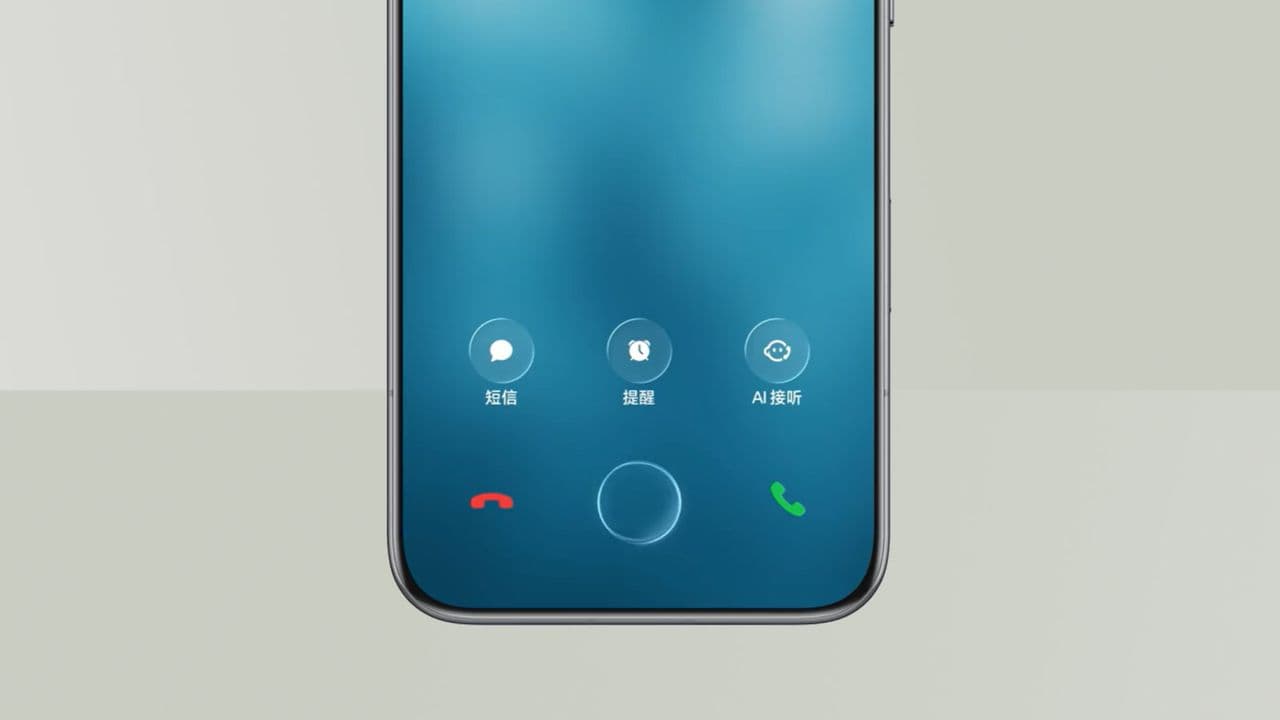
The Rise of the iClone: Why Fake iPhones Are Harder to Spot Than Ever
You've just scored what looks like a brand-new iPhone at an unbelievably low price. The box looks right, the Apple logo gleams in all the right places, and the screen lights up with that familiar interface. But something feels slightly off. Could it be an iClone — a counterfeit iPhone designed to pass as the real thing?
This isn't a niche concern for bargain hunters on sketchy websites. Fake iPhones, often called iClones, have become a booming global industry. Manufacturers in various regions produce counterfeit handsets that mimic Apple's design language so closely that even tech-savvy buyers get fooled. Whether you're shopping second-hand, buying abroad, or simply chasing a deal, knowing how to identify a fake iPhone could save you hundreds of dollars and a whole lot of frustration.
What Exactly Is an iClone?
An iClone is a counterfeit or heavily imitative device designed to look and feel like a genuine Apple iPhone. These range from low-quality knockoffs that fall apart within days to highly sophisticated fakes that replicate the physical appearance almost perfectly. Some counterfeit iPhones even run a modified version of Android skinned to resemble iOS, making them difficult to distinguish at a glance.
The motivations behind buying or selling iClones vary widely. Some people are deliberate buyers seeking a cheap alternative. Others are unwitting victims of fraud. Either way, the consequences of ending up with a fake iPhone can be serious — from poor performance and security vulnerabilities to the simple fact that you've paid iPhone prices for a device that's worth a fraction of the cost.
How to Tell the Difference: Key Signs of a Fake iPhone
1. Check the Serial Number and IMEI
Every genuine iPhone has a unique serial number and IMEI (International Mobile Equipment Identity) that Apple can verify. To find these, go to Settings, then General, then About. Once you have the serial number, head to Apple's official Check Coverage page at checkcoverage.apple.com and enter it. If the number doesn't exist in Apple's system, or if it returns unexpected results, you're likely holding a fake. Counterfeit phones sometimes display a serial number that belongs to a completely different device — or even a legitimate iPhone that was reported stolen.
2. Inspect the Build Quality Up Close
Apple is obsessive about build quality, and genuine iPhones reflect that. Look closely at the seams, buttons, and edges. On a real iPhone, the fit and finish are immaculate — no gaps, no rough edges, no misaligned components. Fake iPhones often have slightly off-center buttons, uneven bezels, or a camera module that doesn't sit flush with the back panel. The weight can also be a giveaway; iClones are frequently lighter or heavier than the genuine article because their internal components differ.
3. Test the Software Experience
iOS is exclusively developed by Apple and cannot be legally installed on non-Apple hardware. If the phone is running something that looks like iOS but behaves strangely — apps crashing unexpectedly, settings menus that don't match what you'd find on a real device, or an inability to update through Apple's official update system — treat it as a serious red flag. Dive into the Settings app and look for inconsistencies. Many iClones running Android-based iOS skins will reveal themselves the moment you look past the surface.
4. Try Connecting to iTunes or Finder
Plugging a genuine iPhone into a Mac or PC running the latest version of macOS Finder (or iTunes on older systems) should prompt the device to be recognised immediately as an iPhone. A counterfeit device will either fail to connect properly, show up as an unknown device, or prompt unusual error messages. This is one of the most reliable tests you can perform, and it takes only seconds.
5. Examine the Packaging and Accessories
Apple's packaging is a product in itself — tight, matte-finished boxes with precise typography and flawless printing. Fake packaging often has slightly blurry logos, incorrect font weights, spelling errors, or cheap-feeling cardboard. The included cable and accessories should bear Apple's MFi (Made for iPhone) certification markings. Counterfeit cables frequently lack these, and they may not charge or sync properly as a result.
Where Are iClones Most Commonly Sold?
Counterfeit iPhones circulate in a number of environments. Online marketplaces — including resale platforms that permit private sellers — are a common source, particularly when listings advertise "sealed" or "brand new" iPhones at prices well below Apple's recommended retail. Street markets, informal electronics bazaars, and unverified overseas sellers also carry significant risk. Even some physical phone repair shops have been known to swap genuine components for counterfeit ones during servicing, leaving customers with a partially fake device without realising it.
Why It Matters Beyond the Price Tag
Beyond the financial sting of being defrauded, using a counterfeit iPhone carries real risks. Fake devices are not subject to Apple's safety standards, meaning their batteries can overheat, their charging circuits may be dangerous, and their software can harbour malware. Personal data entered into a fake iPhone — passwords, banking details, contact information — may be far less secure than you'd expect. There have been documented cases of iClones shipping with pre-installed spyware designed to harvest user data.
The Smart Way to Buy an iPhone
- Purchase directly from Apple's official store or an authorised Apple reseller whenever possible.
- When buying second-hand, always verify the serial number on Apple's website before handing over any money.
- Be deeply suspicious of any deal that seems too good to be true — genuine iPhones hold their value, and dramatic discounts on new or near-new models are a classic warning sign.
- Ask the seller to perform a factory reset in front of you so you can set up the device fresh and confirm it's running genuine iOS.
- Use Apple's Trade In programme or certified refurbished options if cost is a concern — these give you the savings without the risk.
Final Thoughts
The iClone industry is sophisticated, well-funded, and constantly evolving to stay ahead of detection. As Apple continues to push the design and technology of its iPhone lineup forward, counterfeiters work just as hard to keep pace. The best defence is awareness — knowing what a genuine iPhone looks, feels, and behaves like, and having the tools to verify authenticity before any money changes hands.
If you're ever in doubt, trust your instincts and do the checks. A real iPhone is a significant investment, and it deserves to be exactly what it claims to be. Don't let a convincing iClone catch you off guard.