
HDR on Windows Has Always Been a Mess
If you've been PC gaming long enough, you already know that HDR on Windows is far from a polished experience. Unlike consoles, which tend to offer more controlled hardware and software environments, PC gaming HDR is a complex puzzle involving your monitor's capabilities, your GPU drivers, Windows system settings, and the individual game's own implementation. Getting all of these pieces to align perfectly is rarer than it should be.
Even when your hardware is HDR-certified and your settings appear correct, Windows itself can behave unpredictably. Auto HDR might kick in when you don't want it to, or the game's native HDR mode may conflict with how Windows is handling the signal. The result is often washed-out colors, blown-out highlights, or a completely incorrect color range that makes the game look worse than it would in standard dynamic range. For enthusiasts who have invested in premium HDR monitors, this is a genuinely frustrating reality.
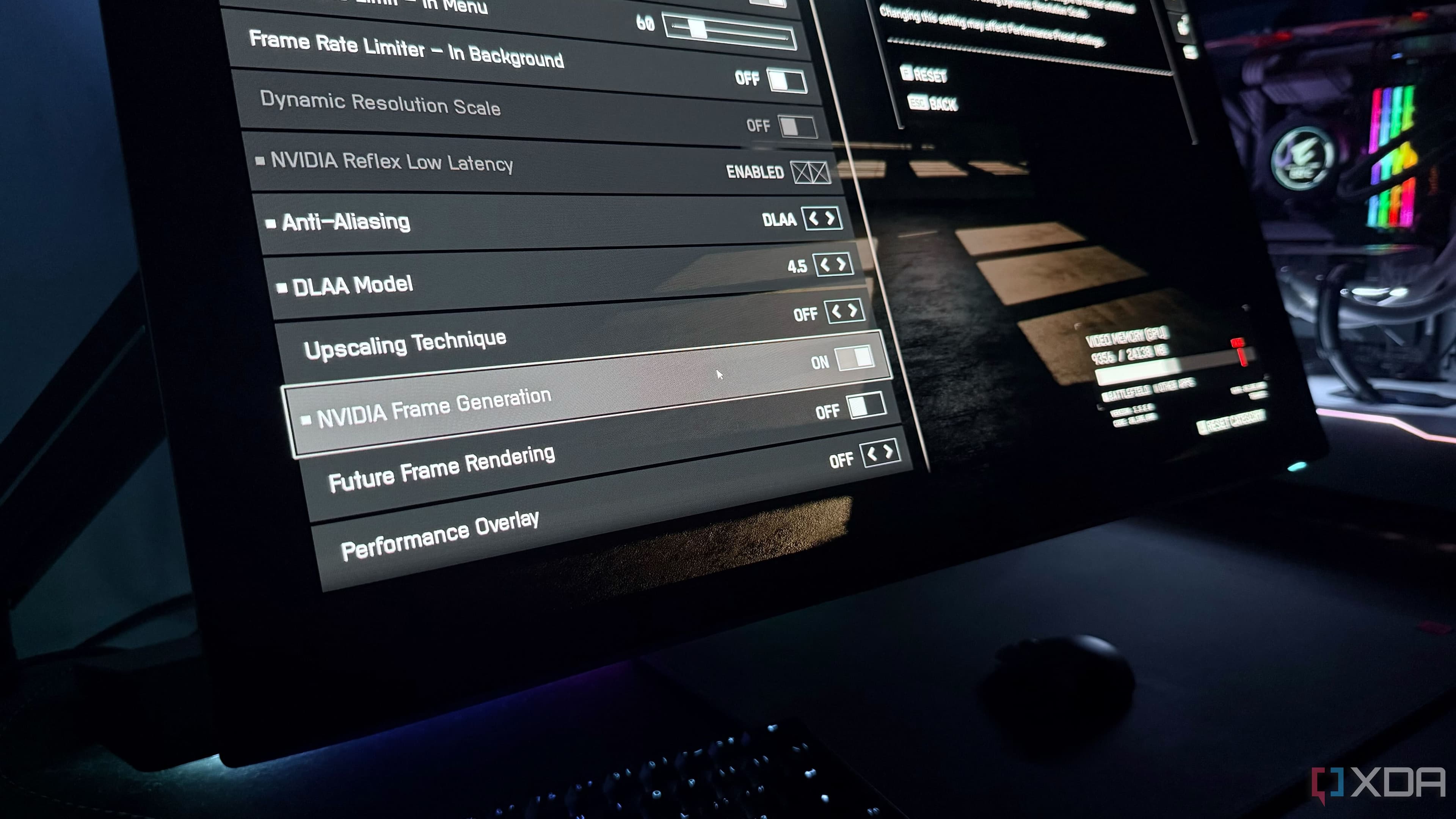
And then there's frame generation — a feature that has become increasingly popular thanks to Nvidia's DLSS Frame Generation technology. While many players love the smooth, high frame-rate experience it delivers, it has quietly introduced yet another variable into an already unstable HDR equation.
What Is Frame Generation and Why Does It Cause HDR Problems?
Frame generation is a technology that uses AI and optical flow analysis to generate entirely new intermediate frames between the real frames your GPU renders. The goal is to dramatically boost the perceived frame rate without requiring the GPU to do proportionally more rendering work. When it works well, games feel noticeably smoother, especially at higher resolutions where frame rates can dip.
However, frame generation interacts with the game's rendering pipeline in ways that can conflict with native HDR implementations. Some games rely on specific rendering stages or final output passes to apply their HDR tone mapping and metadata. When frame generation inserts itself into that pipeline, it can disrupt or bypass these processes entirely, resulting in HDR that is either broken, ignored, or applied incorrectly.
This issue surfaced prominently for some players while experiencing 007 First Light, where enabling frame generation caused the game's native HDR output to behave incorrectly. Colors appeared wrong, the tone mapping looked off, and the intended visual experience was clearly not being delivered. It's a problem that highlights a real tension between newer rendering enhancement features and the still-fragile state of HDR implementation on PC.
Nvidia's Driver-Level HDR Fix: What It Is and How It Works
Rather than waiting for individual game developers to patch their titles or redesign their rendering pipelines to accommodate frame generation, Nvidia has implemented a driver-level HDR solution. This approach moves HDR processing out of the game's own pipeline and handles it at the driver level instead — meaning Nvidia's software takes control of the HDR output before it reaches your display.
In practice, this means that even if a game's native HDR implementation breaks when frame generation is enabled, the driver can apply its own HDR processing on top of the final output. This sidesteps the conflict entirely by removing the dependency on the game's internal HDR path.
What makes this particularly interesting is that the driver-level solution doesn't just serve as a workaround — by many accounts, it actually produces better results than many native HDR implementations. Game developers vary enormously in how well they implement HDR, and some titles ship with HDR modes that are mediocre at best. Nvidia's driver-level processing, built on a more consistent and refined approach, can end up delivering a more accurate and visually pleasing HDR image.
Why the Driver Fix Can Look Better Than Native HDR
Native HDR implementation quality varies wildly across the PC gaming landscape. Some developers spend significant time calibrating their HDR tone mapping, ensuring highlights clip gracefully, shadow detail is preserved, and the overall luminance range feels natural and intentional. Others treat HDR as a checkbox feature, shipping implementations that look flat, overly bright, or simply wrong on many display configurations.
Nvidia's driver-level HDR leverages the company's extensive expertise in image processing and display technology. By applying a consistent, well-tuned algorithm to the final rendered frame, the driver can produce results that:
- Deliver more accurate peak brightness and tone mapping across a wider range of monitors
- Maintain color volume and saturation without blowing out highlights
- Provide a consistent experience regardless of how well the game's own HDR was implemented
- Work seamlessly alongside frame generation without pipeline conflicts
For players with high-end HDR monitors capable of true high peak brightness, this level of control at the driver layer can genuinely elevate the visual experience beyond what a lazily implemented in-game HDR mode would offer.
Should You Enable Frame Generation Even If HDR Is a Concern?
The short answer is yes — and with less hesitation than before. Knowing that Nvidia has a driver-level safeguard in place means that the trade-off between smooth frame rates and proper HDR output is far less severe than it used to be. You no longer have to choose between a buttery-smooth experience and correct HDR visuals, at least on systems running Nvidia's latest drivers.
That said, it's worth checking your Nvidia Control Panel settings and ensuring that the appropriate HDR options are enabled at the driver level if you notice any issues. Not every configuration will automatically default to the optimal setup, and some manual adjustment may be needed depending on your specific monitor and game combination.
The Bigger Picture: HDR on PC Still Needs Work
While Nvidia's driver-level HDR fix is a welcome development, it also underscores how much work still needs to be done to make HDR a truly reliable and consistent experience on Windows. Microsoft has made strides with Auto HDR and improvements to the Windows HDR calibration tools, but the fundamental fragmentation remains. Games, GPU drivers, Windows settings, and monitor firmware all need to cooperate perfectly, and too often they don't.
In an ideal world, HDR on PC would be as plug-and-play as it has become on modern gaming consoles. Until that day arrives, solutions like Nvidia's driver-level HDR processing are a pragmatic and effective bridge — one that not only solves a specific compatibility problem with frame generation but may actually raise the overall quality floor for HDR gaming on Nvidia hardware.
If you've been holding off on using frame generation because of HDR concerns, now might be a good time to give it another look. The experience has meaningfully improved, and for many players, it may be the best of both worlds.