
Why I Paid for Otter.ai — And Why I Finally Stopped
If you have ever worked in journalism, attended back-to-back meetings, or tried to keep accurate records of interviews, you already know how indispensable a reliable transcription tool can be. For a long time, Otter.ai was the gold standard recommendation in newsrooms, classrooms, and professional circles alike. When I started working as a reporter and staff writer at a local small-town newspaper, my instructors told me without hesitation: use Otter.ai. It records, it transcribes in real time, and it helps you keep the order of a conversation intact so your quotes are accurate. I followed that advice, paid the monthly subscription fee, and never questioned it — until I discovered what my Google Pixel phone had been quietly capable of all along.
The Problem With Expensive Transcription Subscriptions
Otter.ai is genuinely a capable tool. For journalists and professionals who rely on capturing spoken word accurately, the live transcription feature is a game-changer. But capability comes at a cost. Otter.ai's paid tiers can run anywhere from roughly $10 to $20 or more per month depending on the plan, and for freelancers, students, or small-town newspaper reporters working on modest salaries, that recurring expense adds up fast.
Beyond the cost, subscription-based transcription services come with other frustrations. Storage limits, minute caps, paywalled exports, and the constant nagging to upgrade your plan are friction points that interrupt your workflow at the worst possible moments — like right before a deadline. When you are already juggling interviews, fact-checking, and editing, the last thing you need is a pop-up telling you that you have used 80% of your monthly transcription minutes.
So when a built-in, completely free alternative started delivering the same core functionality, it was only a matter of time before I made the switch.
Enter the Google Pixel Recorder App
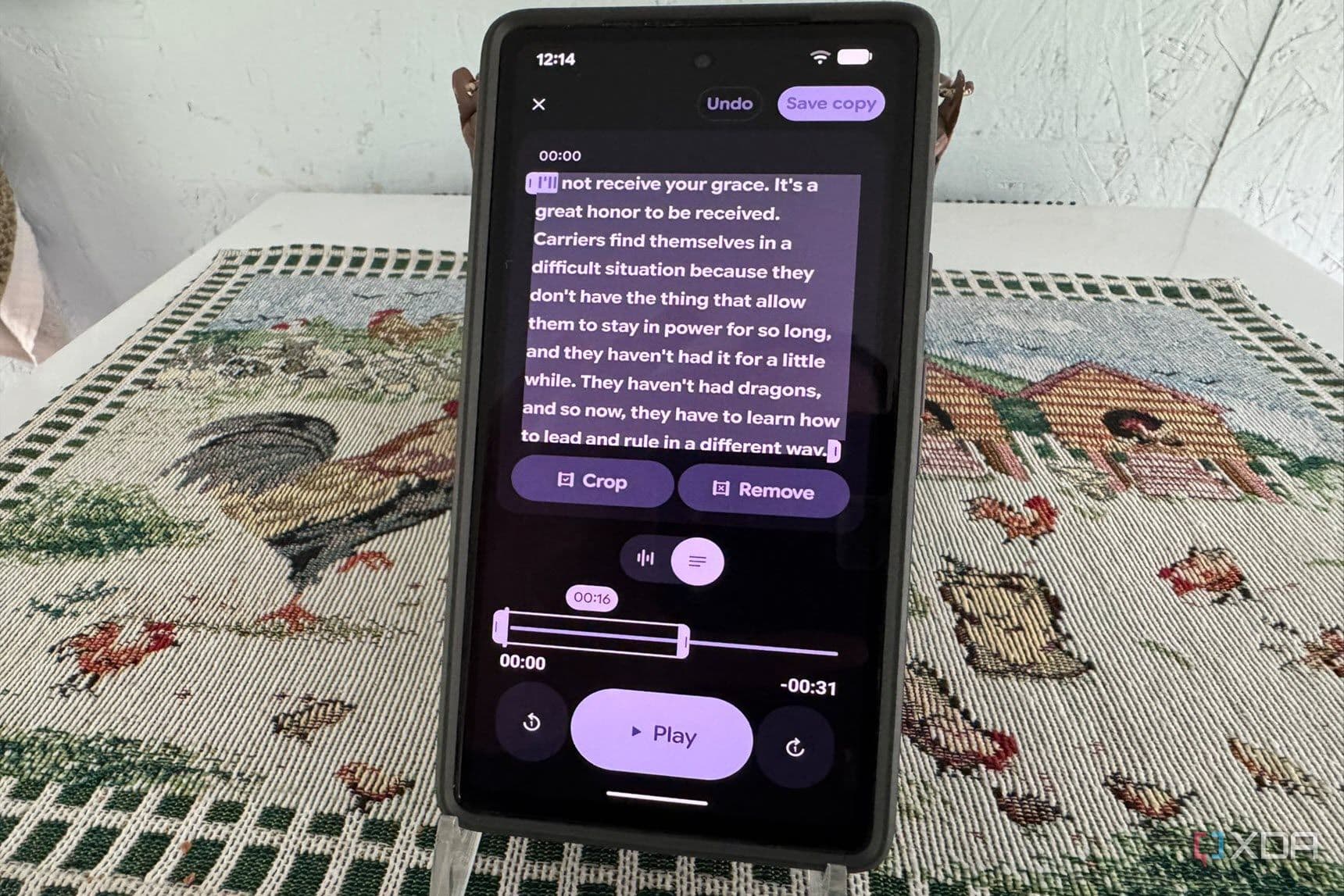
The app in question is Google's Recorder app, which comes pre-installed on Google Pixel devices. On the surface, it looks like any other voice recorder application. But what sets it apart is its on-device, real-time transcription powered by Google's speech recognition technology. As you record audio, the app simultaneously generates a live text transcript — no internet connection required for the transcription itself on supported Pixel models.
For journalists, this is huge. Recording an in-person interview in a spot with unreliable cell service? No problem. The transcription still works. Conducting a quick sidewalk interview at a town council meeting? Pull out your Pixel, hit record, and walk away with both the audio file and a searchable, shareable text transcript.
Key Features That Make the Pixel Recorder App Stand Out
- Real-time transcription: Text appears on screen as the speaker talks, making it easy to follow along and flag key quotes during a recording session rather than hunting for them afterward.
- Fully searchable transcripts: Every recording is indexed by its transcript, meaning you can search for a specific word or phrase across all your recordings instantly — a massive time-saver when pulling quotes for an article.
- On-device processing: Transcription happens locally on the phone for supported Pixel models, which means your sensitive interview audio never has to leave your device to be processed on a third-party server.
- Speaker labels: The app can distinguish between different speakers in a conversation and label them accordingly, which is essential when transcribing multi-person interviews or panel discussions.
- Easy sharing and export: Transcripts can be shared as text files or copied directly, streamlining the workflow from recording to writing without having to pay for a premium export feature.
- Completely free: There are no subscription fees, no minute caps, and no storage paywalls. It comes included with Pixel devices at no extra charge.
How It Compares to Otter.ai for Real-World Use
To be fair, Otter.ai has features that power users and large teams will still appreciate. Its collaboration tools, calendar integrations, and Zoom meeting sync make it a compelling choice for enterprise environments. If you are running a media organization or a corporate team that needs to automatically transcribe dozens of video calls per week, Otter.ai's ecosystem is built for that scale.
But for an individual journalist, student, researcher, or small business owner who primarily needs accurate voice-to-text transcription on the go, the Pixel Recorder app handles the job with zero cost and surprisingly strong accuracy. In side-by-side use, the transcription quality for clear, close-range audio is comparable to what Otter.ai produces on its standard plan. The speaker separation is not always perfect in noisy environments, but neither is any competing tool at this price point — which, again, is free.
Who Should Make the Switch?
If you own a Google Pixel device and currently pay for a transcription subscription primarily for personal or professional recording use, it is genuinely worth testing the Recorder app before renewing. The people most likely to benefit from making the switch include journalists and reporters covering beats that involve regular interviews, students who record lectures or study group sessions, podcasters who want rough transcripts for show notes, legal and medical professionals who take recorded notes in the field, and anyone who simply wants a fast, searchable record of conversations without a monthly bill attached.
The Bottom Line
It is easy to stick with the tools you were taught to use, especially when they work well enough. Otter.ai served me reliably throughout my time in the newsroom, and I do not regret using it. But discovering that my Pixel had been carrying a fully capable, privacy-conscious, completely free transcription tool the whole time was one of those moments that made me rethink what I was actually paying for. If you are a Pixel owner sitting on a transcription subscription, open your app drawer, find Recorder, and give it a real test run. Chances are, it will earn a permanent spot in your workflow — and save you money every single month in the process.