
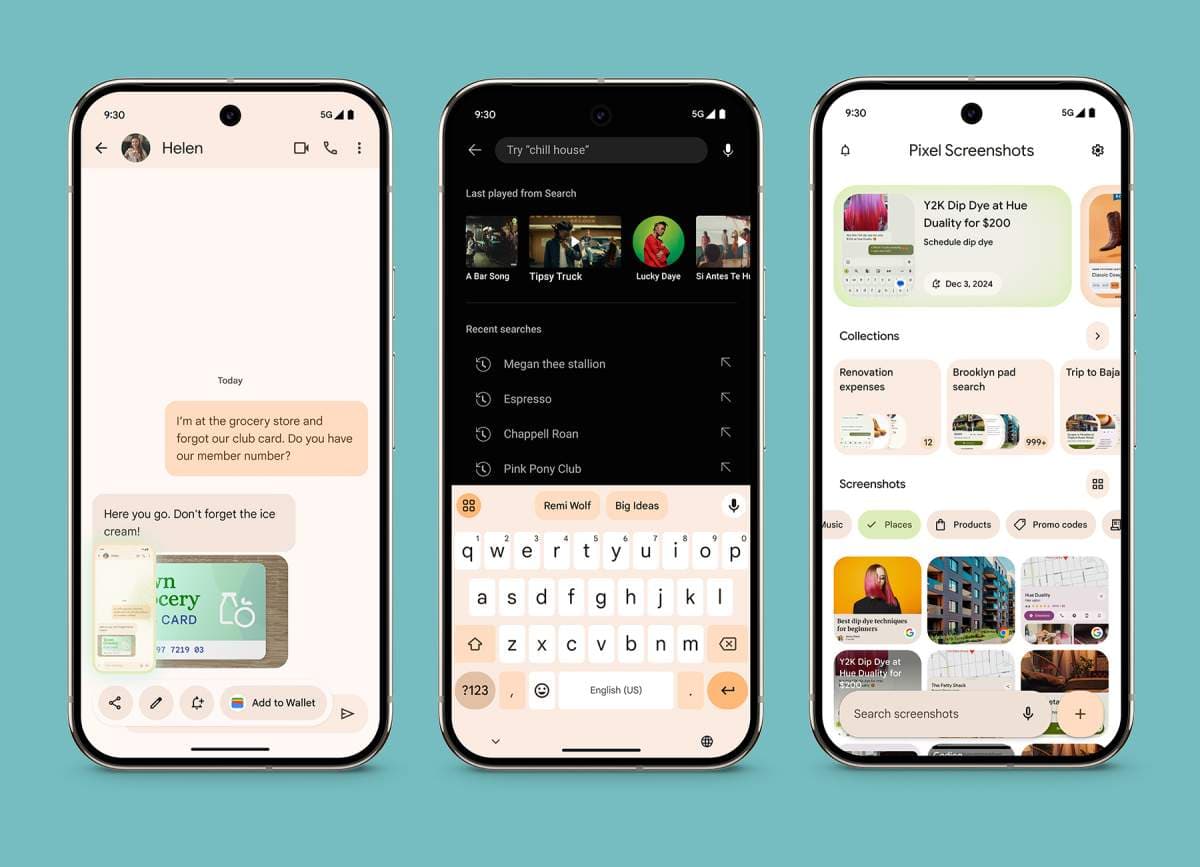
Pixel Screenshots Is No Longer Limited to On-Device AI
Google's Pixel Screenshots app has quietly but significantly evolved. What started as a privacy-forward, fully on-device AI tool for organizing and extracting information from screenshots has now expanded its reach into the cloud. With the release of version 1.26.134.11, Google has introduced cloud-based AI processing as an option within Pixel Screenshots, marking a notable shift in how the app handles your data and delivers its core functionality.
For many Pixel users, this update raises important questions: What exactly has changed? Is your data still safe? And what does the move toward cloud processing mean for the future of AI features on Google's flagship Android devices? Let's break it all down.
What Is Pixel Screenshots?
Pixel Screenshots is a Google-developed app available exclusively on Pixel devices. Its core purpose is to help users do more with their screenshots than simply save them to a camera roll. Using artificial intelligence, the app can read, analyze, and index the content of your screenshots, making it easy to search through them, pull out key information, and revisit important details you might have captured weeks or months ago.
When it launched, one of its biggest selling points was that all of this AI-driven processing happened entirely on your device. No data left your phone. No screenshots were uploaded to a server. It was fast, local, and designed with privacy at the forefront. That model worked well for many users who valued keeping their personal information close — but it also came with inherent limitations in terms of processing power and scalability.
What Changed in Version 1.26.134.11
The shift becomes apparent when you open the Settings menu within the updated version of the app. Two small but meaningful changes in the app's language tell the full story of what Google has introduced.
Previously, the feature toggle in Settings read: "Search your screenshots with on-device AI." In the latest version, that label has been simplified to: "Search your screenshots with AI." The removal of the phrase "on-device" is deliberate and signals that the AI processing is no longer exclusively local.
The updated description beneath this setting now reads: "Data used by Screenshots is protected in a secure, isolated environment on your device or in the cloud." The addition of "or in the cloud" is the clearest confirmation that Google has integrated a cloud processing pipeline into the app's architecture.
On-Device AI vs. Cloud AI: Understanding the Difference
To appreciate the significance of this change, it helps to understand the distinction between on-device AI and cloud AI processing.
- On-device AI runs entirely on the hardware within your smartphone. All computation happens locally, meaning your data never leaves the device. This approach prioritizes privacy and works without an internet connection, but it is constrained by the processing power of the phone's chip.
- Cloud AI sends data to remote servers where more powerful infrastructure handles the processing. Results are then returned to the device. This can enable faster performance, more sophisticated models, and features that would be impossible or impractical to run locally.
Google's decision to incorporate cloud processing into Pixel Screenshots likely opens the door to more powerful AI capabilities, improved accuracy in reading complex screenshots, and potentially new features down the line that on-device hardware simply couldn't support at scale.
What About Privacy and Security?
The most pressing concern for any user hearing that their screenshots may now be uploaded to the cloud is privacy. Screenshots can contain anything — banking information, personal messages, passwords, confidential documents. The idea of that data leaving a device is understandably uncomfortable for many people.
Google's updated app description addresses this directly by stating that data is protected in a "secure, isolated environment." This language points toward the use of confidential computing techniques, where data is encrypted and processed in isolated environments that prevent unauthorized access, even from Google's own infrastructure in theory.
While Google has not released an in-depth technical breakdown of exactly how the cloud processing is secured, the emphasis on isolation suggests the company is applying similar principles to those used in other privacy-preserving cloud services. Users who remain uncomfortable with any form of cloud processing should monitor whether Google introduces a toggle allowing users to explicitly restrict processing to on-device only.
What This Means for the Future of Pixel AI Features
This update is more than just a backend tweak — it reflects a broader trend in how Google is building AI-powered features for its Pixel lineup. The company has consistently pushed the idea of on-device AI as a privacy differentiator, particularly with its Gemini Nano model baked directly into Pixel hardware. However, as AI capabilities grow more sophisticated, the limitations of on-device processing become harder to ignore.
By creating a hybrid model — one where processing can happen locally or in the cloud depending on the task — Google is positioning Pixel Screenshots and potentially other Pixel AI features to be more powerful without entirely abandoning the privacy-first principles that made them appealing in the first place.
This hybrid approach may well become the standard template for Pixel AI features going forward: on-device processing for quick, routine tasks and sensitive operations, with cloud AI available to handle more complex queries securely when needed.
Should Pixel Users Be Concerned?
For most everyday users, the practical experience of using Pixel Screenshots is unlikely to change in any disruptive way. The app will continue to help you find and extract information from your screenshots quickly and conveniently. The underlying infrastructure doing that work has simply expanded.
That said, users with heightened privacy needs — journalists, healthcare professionals, or anyone regularly capturing sensitive information — should pay close attention to how Google documents and controls this cloud processing option. Transparency around data handling, retention policies, and opt-out mechanisms will be key to maintaining user trust as this feature rolls out more broadly.
Final Thoughts
The evolution of Pixel Screenshots from a purely on-device AI app to one that also leverages secure cloud processing is a significant step in Google's AI strategy for Pixel devices. Version 1.26.134.11 makes the change official through updated Settings language, signaling that Google is ready to push the capabilities of this app further than local hardware alone can take it. Whether you see this as an exciting upgrade or a reason for caution, it is clear that Pixel Screenshots — and Google's approach to mobile AI more broadly — is entering a new chapter.