
Pixel Screenshots Is No Longer Limited to On-Device AI — Here's What Changed
When Google first introduced Pixel Screenshots, it was celebrated as a smart, privacy-conscious tool that kept everything local. Screenshots were captured, analyzed, and made searchable entirely on your device — no cloud, no servers, no data leaving your hands. It was one of the cleaner examples of on-device AI doing exactly what it promised. That, however, is beginning to change.
A recent update to the Pixel Screenshots app introduces cloud processing as an option alongside the existing on-device approach. It's a meaningful shift — one that expands the app's capabilities while raising fresh questions about privacy, performance, and the broader direction Google is taking with its Pixel AI ecosystem.
What Is Pixel Screenshots?
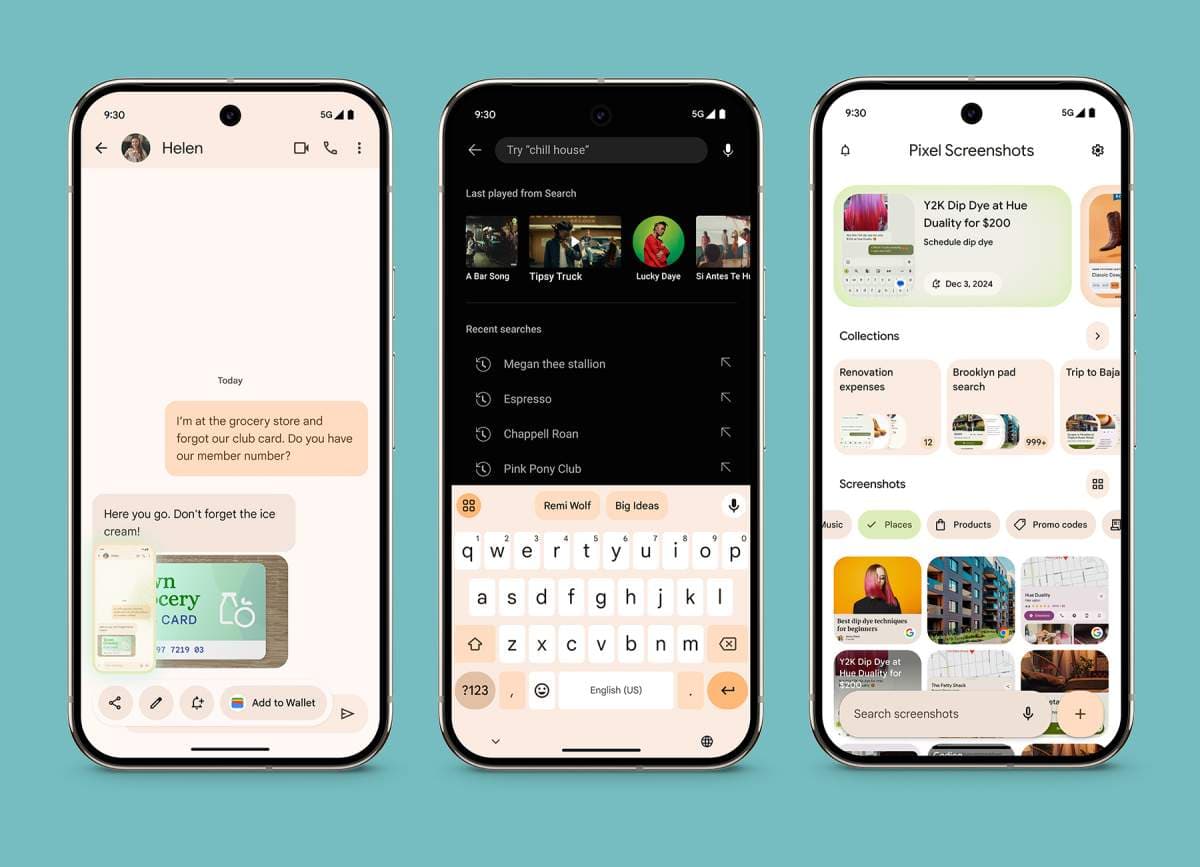
For those unfamiliar, Pixel Screenshots is a native application available on Google Pixel devices that allows users to automatically capture, organize, and search through their screenshots using artificial intelligence. Rather than scrolling endlessly through a cluttered gallery trying to remember which screenshot had that restaurant name or flight confirmation, Pixel Screenshots indexes the content of your images and makes it instantly retrievable through natural language search.
The app launched with a strong emphasis on on-device AI, meaning all of the processing — reading text, understanding context, building the searchable index — happened locally on the Pixel hardware. No data was sent to Google's servers. This was a key selling point, particularly for users who are cautious about privacy and wary of uploading sensitive screenshots containing personal documents, financial information, or private conversations to any external system.
What Changed in Version 1.26.134.11?
The update in question is version 1.26.134.11 of the Pixel Screenshots app, and the changes are visible directly within the app's settings menu. The wording has been quietly but significantly altered in two places.
Previously, the relevant setting read: "Search your screenshots with on-device AI." That phrase has now been shortened and broadened to simply: "Search your screenshots with AI." The removal of the words "on-device" is small in terms of character count but large in terms of implication.
Alongside this, the description text has also been updated. It now reads: "Data used by Screenshots is protected in a secure, isolated environment on your device or in the cloud." That phrase — "or in the cloud" — is the critical addition. It confirms that screenshot data can now be processed outside of the local device environment, transmitted securely to cloud infrastructure, and handled there rather than solely on the Pixel chip.
Why Would Google Make This Change?
There are several plausible reasons Google would introduce cloud processing into a tool that was originally defined by its on-device nature.
More Processing Power
On-device AI is impressive, but it is inherently constrained by the hardware available in a smartphone. Cloud servers can bring dramatically more computational power to bear on a task, which could mean faster indexing, more accurate content recognition, better handling of complex screenshots with mixed text and images, and improved search results overall. For users with large libraries of screenshots, this performance boost could be genuinely useful.
Expanded AI Features
Cloud connectivity also opens the door to more sophisticated AI models than can feasibly run on a mobile chip. Google has a vast suite of AI tools and large language models at its disposal. By routing some processing through the cloud, Pixel Screenshots could eventually tap into more advanced capabilities — summarization, smarter categorization, cross-screenshot reasoning, or even integration with other Google services.
Keeping Pace With the Competition
Other smartphone platforms and AI tools have been aggressively building out cloud-assisted AI features. Keeping Pixel Screenshots purely on-device, while principled, may have started to feel limiting compared to what competing products could offer. Introducing cloud processing brings the app more in line with the broader industry direction without entirely abandoning the local processing option.
What About Privacy?
This is the question most users are likely to ask first, and it is a fair one. Screenshots often contain some of the most sensitive information on a person's phone — bank statements, medical documents, private messages, passwords, identification documents, and more. The original appeal of on-device processing was precisely that none of this data ever left the device.
Google's updated description does include a reassurance, noting that data is protected in a "secure, isolated environment" whether it is processed on-device or in the cloud. The use of the phrase "isolated environment" is significant — it suggests the kind of confidential computing infrastructure that processes data in a way that prevents even the cloud provider from accessing the raw content.
That said, users who are particularly privacy-sensitive should review their settings carefully after updating. It is worth checking whether cloud processing can be toggled off or limited, and staying alert to any further communications from Google about exactly how data is handled, retained, and protected under the new model.
What This Means for Pixel Users Going Forward
The Pixel Screenshots update is a window into a broader trend: the gradual blurring of the line between on-device and cloud AI. Google — like Apple, Samsung, and others — is increasingly building hybrid systems where some tasks run locally and others are offloaded to servers depending on complexity, connectivity, and user preference.
For most everyday users, this change will likely be invisible in practice. Screenshots will still be captured and searchable, and the experience may actually improve thanks to enhanced cloud processing power. But for those who chose Pixel Screenshots specifically because of its on-device privacy guarantee, the update is worth paying attention to.
Keep an eye on the settings menu in version 1.26.134.11 and beyond, and stay informed as Google releases further details about exactly how the cloud processing component works. The shift is already live — and it represents a notable new chapter for one of Pixel's more quietly useful AI features.