
The Problem With Running Pi-hole on a Spare PC or Mini PC
If you've ever set up Pi-hole on a spare PC or mini PC, you probably felt pretty clever about it. You had the hardware sitting around, it was more powerful than you needed, and you figured it would handle DNS filtering for your entire home network without breaking a sweat. And technically, you were right — the hardware could handle the load. But that's not where the real problem lives.
The real problem is uptime. Every single time you need to reboot that machine — whether it's to apply system patches, update a Docker container, restart a virtual machine, or just clear out a software hiccup — your entire home network goes offline with it. Every device in your house suddenly can't resolve DNS queries. The smart TV buffers, your phone loses its internet connection, your kids can't load YouTube, and your partner is now walking toward you with a very specific look on their face. You'll often hear about the outage from your family before you even realize you caused it yourself.
This is exactly the scenario that pushes people to rethink their Pi-hole setup. The issue isn't computing power — it's the wrong tool for the job. A general-purpose PC or mini PC is designed to do many things, and that flexibility comes with a cost: maintenance reboots, updates, and the inevitable downtime that follows. What Pi-hole actually needs is a dedicated, low-power, always-on device that exists for one purpose and one purpose only. That's where the Raspberry Pi Zero 2W enters the picture.
What Is the Raspberry Pi Zero 2W?
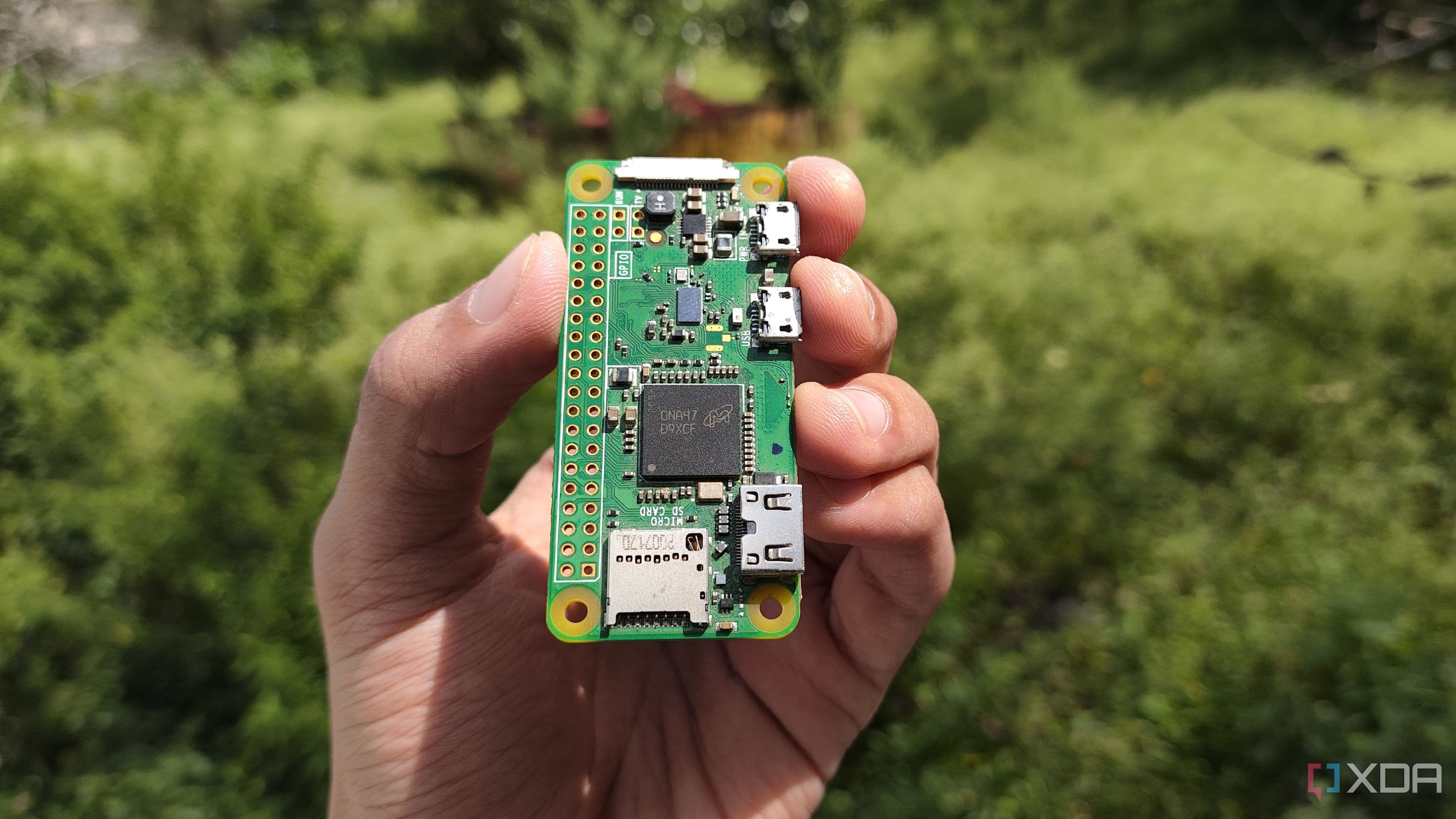
The Raspberry Pi Zero 2W is a tiny, credit-card-sized single-board computer that retails for just $15. Despite its modest price tag, it packs a quad-core 64-bit ARM Cortex-A53 processor running at 1GHz, 512MB of RAM, built-in Wi-Fi, and Bluetooth — all in a form factor small enough to fit in your shirt pocket. It draws very little power, runs cool, makes no noise, and can operate 24 hours a day, 7 days a week without complaint.
For the specific job of running Pi-hole, the Raspberry Pi Zero 2W is essentially overqualified. Pi-hole is a lightweight DNS sinkhole application — it intercepts DNS requests from devices on your network, filters out known ad-serving and tracking domains, and forwards legitimate queries to your chosen upstream DNS resolver. It's not computationally demanding. The Pi Zero 2W handles it effortlessly, often with CPU usage that barely registers above a few percent during normal household use.
Why Dedicated Hardware Changes Everything for Pi-hole
When you run Pi-hole on a dedicated device like the Raspberry Pi Zero 2W, the entire dynamic of your home network changes. The device boots up, runs Pi-hole, and that's it. There are no Docker containers competing for resources, no virtual machines to manage, no other services that might require a reboot at an inconvenient time. Updates to the Pi-hole software itself rarely require a full system restart, and when a reboot is occasionally necessary, it takes the Pi Zero 2W less than a minute to come back online.
Compare that to a mini PC that might be running a full desktop or server OS with multiple services stacked on top of each other. Any one of those services might trigger an update cycle that demands a reboot. And because Pi-hole is just one tenant on a much busier machine, your DNS protection goes dark every time the landlord decides to do renovations.
Dedicated hardware also encourages better network architecture habits. When your Pi-hole lives on its own device, you naturally start thinking about redundancy — perhaps running a second Pi Zero 2W as a backup DNS server. With a spare PC, that conversation rarely happens because the machine already feels like overkill for the task.
Setting Up Pi-hole on a Raspberry Pi Zero 2W
Getting Pi-hole running on a Raspberry Pi Zero 2W is a straightforward process that most home network enthusiasts can complete in an afternoon. Here's a general overview of what the process looks like:
- Flash Raspberry Pi OS Lite to a microSD card using the official Raspberry Pi Imager tool, which lets you pre-configure Wi-Fi credentials and enable SSH before the first boot.
- Assign a static IP address to the Pi Zero 2W, either by configuring it on the device itself or by setting a DHCP reservation in your router. A stable IP address is essential because your router will point to this address as its primary DNS server.
- Install Pi-hole using the official one-line install script. The installer walks you through choosing an upstream DNS provider, setting up your admin interface, and configuring your blocklists.
- Point your router's DNS settings to the Pi Zero 2W's static IP address. Once this is done, every device on your network automatically benefits from ad and tracker blocking without any per-device configuration.
- Add and manage blocklists through the Pi-hole web dashboard to customize which domains get filtered. Popular community-maintained lists block tens of thousands of known ad servers, telemetry endpoints, and malware domains.
Power Consumption and Long-Term Cost
One of the quieter advantages of the Raspberry Pi Zero 2W is how little electricity it consumes. Running continuously, the board draws roughly 0.4 to 1 watt under typical Pi-hole workloads. Over the course of a full year, that amounts to a few kilowatt-hours of electricity — a cost measured in cents rather than dollars. A spare PC or even a mini PC running 24/7 will consume dramatically more power, easily adding several dollars per month to your electricity bill. Over two or three years, the energy savings alone can surpass the initial cost of the Pi Zero 2W itself.
Is the Raspberry Pi Zero 2W the Right Choice for You?
If your home network handles moderate traffic — a couple dozen connected devices, typical streaming and browsing usage, the occasional gaming session — the Raspberry Pi Zero 2W is more than capable. Households with very high DNS query volumes or those looking to run additional network services alongside Pi-hole might consider stepping up to a Raspberry Pi 4 or Raspberry Pi 5, but for the vast majority of home users, the Zero 2W is the sweet spot of price, performance, and simplicity.
The bottom line is this: Pi-hole is a service that benefits enormously from stability and always-on availability. A $15 Raspberry Pi Zero 2W, dedicated entirely to that one job, delivers exactly that. Your spare PC or mini PC might be more powerful, but power was never the point. Reliability is — and on that front, the tiny Pi Zero 2W wins every time.