
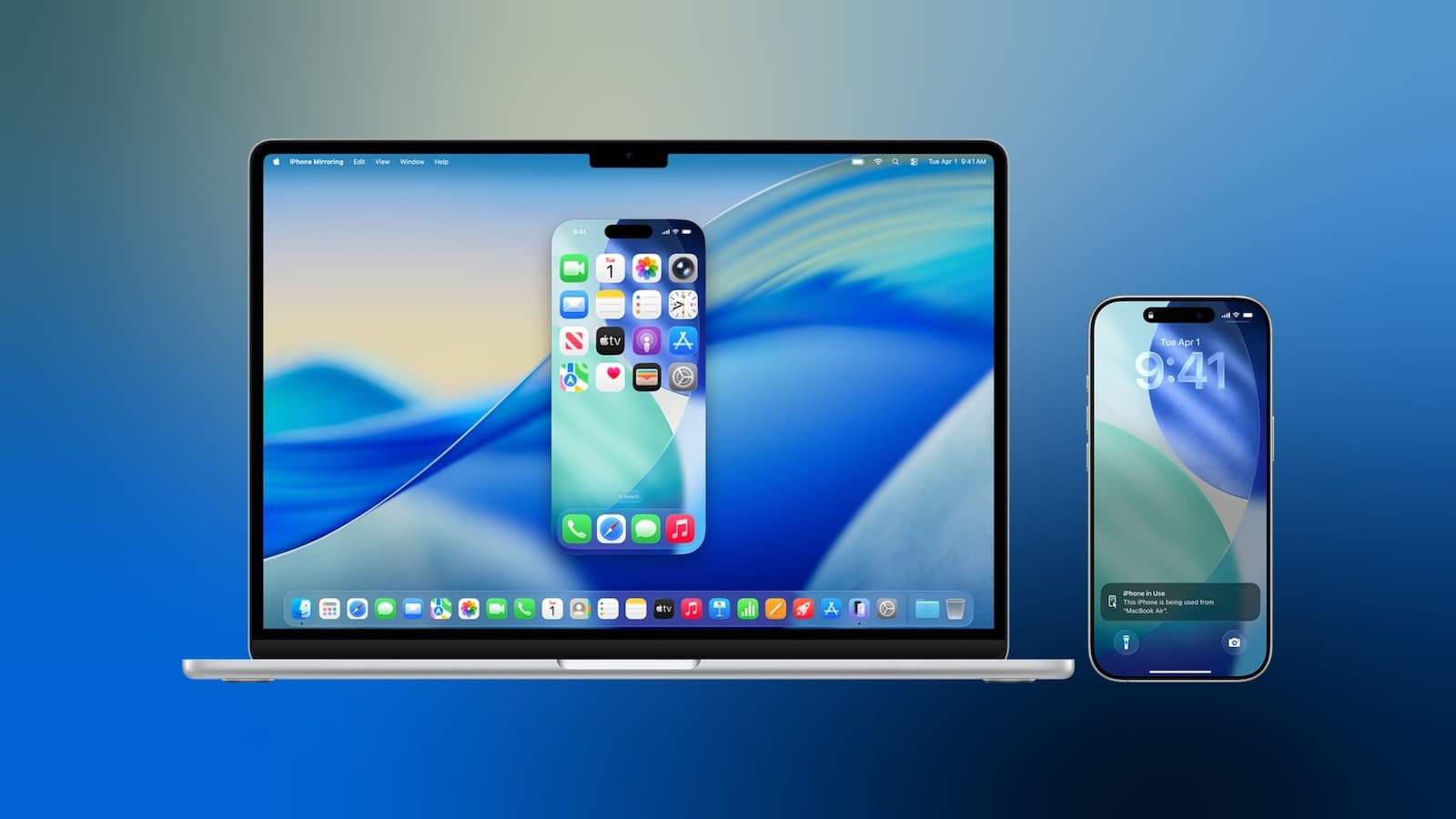
macOS 27 Golden Gate Is Upgrading iPhone Mirroring in a Big Way
When Apple introduced iPhone Mirroring with macOS Sequoia, it quickly became one of the most talked-about features in the Apple ecosystem. The ability to access and control your iPhone directly from your Mac — without touching your phone — was genuinely useful. But anyone who has used iPhone Mirroring regularly knows it came with a handful of frustrating limitations. With macOS 27 Golden Gate, Apple is addressing several of those pain points head-on, delivering a more capable, flexible, and enjoyable mirroring experience.
Currently available in developer beta, macOS 27 is expected to reach a public beta next month, with a general release slated for fall 2026. Among the many changes packed into this major update, three stand out as game-changers for iPhone Mirroring users: flexible window resizing with multiple aspect ratios, direct Control Center access, and support for DRM-protected video playback. Let's break down exactly what each of these improvements means for your day-to-day workflow.
1. Flexible Window Resizing and Multiple Aspect Ratios
One of the most noticeable limitations of iPhone Mirroring in macOS Tahoe was its rigid approach to window sizing. Users were essentially locked into the iPhone's native aspect ratio, which meant resizing options were minimal — you could choose between Smaller, Actual Size, or Larger, and that was the extent of your control. While functional, this constraint made iPhone Mirroring feel less like a true extension of your workspace and more like a secondary screen crammed into a fixed frame.
macOS 27 changes this in a meaningful way by introducing support for multiple aspect ratios. This isn't just a cosmetic tweak — it has real implications for how apps are displayed and used within the mirrored window. Depending on the aspect ratio you select, iPhone Mirroring will display either a modified iPhone interface or, in supported cases, an app's available iPad layout. This gives users a much greater degree of flexibility and control over how they interact with their iPhone content on a larger screen.
It's worth noting that for now, these adjustments are limited to apps that are compatible with iOS 27. As developers update their apps to take full advantage of iOS 27's resizability features, the breadth of what's possible within iPhone Mirroring should expand considerably. Apple is clearly setting the groundwork for a more adaptive, multi-size future for iOS interfaces.
Interestingly, this push toward app resizability has already sparked speculation in the Apple community. Some observers believe the new multi-aspect-ratio support in iPhone Mirroring may be a subtle hint toward a long-rumored foldable iPhone, potentially arriving as soon as September 2026. Whether or not that turns out to be the case, the resizing improvements alone make iPhone Mirroring significantly more versatile for everyday Mac users.
2. Control Center Access via Keyboard Shortcut
If you've used iPhone Mirroring on macOS Tahoe, you may have noticed one glaring omission: there was simply no way to access your iPhone's Control Center through the mirrored interface. For a feature as central to the iPhone experience as Control Center — giving quick access to Wi-Fi, Bluetooth, brightness, screen recording, and dozens of other toggles — its absence was a real inconvenience.
macOS 27 finally brings Control Center into the iPhone Mirroring experience. You can now open your iPhone's Control Center directly from your Mac using the Command-4 keyboard shortcut, or by navigating to the View menu in the menu bar. It's a small change on paper, but in practice it meaningfully closes the gap between using your iPhone in-hand and using it through Mirroring on your Mac.
Think about how often you reach for Control Center in a typical session on your iPhone — toggling Do Not Disturb, adjusting brightness, connecting to a Bluetooth device, or enabling AirDrop. Being able to do all of that without picking up your phone and without hunting through nested settings menus is exactly the kind of quality-of-life improvement that makes a feature feel polished and complete. Apple has clearly listened to user feedback here, and the addition is long overdue.
The inclusion of a dedicated keyboard shortcut also signals that Apple is taking iPhone Mirroring seriously as a productivity tool, not just a novelty. Power users who rely on keyboard-driven workflows will appreciate being able to stay within that rhythm even when interacting with their iPhone's system-level controls.
3. DRM-Protected Video Playback Now Supported
Perhaps the most practically significant improvement in macOS 27's iPhone Mirroring update is the addition of support for DRM-protected video content. In previous versions, attempting to watch content from streaming services — think Netflix, Apple TV+, Disney+, or a rented movie from the iTunes Store — through the mirrored iPhone window would result in a blank black screen on your Mac. The content was playing on your iPhone, but digital rights management protections prevented it from being displayed through the mirror.
This was a particularly frustrating limitation for users who wanted to use iPhone Mirroring as a secondary screen for media consumption. With macOS 27, that barrier is removed. DRM-enabled content can now be viewed directly through the mirrored iPhone window on your Mac, opening up a wide range of entertainment use cases that simply weren't possible before.
Whether you want to catch up on a streamed TV series, watch a rented film, or browse through premium video content on any number of apps, you'll now be able to do it all without encountering the dreaded black screen.
What These Changes Mean for the Bigger Picture
Taken together, these three improvements — flexible window resizing, Control Center access, and DRM video playback — represent a significant maturation of iPhone Mirroring as a feature. What started as an impressive but somewhat limited proof of concept is evolving into a genuinely powerful productivity and entertainment tool for Mac users.
With macOS 27 Golden Gate expected to launch publicly this fall, now is a great time to start exploring what the developer beta has to offer if you're enrolled in Apple's developer program. For everyone else, the public beta is just around the corner. Either way, iPhone Mirroring on Mac is about to get a whole lot better.