
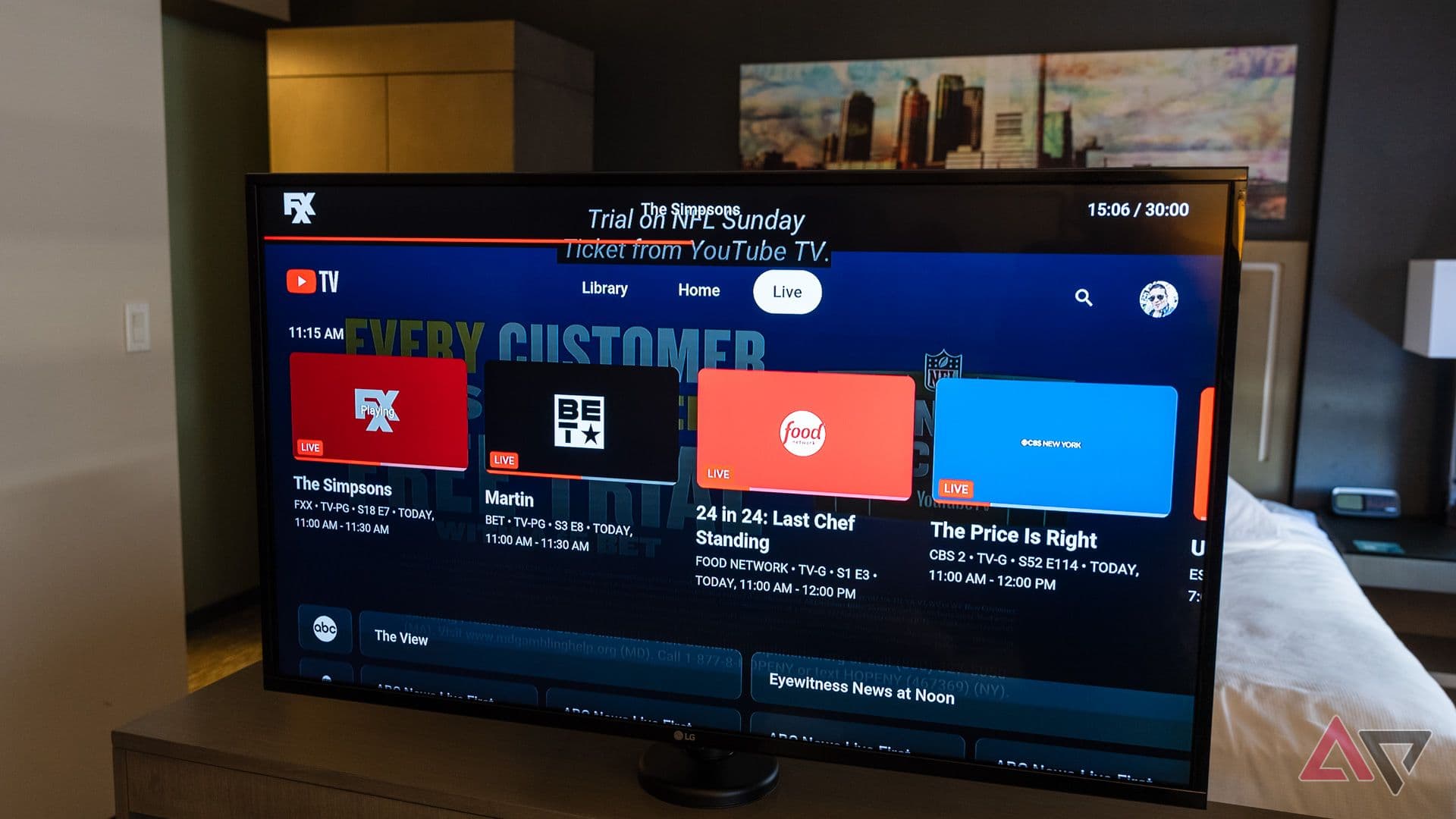
YouTube TV's Latest Update Is Causing Headaches for Some Subscribers
YouTube TV has had no shortage of turbulence over the past year or so. From carriage disputes that temporarily yanked popular channels off the platform to pricing controversies that left subscribers feeling undervalued, the streaming service has tested the patience of even its most loyal users. Fortunately, 2026 started on a much more positive note, with a relatively stable experience that gave subscribers reason to feel optimistic. That streak of good news, however, may be hitting a speed bump. A recent YouTube TV update is drawing frustration from a segment of users — specifically those using older or less powerful devices — after the app appears to have quietly removed the background play feature.
What Is Background Play and Why Does It Matter?
For those unfamiliar with the feature, background play allows users to continue listening to audio from the YouTube TV app even when the screen is turned off or when they switch to another application on their device. It's the kind of functionality that many subscribers rely on without even consciously thinking about it — whether they're listening to a live news broadcast while checking email, keeping up with a sports game while browsing social media, or simply letting a show play while they do household chores with their phone in their pocket.
The removal of this feature may seem like a minor inconvenience at first glance, but for many users it fundamentally changes how they interact with the service day to day. Background play bridges the gap between television and radio-style listening, making YouTube TV a more flexible entertainment option. Without it, subscribers on affected devices are forced to keep the app front and center at all times if they want continuous audio — which isn't always practical or desirable.
Which Devices Are Affected by the Change?
The update appears to primarily target devices considered less powerful by current standards. While YouTube TV has not released an exhaustive official list of affected hardware, user reports suggest that older Android phones and tablets, as well as budget-tier streaming sticks and boxes, are the most likely to lose background play functionality following the update. Higher-end and more recent devices seem to be unaffected, retaining the feature as part of their normal YouTube TV experience.
This kind of tiered approach to feature availability is not entirely unprecedented in the streaming world. Platforms sometimes restrict certain capabilities on lower-powered hardware to maintain overall app performance and stability. However, the lack of clear communication from YouTube TV about which devices are affected — and why — has left many subscribers in the dark, scrambling to figure out whether the issue is a bug, a device-specific limitation, or a permanent policy change.
How Are Subscribers Reacting?
As you might expect, the reaction from the YouTube TV community has been less than enthusiastic. Forums, social media platforms, and app store reviews have seen an uptick in complaints from users who discovered the change without any prior warning. Many subscribers feel blindsided, particularly because background play was a feature they had come to depend on as part of their regular routine.
Some users have expressed frustration not just with the removal itself, but with the way it was handled — or rather, not handled. A sudden, unexplained change to a feature that affects how people use a paid subscription service is the kind of thing that erodes trust, especially when YouTube TV already weathered a rocky stretch of controversies in the recent past. Subscribers who pay a premium monthly fee reasonably expect transparency when meaningful changes are made to the product.
Is There a Workaround for Affected Users?
If you're affected by this change, there are a few things you can try while waiting for an official response or fix from YouTube TV.
- Check for app updates: Make sure your YouTube TV app is running the latest available version. In some cases, issues like this stem from a buggy rollout that gets patched in subsequent updates.
- Restart your device: A simple reboot can sometimes resolve unexpected behavior after an app update, especially on older hardware.
- Clear app cache and data: On Android devices, clearing the app cache through your device settings can occasionally restore features that appear to have gone missing after an update.
- Try a different device: If you have access to a newer or more powerful device, testing YouTube TV on that hardware can help you determine whether the issue is device-specific.
- Contact YouTube TV support: Reporting the issue directly through the app or via YouTube TV's official support channels adds your experience to the feedback loop and may help accelerate a resolution.
What This Means for the Broader YouTube TV Experience in 2026
This episode is a reminder that even when a streaming platform is performing well overall, individual updates can introduce friction that disrupts the user experience in unexpected ways. YouTube TV has made genuine strides in 2026, and this particular issue — while genuinely annoying — may well turn out to be a temporary glitch rather than a deliberate long-term policy decision. That said, the situation underscores an ongoing challenge for the platform: building and maintaining subscriber trust through consistent, transparent communication.
Streaming subscribers today have more options than ever before, and loyalty is not guaranteed. When a service makes a change that impacts how people use it — especially one involving a feature tied to daily habits — clear and proactive communication can make the difference between a minor inconvenience and a reason to cancel. YouTube TV would do well to address this issue directly and promptly, both to restore the feature for affected users and to reassure its broader subscriber base that their experience is being taken seriously.
Final Thoughts
YouTube TV's removal of background play from less powerful devices is generating real frustration among subscribers, and understandably so. The feature plays a meaningful role in how many people engage with the service throughout their day, and losing it without explanation feels like a step backward — particularly after a period that had been going relatively well. Whether this turns out to be a bug, a performance-driven trade-off, or a deliberate policy change, the best outcome for everyone involved is a swift, clear response from YouTube TV. Until then, affected users are left hoping for a patch and wondering what might quietly disappear next.