
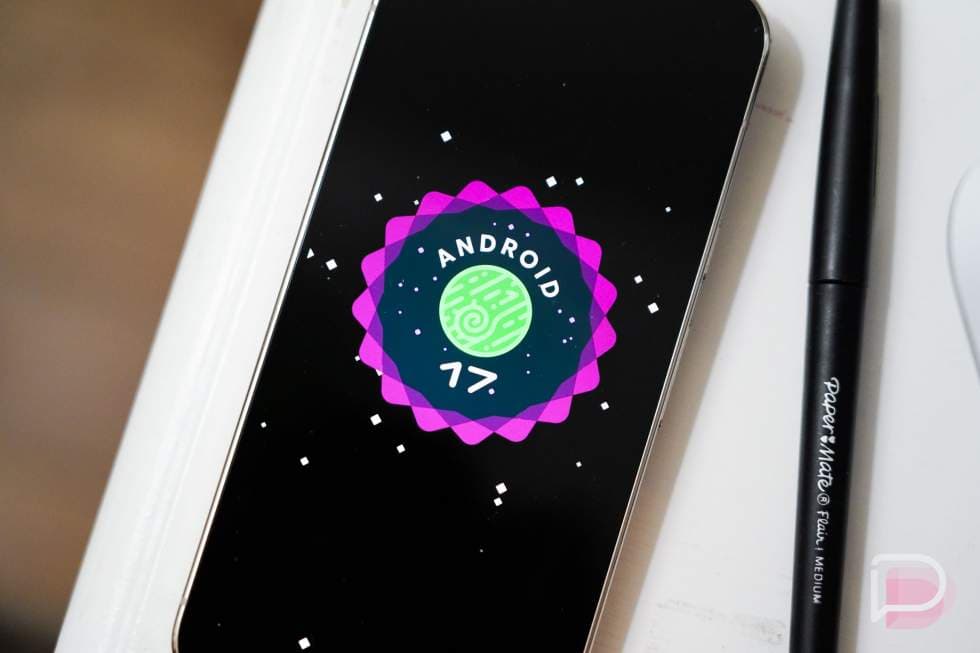
Android 17 Is Here — and Pixel Owners Are Already Forming Opinions
After months of beta testing, developer previews, and endless speculation, Android 17 has officially landed on Pixel devices. As of this week, eligible Pixel owners can download and install Google's latest Android build, and the early reactions are rolling in fast. Whether you jumped on the beta program back when it first opened or you're experiencing Android 17 for the very first time right now, there's a lot to take in. This article breaks down what Pixel users are noticing, what's genuinely new, and how this update stacks up against previous Android releases.
What Makes Android 17 Feel Like a Big Deal
For users who skipped the beta entirely, Android 17 can feel like a surprisingly substantial leap. That's partly by design. Google has been steadily accelerating its development cycle, packing more meaningful changes into each annual release rather than spreading them across incremental patches. Android 17 continues that trend, touching everything from the core UI experience to under-the-hood performance improvements that most casual users won't immediately notice but will certainly feel over time.
Beta testers who lived with the pre-release builds for months will find the stable release reassuringly familiar, with most rough edges smoothed out and a handful of last-minute refinements that weren't present in earlier builds. For them, the stable release is less about discovery and more about relief — the bugs are gone, the features are polished, and daily use is now a genuinely smooth experience.
First Impressions: What Pixel Users Are Noticing Right Away
The first thing most Pixel owners tend to notice after a major Android update is the visual experience, and Android 17 doesn't disappoint in that department. Google has continued refining its Material You design language, making the adaptive theming feel even more cohesive and responsive to user preferences. Colors, icon shapes, and UI transitions all feel tighter and more intentional than they did in Android 16.
Beyond aesthetics, early adopters are highlighting several areas that stand out immediately after installation:
- Notification management: Android 17 brings further refinements to how notifications are grouped, prioritized, and dismissed. Users report that the new behavior feels less intrusive without sacrificing visibility for truly important alerts.
- Adaptive performance: On newer Pixel hardware, Android 17 appears to do a better job of managing battery consumption during background tasks, with several users noting improved screen-on time in the first day or two of use.
- Lock screen customization: The lock screen options have expanded again, giving Pixel owners more control over what information is displayed and how it looks without needing a third-party launcher.
- Privacy dashboard updates: Google has made the privacy dashboard more actionable, surfacing clearer summaries of which apps are accessing sensitive permissions and making it easier to revoke access in bulk.
How the Beta Experience Compares to the Stable Release
If you participated in any of the Android 17 beta cycles, you already have a head start on understanding the update. Google ran an extensive beta program leading up to this release, giving developers and enthusiast users an early look at features that are now arriving for the general public. The stable release, as expected, addresses several pain points that beta testers flagged, including occasional stuttering during multitasking and inconsistent behavior in the Quick Settings panel.
One thing that beta veterans consistently note is that the stable release feels noticeably more reliable. That may sound obvious, but it's worth emphasizing: Android 17 stable is meaningfully smoother than even the final beta build that preceded it. Google's quality control team appears to have put in serious work between the last beta drop and the official launch.
Android 17 on Older Pixel Devices: Is the Experience the Same?
One of the more important questions surrounding any major Android update is how it performs across different generations of hardware. Not every Pixel owner is running the latest flagship. Android 17 is rolling out to a range of supported Pixel devices, and performance naturally varies depending on the age and specs of your phone.
On recent Pixel hardware, the experience is excellent. On older supported devices, the story is more nuanced. Most core features work as advertised, but some of the more resource-intensive enhancements — particularly those tied to on-device AI processing — may be limited or unavailable depending on your device's chipset. If you're running an older supported Pixel, it's worth checking Google's official feature availability page to understand exactly what you'll get.
Tips for Getting the Most Out of Android 17 on Day One
If you've just updated and want to make sure you're not missing anything, here are a few things worth doing immediately after installing Android 17:
- Review your permission settings: The updated privacy dashboard is one of the most user-friendly additions in this release. Spend five minutes going through your app permissions — you might be surprised what you find.
- Explore the new lock screen options: Head into display settings and poke around the lock screen customization menu. There are new layout and widget options that weren't available before.
- Check for app updates: After a major OS update, it's good practice to update all your apps. Some developers have released Android 17-specific optimizations that won't activate until both the OS and the app are current.
- Give the battery a full cycle: Many users find that battery stats normalize after a full charge and discharge cycle post-update, as the system recalibrates to the new software environment.
The Bottom Line on Android 17
Android 17 represents a confident, mature step forward for Google's mobile operating system. It isn't a flashy, reinvention-from-the-ground-up release — and it doesn't need to be. Instead, it builds thoughtfully on Android 16's foundation, delivering quality-of-life improvements that accumulate into a noticeably better daily experience. For Pixel owners getting their first taste of the update this week, the initial impressions are largely positive, and the stable release is living up to the promise of those months-long beta cycles.
If you've already updated, take some time to explore what's new. The most impactful changes in Android 17 aren't always the loudest ones — they're the small refinements that make your phone feel a little more responsive, a little more secure, and a little more yours. And if you're still waiting for the update to arrive on your device, it shouldn't be long now.