
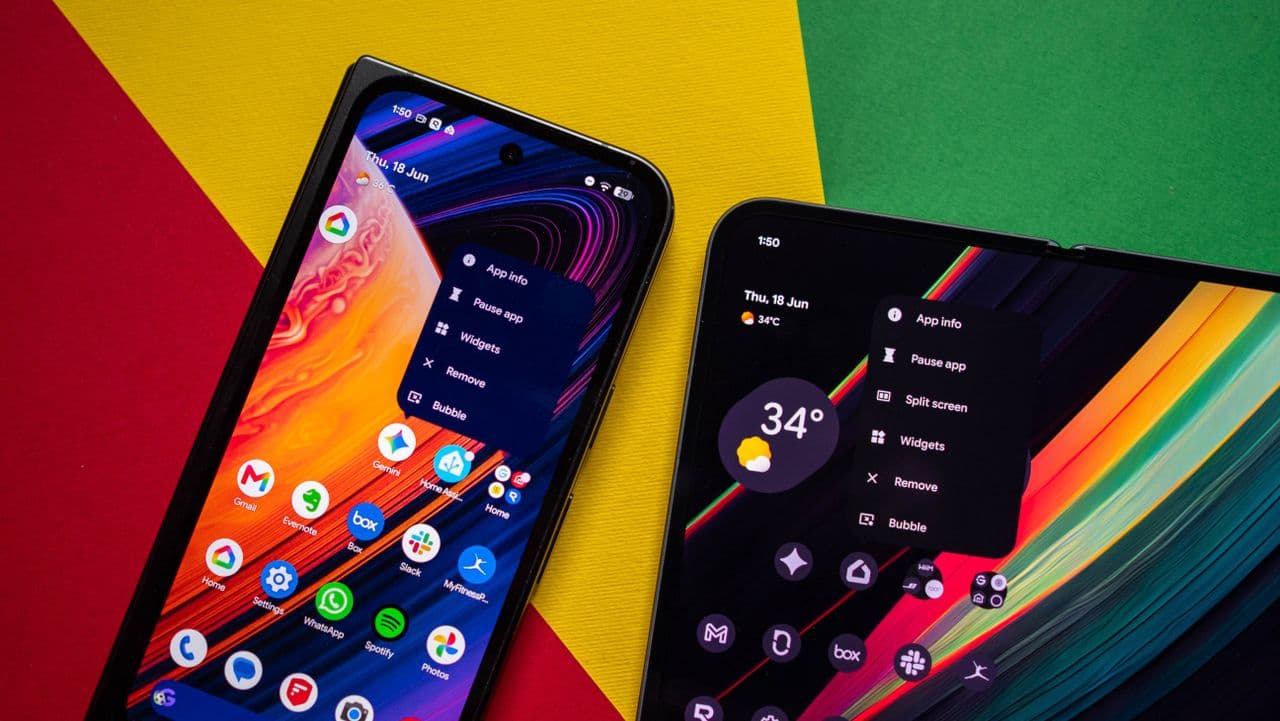
Android 17 Is Causing Pixel Widgets to Disappear — Here's What You Need to Know
Google's Android 17 update is generating plenty of excitement among Pixel device owners, but not all of it is positive. A frustrating bug introduced alongside the new operating system is causing Pixel widgets to vanish from home screens without warning. If you've recently updated your device and noticed that your carefully arranged widgets are gone, you're not alone — and the good news is that Google is already aware of the issue and has a fix in the pipeline.
In this article, we'll break down exactly what is happening, which devices and widgets are affected, what you can do in the meantime, and when users can expect a resolution from Google.
What Is the Android 17 Widget Bug?
Following the rollout of Android 17, a subset of Pixel users began reporting that widgets — particularly those native to Google's Pixel ecosystem — were simply disappearing from their home screens. In some cases, widgets would vanish immediately after the update. In others, they would reappear briefly only to disappear again after a reboot or after the device sat idle for a period of time.
The affected widgets span a variety of categories, including weather widgets, clock widgets, Google Photos widgets, and several Pixel-exclusive at-a-glance features that users rely on for quick information access throughout their day. For many people, these widgets are a core part of how they interact with their phones, making the bug more than just a minor cosmetic nuisance.
Developers and enthusiasts running early builds of Android 17 were among the first to flag the issue, but reports have continued to surface even as more stable versions of the software have been pushed out. The problem appears to be tied to how Android 17 handles widget rendering and background processes, though Google has not yet released a full technical explanation.
Which Devices Are Affected?
The widget disappearance issue has been most commonly reported on Pixel 7, Pixel 8, Pixel 8 Pro, and Pixel 9 series devices. However, users across a broader range of Pixel hardware have flagged similar problems, suggesting that the bug is tied to the Android 17 software layer rather than any specific chipset or display configuration.
Users running stock Android launchers appear to be most consistently affected. Those using third-party launchers have reported mixed results — some have experienced the same vanishing widget issue, while others have not encountered it at all, which points to the Pixel Launcher itself being at least partially responsible for the behavior.
Google's Response and the Fix in Development
Google has moved relatively quickly to acknowledge the problem, which is encouraging for the millions of Pixel users caught off guard by the bug. The company confirmed that its engineering team is actively investigating the root cause and that a targeted fix is already in development.
According to information shared through Google's official support channels and developer forums, the fix is expected to be delivered via a future software update rather than requiring users to roll back to an earlier version of Android. Google has historically been responsive to high-visibility bugs in its Pixel line, and the relatively fast acknowledgment suggests the company is treating this as a priority issue.
While no firm release date has been confirmed for the patch, Google's update cadence for Pixel devices — which typically includes monthly security and feature patches — means a resolution could arrive sooner rather than later. Users are advised to keep their devices set to receive automatic updates to ensure they receive the fix as soon as it is available.
What Can You Do Right Now?
While waiting for Google's official fix, there are a few workarounds that some users have found helpful:
- Re-add widgets manually: Long-pressing on your home screen and re-adding affected widgets can restore them temporarily, though they may disappear again after a restart.
- Try a different launcher: Switching to a third-party launcher such as Nova Launcher has resolved the issue for some users, at least until Google pushes the official patch.
- Clear the Pixel Launcher cache: Navigating to Settings > Apps > Pixel Launcher > Storage and clearing the cache has helped a number of users restore widget visibility without losing other home screen customizations.
- Restart your device: While not a permanent fix, a clean reboot can temporarily restore missing widgets, giving you access to them until you're ready for a more involved workaround.
- Report the issue to Google: Using the built-in feedback tool in the Pixel Launcher or through the Android bug tracker helps Google better understand the scope of the problem and can contribute to a faster resolution.
Why Widget Reliability Matters More Than Ever
Android widgets have undergone a significant renaissance in recent years. With the introduction of Material You design principles and enhanced widget customization tools in Android 12 and beyond, Google positioned widgets as a central part of the personalized Android experience. Pixel devices in particular have leaned heavily into this vision, offering exclusive at-a-glance widgets, smart home controls, and tightly integrated Google services widgets that set the hardware apart from the broader Android ecosystem.
When those widgets disappear, the impact goes beyond aesthetics. Users lose quick access to information they depend on — weather forecasts, calendar reminders, smart home shortcuts, and more. For productivity-focused users and Android enthusiasts, widget reliability is not a nice-to-have; it is a fundamental expectation.
This makes Google's prompt response to the Android 17 widget bug all the more important. The company's willingness to acknowledge and address the issue quickly signals that it understands the role widgets play in the overall Pixel experience and is committed to maintaining that standard.
Stay Updated and Be Patient
Software updates of the scale of Android 17 inevitably introduce unexpected bugs, and the widget disappearance issue is a reminder that even well-resourced companies like Google can ship imperfect releases. The encouraging takeaway here is that Google is on the case. With a fix already in development, Pixel users should expect their widget experience to return to normal with the next available software update.
In the meantime, keep your device updated, try the workarounds listed above if the issue is significantly affecting your daily use, and check Google's official Pixel support pages for the latest information on the patch timeline. The temporary inconvenience is frustrating, but a solution is on its way.