
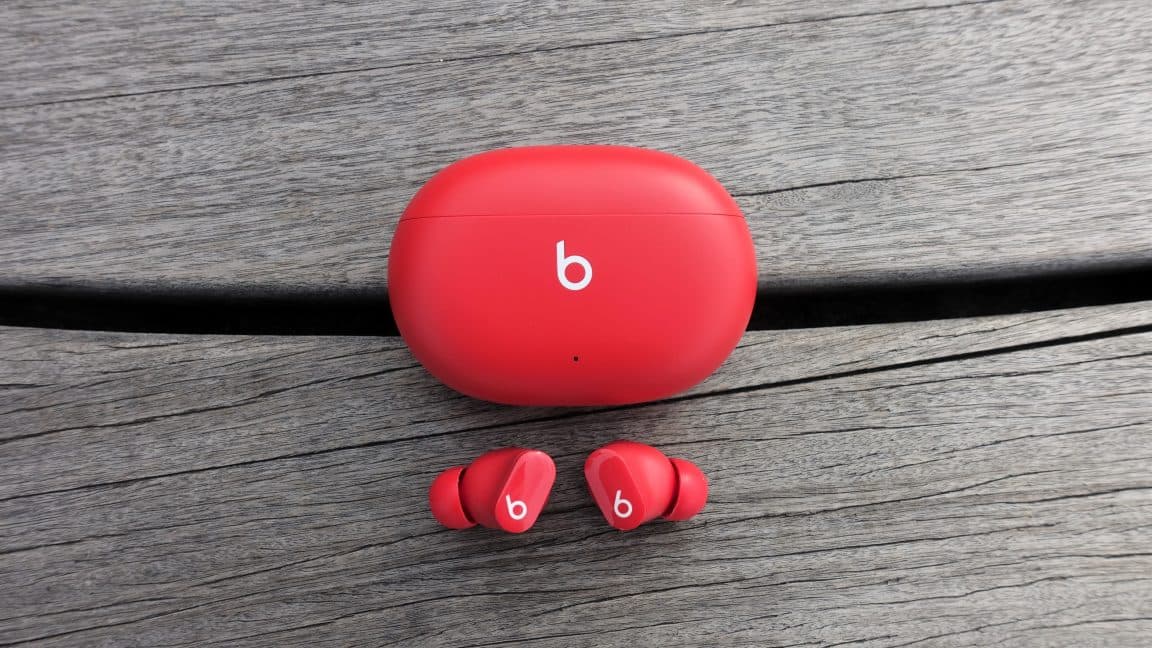
Apple Issues Emergency Firmware Patch for Beats Studio Buds Bluetooth Flaw
Apple has moved quickly to address a high-severity security vulnerability discovered in its popular Beats Studio Buds wireless earbuds. The flaw, officially tracked as CVE-2025-20701, could have allowed malicious actors within Bluetooth range to exploit improper authentication in the earbuds' firmware — potentially eavesdropping on private conversations without the victim's knowledge. The fix has been rolled out through Beats Firmware Update 1B211, and users are strongly encouraged to verify that their devices have received it.
What Is CVE-2025-20701 and Why Should You Care?
Not all security vulnerabilities are created equal, but this one hits particularly close to home — or rather, close to your ears. CVE-2025-20701 is classified as a high-severity flaw rooted in improper authentication logic within the Bluetooth-related chips embedded in the Beats Studio Buds firmware. In plain terms, this means the earbuds failed to properly verify the identity of devices attempting to connect to them.
The practical consequence of this failure is alarming: an attacker physically located within Bluetooth signal range of a target's earbuds could impersonate a device that had previously been paired with those earbuds. Once the attacker successfully pulled off this impersonation, the vulnerability opened the door to a range of end-to-end attacks — including the ability to eavesdrop on ambient sounds and conversations captured through the phone's microphone.
In its official security advisory published on Tuesday, Apple described the impact as follows: "An attacker within Bluetooth range may be able to listen through the microphone of a device which is not yet paired and actively seeking pair requests." That description, while clinical, underscores a very real risk for anyone using their Beats Studio Buds in public spaces such as coffee shops, airports, offices, or public transit — environments where strangers are naturally within Bluetooth range.
How the Attack Could Have Been Carried Out
Security researchers who studied the vulnerability demonstrated the exploit through a series of end-to-end attack scenarios. The attack chain worked because Bluetooth pairing protocols are inherently designed for convenience — they assume a level of trust that, in this case, the earbuds' firmware failed to validate correctly.
Here is a simplified breakdown of how such an attack could unfold:
- The target's Beats Studio Buds enter a state where they are not yet paired and are actively broadcasting a pairing request to nearby devices.
- An attacker within Bluetooth range uses specialized tools or a compromised device to impersonate a previously trusted device — one that the earbuds have been paired with in the past.
- Because of the improper authentication flaw, the earbuds accept the fake pairing without proper verification, believing the attacker's device is legitimate.
- Once connected, the attacker gains the ability to intercept or monitor audio data captured through the microphone, effectively turning the target's own hardware into a surveillance device.
The research team's ability to demonstrate these attacks end-to-end elevated the severity rating of the vulnerability and accelerated Apple's response timeline. This kind of Bluetooth-based impersonation attack, while technically sophisticated, requires only physical proximity — making it a realistic threat in everyday environments.
Apple's Response: Beats Firmware Update 1B211
Apple addressed the issue with the release of Beats Firmware Update 1B211, which contains the necessary patches to correct the improper authentication behavior in the affected chips. One important detail that users should know is how this update is delivered: it is not a manual download from the App Store or Apple's website. Instead, the firmware update is pushed automatically to the earbuds while they are paired with and physically within Bluetooth range of a user's iPhone, iPad, or Mac.
This automatic delivery mechanism is convenient but also means that users who have not recently used their Beats Studio Buds near one of their Apple devices may not have received the update yet. Apple strongly recommends checking your firmware version to confirm you are protected.
How to Check Your Beats Studio Buds Firmware Version
Verifying that your earbuds have received the security patch is straightforward. Follow these steps on your iPhone or iPad:
- Open the Settings app on your iPhone, iPad, or Mac.
- Navigate to Bluetooth in the settings menu.
- Find your Beats Studio Buds in the list of connected or previously connected devices.
- Tap the info (ⓘ) button next to the headphones.
- Look for the firmware version number in the device details. You should see version 1B211 or later if the patch has been applied.
If you see an older firmware version, place your earbuds in pairing mode near your Apple device and leave them connected for a period of time. The update should download and apply automatically in the background.
The Broader Context: Bluetooth Security in Consumer Devices
This vulnerability is a timely reminder that Bluetooth, despite being a mature and widely used wireless technology, continues to present meaningful security risks — particularly in consumer audio hardware where firmware security has historically received less scrutiny than in smartphones or computers. Wireless earbuds occupy a uniquely sensitive position: they sit adjacent to your ears, are often paired with devices containing sensitive personal data, and are used in environments where nearby strangers are an everyday reality.
Apple is not the first major technology company to face Bluetooth-related security issues, and it almost certainly will not be the last. However, the speed with which CVE-2025-20701 was addressed and publicly disclosed reflects a growing industry awareness that even peripheral audio devices can serve as vectors for serious privacy breaches.
Security experts consistently recommend several best practices for Bluetooth device safety, including keeping all device firmware up to date, disabling Bluetooth when it is not actively in use, avoiding entering pairing mode in crowded public spaces where possible, and regularly reviewing the list of paired devices to remove any unfamiliar or outdated entries.
What Beats Studio Buds Users Should Do Right Now
If you own a pair of Beats Studio Buds, the action required on your part is minimal but important. Connect your earbuds to your iPhone, iPad, or Mac and confirm that the firmware version reads 1B211. If it does not, keep the earbuds nearby and paired — the update will install automatically. Do not wait, as the window between public vulnerability disclosure and active exploitation by malicious actors can be narrow.
This incident also serves as a broader reminder to all consumers: the security of smart accessories matters just as much as the security of the primary devices they connect to. Earbuds, smartwatches, and other Bluetooth peripherals are increasingly part of our digital security perimeter, and they deserve to be treated as such. Staying informed and keeping firmware current is one of the simplest and most effective defenses available to everyday users.