
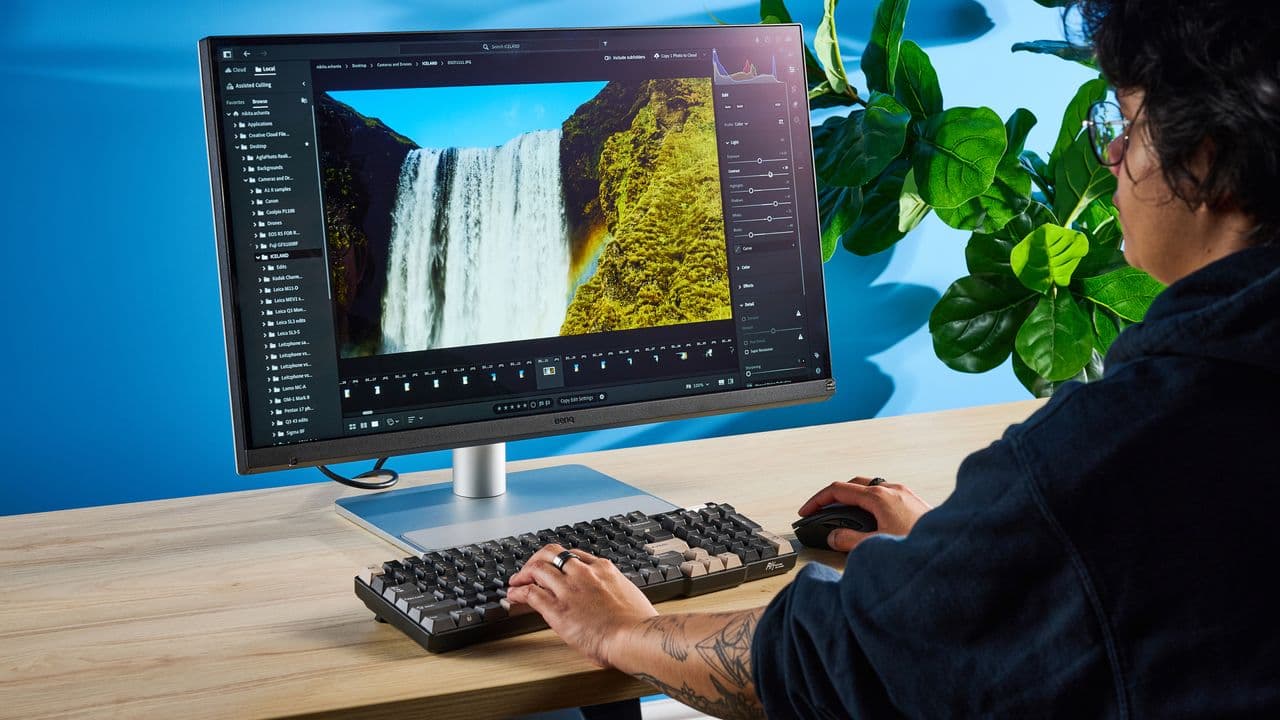
The Apple Studio Display Has a Real Competitor — And It Costs $600 Less
If you use a MacBook for creative work, design, photography, or even just day-to-day productivity, you already know the temptation of the Apple Studio Display. It's gorgeous, it integrates seamlessly with macOS, and it carries a premium nano-texture glass option that practically eliminates glare. The only problem? It starts at $1,599 — and that price climbs even higher when you add the nano-texture upgrade. For many users, that's simply a hard pill to swallow.
Now, a compelling challenger has entered the conversation. A monitor positioned explicitly as the perfect display for MacBook users has arrived with nano-texture glass built in — and a price tag that undercuts Apple's offering by a full $600. That's not a small difference. That's a month's rent in some cities, or enough to buy a quality mechanical keyboard, a desk lamp, and a decent webcam with change to spare.
So the question becomes: does this alternative actually deliver, or are you simply paying less and getting less? After a hands-on look at what this monitor brings to the table, the answer is more nuanced — and more exciting — than you might expect.
What Is Nano-Texture Glass and Why Does It Matter?
Before diving into comparisons, it's worth understanding why nano-texture glass commands such a premium in the first place. Standard monitors typically use either glossy glass — which offers vivid colors but reflects ambient light harshly — or a traditional matte anti-reflective coating, which reduces glare but often at the cost of image sharpness and color accuracy.
Nano-texture glass is a different technology entirely. It etches microscopic patterns directly into the glass surface at a nanometer scale, scattering light in a way that dramatically reduces glare without introducing the hazy, softened look that standard matte coatings produce. The result is a display that looks sharp and color-accurate even in brightly lit rooms or near windows — exactly the kind of environment that creative professionals tend to work in.
Apple popularized this feature with the Pro Display XDR and later brought it to the Studio Display. The fact that a competing monitor now offers comparable nano-texture glass at a significantly lower price point is genuinely noteworthy.
How Does It Stack Up Against the Apple Studio Display?
The Apple Studio Display offers a 27-inch 5K Retina panel with 600 nits of sustained brightness, a 12MP Center Stage webcam, a six-speaker sound system with Spatial Audio, and Thunderbolt 3 connectivity that charges your MacBook while you work. It's a complete ecosystem product, built around Apple's own software and hardware integration.
The competing monitor brings its own strong spec sheet to the fight. Its nano-texture glass panel delivers excellent anti-glare performance in real-world testing, and its color accuracy sits comfortably within ranges that photographers and designers demand. For users whose primary concern is image quality while working in variable lighting conditions, the display holds up impressively.
Where differences emerge is in the peripheral ecosystem Apple has woven into the Studio Display. The built-in webcam with Center Stage, the Spatial Audio speaker array, and deep macOS integration features like True Tone adjustment and automatic brightness syncing are all Apple exclusives. If those features are central to your workflow, the $600 premium might still be justifiable. But if your priority is the panel itself — the thing you're staring at for eight or more hours a day — the gap narrows considerably.
Who Should Consider the Cheaper Alternative?
The answer really comes down to how you work and what you value most in a monitor setup.
- Creative professionals focused on color accuracy will appreciate the nano-texture glass performance without needing to spend Studio Display money to get it. If you already have a quality webcam and external speakers, you're not giving up anything that matters to your output.
- Students and remote workers who rely heavily on MacBooks but need a larger display for productivity tasks will find the savings substantial and the display quality more than adequate for their daily needs.
- Home office users who work near windows or under overhead lighting will benefit greatly from nano-texture glass specifically, and getting that benefit for $600 less is a straightforward win.
- Budget-conscious professionals who want the best panel quality their money can buy without paying for Apple's bundled extras should put this monitor at the top of their consideration list.
The Real Cost of the Apple Studio Display
It's easy to see the Apple Studio Display as simply a monitor. But Apple prices it as a complete workstation accessory — one that integrates a webcam, microphone array, speaker system, and USB-C hub into a single device sitting on your desk. When you price out those individual components separately, the Studio Display's cost looks more reasonable. But it also means you're locked into Apple's choices for each of those components, with no ability to upgrade them individually.
A third-party monitor paired with your own choice of webcam and speakers gives you modularity. You can upgrade one piece without replacing the whole setup. That flexibility has real long-term value, especially as display technology continues to evolve rapidly.
Final Verdict: Is the $600 Savings Worth It?
For the majority of MacBook users — particularly those who prioritize display quality in varied lighting conditions — a nano-texture glass monitor priced $600 below the Apple Studio Display represents excellent value. You're not compromising on the core experience of looking at a great screen. You're simply choosing not to pay for Apple's ecosystem bundling around it.
If macOS integration features like Center Stage, Spatial Audio, and seamless True Tone adjustment are non-negotiable for you, the Apple Studio Display remains the benchmark. But for everyone else, this alternative deserves serious attention. Six hundred dollars is real money — and in this case, you don't have to give up much to keep it.