
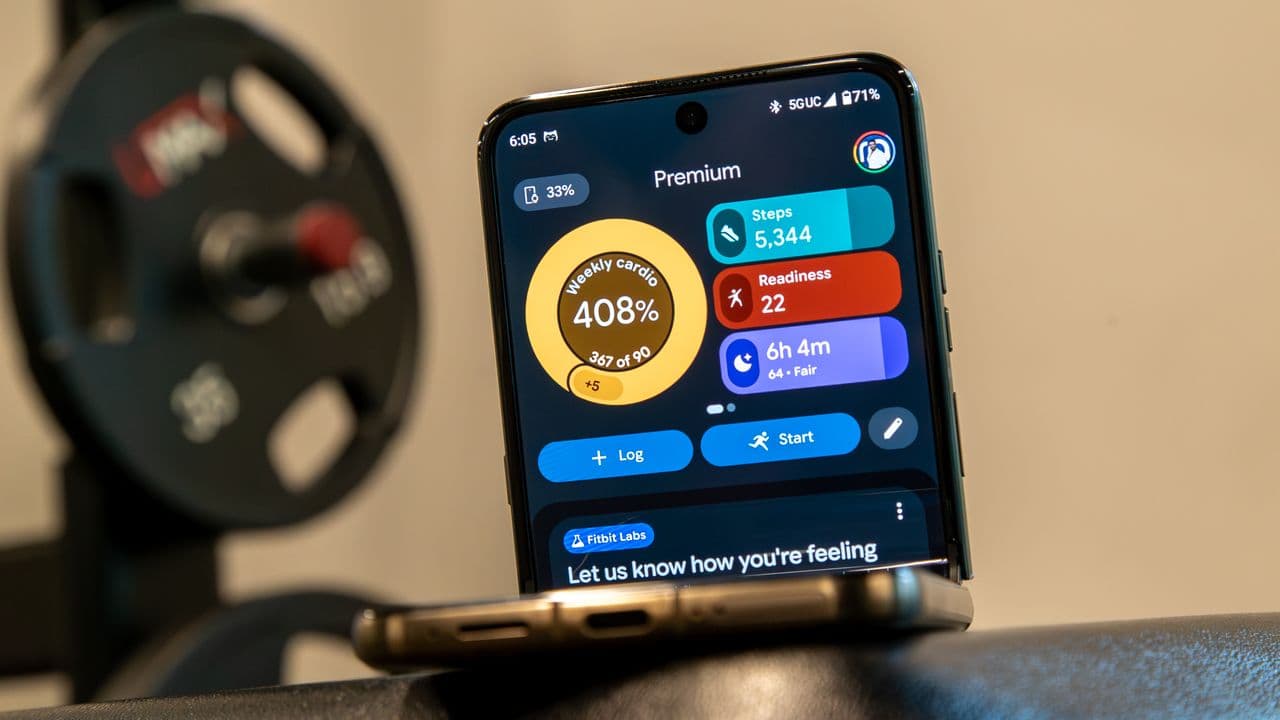
Google Health Is Back With Hourly Activity Tracking — And Android Gets Even More
Google Health has been quietly evolving into one of the most capable health and wellness platforms on the market, and its latest move proves the team isn't slowing down. The platform is bringing back its popular Hourly Activity feature in June, giving users a granular, hour-by-hour breakdown of their physical movement throughout the day. And if you happen to be on Android? Google has a few extra surprises in store for you specifically.
Whether you're a casual step-counter or a dedicated fitness tracker, these updates signal that Google is taking its health ecosystem more seriously than ever. Here's everything you need to know about what's changing, what's coming back, and why it matters for your daily routine.
What Is Google Health's Hourly Activity Feature?
For those unfamiliar, the Hourly Activity feature is exactly what it sounds like — a detailed view of how active you've been during each hour of the day. Rather than simply showing a single daily step count or a broad activity summary, Hourly Activity breaks your movement down into digestible, time-stamped segments. This makes it far easier to identify patterns in your behavior, spot sedentary stretches, and make intentional adjustments to your schedule.
The feature had previously been available in some form within Google's health tracking ecosystem but was quietly removed or deprioritized during periods of platform restructuring. Its return in June is a welcome signal that Google is listening to user feedback and doubling down on the kind of detailed data that health-conscious users actually want.
Why Hourly Activity Data Matters for Your Health
There's a meaningful difference between knowing you walked 8,000 steps in a day and knowing when those steps happened. Hourly Activity data empowers users in several important ways:
- Identifying sedentary periods: Many people sit for hours on end without realizing it, especially those with desk jobs. Seeing a long stretch of inactivity visualized hour by hour can be a powerful motivator to get up and move.
- Optimizing workout timing: For those who exercise regularly, hourly data can help confirm whether morning, afternoon, or evening sessions are actually producing the movement peaks they expect.
- Building accountability: Granular data creates granular accountability. It's one thing to miss a daily goal — it's another to see exactly which three-hour window you went completely still.
- Supporting clinical conversations: Health professionals increasingly encourage patients to bring wearable and app-based data to appointments. Hourly breakdowns offer far more clinical value than daily averages alone.
The reintroduction of this feature into Google Health brings it more in line with competing platforms like Apple Health and Fitbit (also owned by Google), both of which have offered similar hourly views for some time.
Android Users Get Extra Bonuses
While the Hourly Activity return is exciting news for all Google Health users, Android users are getting a little something extra on top of it. Google has a long history of rolling out exclusive or early-access features to its own Android ecosystem before expanding them more broadly, and this June update follows that tradition.
Android users can expect tighter integration between Google Health data and their device's native capabilities. This includes improvements to how health metrics surface in notifications, quick tiles, and widgets — making it easier than ever to check in on your activity without needing to open a separate app. The seamless nature of Android's open architecture gives Google more room to weave health data into the everyday experience of using your phone.
Additionally, Android's deeper access to background app processes means that activity tracking on Google Health can be more consistent and accurate on Android than on other platforms. The June update reportedly takes further advantage of this, refining the algorithms that detect movement, steps, and workout sessions in real time.
How Google Health Fits Into the Broader Android Wellness Ecosystem
Google Health doesn't exist in isolation. It sits at the center of a growing ecosystem that includes Fitbit hardware, Wear OS smartwatches, Google Pixel phones with built-in health sensors, and third-party app integrations via the Health Connect platform. Every improvement to Google Health has downstream effects across all of these connected products.
The return of Hourly Activity is particularly meaningful for Wear OS users, who can now expect their smartwatch to sync hourly movement data back to the Google Health app in a cleaner, more organized format. For those using Pixel Watch or Pixel Watch 2, this creates a more unified experience across wrist and phone — something Google has been working toward for several product generations.
What to Expect Going Forward
The June update is likely just one piece of a larger roadmap Google has planned for Health through the rest of the year. With growing competition from Apple Health, Samsung Health, and a range of third-party wellness apps, Google has clear motivation to accelerate feature development and close any perceived gaps in its platform.
Users can also anticipate continued improvements to Google Health's AI-driven insights, which use your tracked data to surface personalized recommendations and trend analysis. As the Hourly Activity data pool grows over time, these AI summaries will become increasingly precise and actionable.
How to Access the Hourly Activity Feature
To take advantage of the returning Hourly Activity feature, make sure your Google Health app is updated to the latest version available in the Play Store. Android users in particular should check for any pending system updates that may include the bonus features mentioned above. Once updated, the Hourly Activity view should appear within the main activity dashboard, typically accessible from your daily summary screen.
If you're using a connected wearable like a Fitbit or Pixel Watch, ensure that device sync is enabled so your hourly data populates automatically throughout the day.
Final Thoughts
Google Health's decision to bring back Hourly Activity tracking in June — and to reward Android users with additional perks — is a clear signal that the platform is maturing and taking user needs seriously. For anyone invested in tracking their physical wellness with precision, this is a meaningful upgrade. Keep your app updated, check your dashboard, and start using that hourly data to build healthier, more intentional daily habits.