
Why You Should Be Tracking Your Medications on iPhone
Managing a daily medication routine sounds simple in theory, but in practice it's surprisingly easy to forget a dose, mix up timing, or lose track of whether you've already taken something. Whether you're managing a chronic condition, recovering from a procedure, or just taking a daily supplement, consistency is everything. The good news is that the iPhone you already carry everywhere has a built-in tool designed to help — and most people have no idea it's there.
Apple's Health app, available on any iPhone running iOS 16 or later, includes a robust medication tracking feature that lets you log your prescriptions, set personalized reminders, and even receive critical drug interaction warnings. Setting it up takes just a few minutes, and the payoff in peace of mind is well worth it. Here's everything you need to know to get started.
What Is the Apple Health Medication Tracker?
The Medications feature lives inside the Apple Health app, which comes pre-installed on every iPhone. Apple introduced dedicated medication tracking with iOS 16, and it has been steadily refined with each subsequent update. It allows users to create a personal medication list, log each dose as they take it, and review their adherence history over time.
Beyond simple reminders, the feature can flag potential interactions between drugs in your list — a genuinely useful safety net if you're taking multiple medications at once. It also integrates with Apple Watch, so you can log doses and receive reminders right from your wrist without ever pulling out your phone.
Critically, all of this data stays private. Apple stores your medication information on your device and in your encrypted iCloud Health data, meaning it is not sold to advertisers or shared with third parties without your explicit consent.
How to Add a Medication to the Apple Health App
Getting your medications into the Health app is a straightforward process. Follow these steps to add your first medication:
- Open the Health app on your iPhone. If you haven't used it before, you may need to complete a brief setup of your Health Profile first.
- Tap the Browse tab at the bottom of the screen, then scroll down and select Medications under the Health Categories list.
- Tap "Add a Medication" to begin entering your prescription or supplement details.
- Type the name of your medication. The app will suggest matches from its database as you type. Select the correct medication from the dropdown, or enter it manually if it doesn't appear.
- Set the dosage and form — for example, whether it's a tablet, capsule, liquid, or injection — along with the strength (such as 10mg or 500mg).
- Choose your schedule. You can specify how often you take the medication: daily, every few days, on specific days of the week, or as needed. You can also add multiple times per day if required.
- Enable reminders by toggling on notifications. The app will send you an alert at your chosen time each day so you never forget a dose.
- Tap "Done" to save the medication to your list.
Repeat this process for each medication or supplement you take. You can add as many entries as you need, including over-the-counter drugs and vitamins.
How to Log a Dose When You Take It
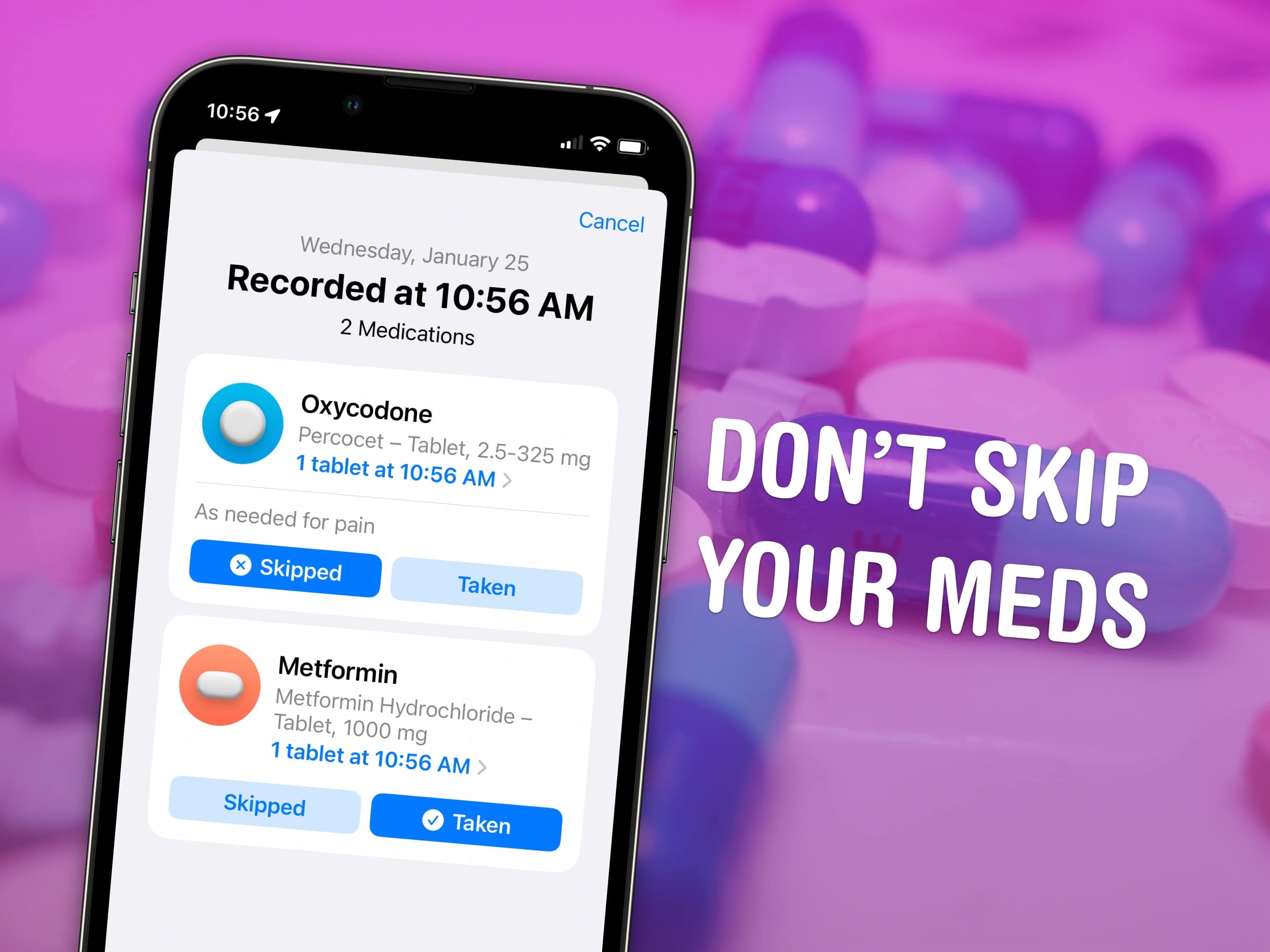
Adding a medication to the list is only the first step — the real value comes from actively logging each dose so you have an accurate record over time. When you receive a reminder notification, you can tap it directly to mark the dose as taken. You can also open the Health app, navigate to Medications, and log doses manually from within the app at any time.
If you missed a dose, you can still log it retroactively or simply skip it in the record. The app tracks your adherence over days and weeks, giving you a clear visual history of how consistently you've followed your schedule. This information can be especially useful to share with your doctor at your next appointment.
Setting Up Medication Reminders on Apple Watch
If you own an Apple Watch, your medication reminders become even more convenient. When a reminder fires, you'll feel a haptic tap on your wrist along with a notification. You can log the dose directly from the watch face without reaching for your phone. This is particularly helpful for medications taken at inconvenient times — during a meeting, while exercising, or late at night.
To make sure Watch notifications are enabled, go to the Watch app on your iPhone, tap Notifications, and confirm that Health alerts are turned on.
Drug Interaction Warnings: A Hidden Safety Feature
One of the most underappreciated aspects of the iPhone medication tracker is its ability to detect potential drug interactions. Once you've added multiple medications to your list, the Health app will automatically cross-reference them against a database of known interactions and alert you if any combinations may be concerning.
This is not a replacement for professional medical advice, and the app makes that clear. But as a first line of awareness — especially when you're prescribed something new by a specialist who may not have your complete medication history in front of them — it can be genuinely valuable.
Sharing Your Medication List with Your Doctor
The Health app also makes it easy to share your medication list and health data with care providers. Through the Health Records feature, users at participating health systems can connect their electronic health records directly to the app. You can also export a PDF summary of your medications and health history to bring to appointments or share electronically.
This kind of seamless communication between patients and providers is a major step forward in personal health management, and it's available right now on the device in your pocket.
Tips for Getting the Most Out of iPhone Medication Tracking
- Be consistent with logging. The adherence history is only useful if you actually record each dose. Try pairing the log action with a physical habit, like setting your pill bottle next to your phone charger.
- Review your history weekly. Take a few seconds each week to look at your adherence summary. It's a good way to catch patterns — like consistently missing evening doses — that you might not notice day to day.
- Keep your medication list current. Whenever your doctor changes a prescription, update your Health app list the same day. An outdated list can give you a false sense of confidence in the interaction warnings.
- Use the Notes field. The app lets you add notes to each medication — a great place to record special instructions, like "take with food" or "avoid grapefruit."
Your Health Is Worth Five Minutes of Setup
The iPhone's medication tracking feature is one of those tools that's easy to overlook until you actually need it. Whether you're managing a complex regimen or simply trying to remember a once-daily vitamin, taking a few minutes to set it up properly can make a real difference in your health outcomes. Your phone is already with you every day — it might as well be helping you stay well.