
Why Mac Game Developers Must Pay Attention to Steam's Compatibility Settings
Steam remains the dominant storefront for PC and Mac gaming, and for any independent or studio game developer targeting Apple's platform, publishing on Steam is practically non-negotiable. The sheer size of its audience makes it a critical distribution channel. However, while players experience Steam as a clean, user-friendly interface, the developer back-end tells a very different story. It is layered, technical, and — for newcomers especially — surprisingly easy to get wrong.
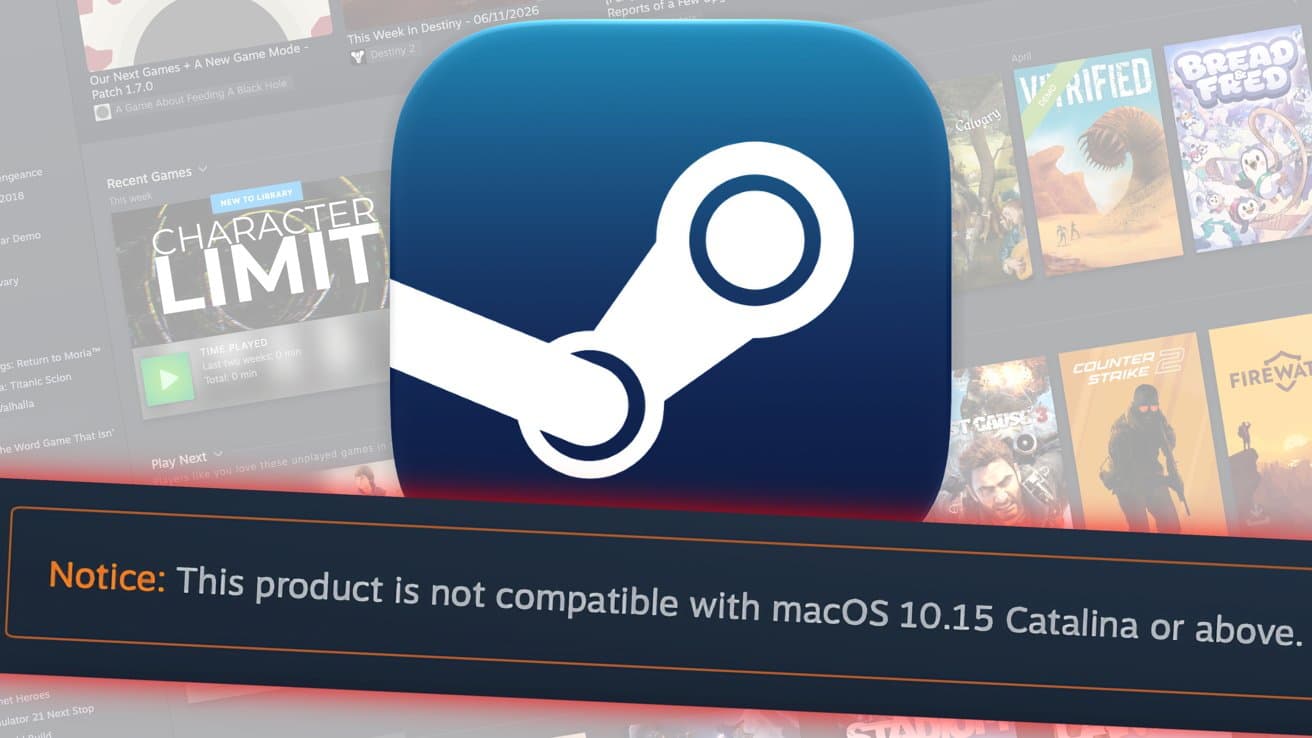
One of the most consequential mistakes a Mac game developer can make right now involves a handful of compatibility flags buried inside Steam's developer settings. If these are not properly configured, a brand-new game built natively for Apple Silicon can end up displaying a dire warning to potential buyers: the product is not compatible with macOS 10.15 Catalina or later versions. That warning does not just cause confusion. It kills sales.
Understanding the 32-Bit Problem on macOS
To understand why this issue exists, it helps to revisit some history. When Apple released macOS 10.15 Catalina in 2019, it dropped support for 32-bit applications entirely. Any software that had not been updated to a 64-bit architecture simply stopped working. For gamers, this meant a significant portion of older Steam titles became unplayable overnight on Macs running Catalina or later.
Steam responded by adding a compatibility warning system. Games that were flagged — or not flagged correctly — as 32-bit applications would display a prominent banner alerting users that the title would not run on their current version of macOS. This was a sensible and user-protective measure at the time.
The problem today is that this same warning system can misfire. If a developer publishes a game built for Apple Silicon — a modern, fully 64-bit, natively optimized build — but neglects to set the correct compatibility flags in Steamworks, Steam's back-end can still display that same Catalina incompatibility warning. A game that runs perfectly on a MacBook Pro with an M3 chip can appear to a potential buyer as though it will not work on their machine at all.
The Real Cost of Getting This Wrong
For an established studio with a marketing team and a dedicated technical pipeline, this might be caught in quality assurance before launch. For an independent developer launching their first game, it is exactly the kind of detail that slips through the cracks.
The consequences are real and measurable. A player browsing Steam who sees a compatibility warning is almost certainly going to move on to another game. They are not going to investigate whether the warning is a developer configuration error. They are simply going to assume the game does not work on their Mac and make a different purchase. Negative first impressions on a storefront as competitive as Steam are very difficult to recover from, particularly in the launch window when visibility is highest.
Beyond individual sales, there is also the reputational dimension. Reviews mentioning compatibility concerns, even if those concerns stem from a Steam settings error rather than an actual bug in the game, can shape how a title is perceived for months after release.
What Developers Need to Do in Steamworks
The fix itself is not complicated once you know where to look. The issue lies in the system requirements and compatibility configuration options available through Steamworks, Valve's developer portal. When submitting a macOS build of a game, developers need to explicitly set the correct flags that communicate to Steam what the game supports and requires.
Specifically, developers building for Apple Silicon must ensure that their application is correctly identified as a 64-bit application and that the supported macOS version range is accurately defined. Steam uses these fields to determine whether to display compatibility warnings to users. If the minimum macOS version is left at a default that predates 64-bit-only enforcement, or if the architecture flags are ambiguous, Steam's systems may default to showing the Catalina warning.
For developers targeting Apple Silicon natively, the build itself is inherently 64-bit, but that information has to be communicated through the Steamworks configuration — it is not inferred automatically from the binary you upload.
A Broader Lesson About Steam's Back-End Complexity
This particular issue is a useful illustration of a broader truth about Steam as a platform. Valve has built an extraordinarily powerful distribution system, but its depth means that developers — especially those new to the platform — are navigating a genuinely complex web of settings, depots, branches, and metadata fields. Any one of these, left at a default or filled in incorrectly, can create problems that are invisible during internal testing but highly visible to customers.
For developers preparing their first Steam launch targeting Mac users, it is worth building a checklist that goes well beyond just uploading a build and setting a price. Compatibility flags, supported operating system versions, architecture declarations, and regional availability settings all deserve careful attention.
Apple Silicon and the Future of Mac Gaming
Apple Silicon has meaningfully changed the landscape for Mac gaming. The performance headroom offered by chips like the M2, M3, and M4 series has made Macs viable gaming machines in a way they have not been for many years. The developer community is responding, and more native Mac builds are appearing on Steam than at any point in recent memory.
That momentum is worth protecting. Every time a perfectly functional Apple Silicon game gets flagged incorrectly as incompatible, it erodes player confidence in Mac gaming as a whole. The fix, in this case, is straightforward — but it requires developers to know it exists.
Key Takeaways for Mac Game Developers on Steam
- Steam's compatibility warning system, designed to flag outdated 32-bit apps after macOS Catalina, can incorrectly trigger on modern Apple Silicon games if Steamworks settings are not properly configured.
- Developers must explicitly set architecture and macOS version compatibility flags in Steamworks — these are not inferred automatically from the uploaded build.
- An incorrect compatibility warning displayed on a Steam store page during launch week can directly suppress sales and generate misleading negative perceptions among potential buyers.
- First-time Steam developers targeting macOS should treat Steamworks configuration as a critical pre-launch checklist item, on par with build testing and store page copywriting.
- With Apple Silicon driving renewed interest in Mac gaming, getting these technical details right matters more than ever for developers who want to reach that audience effectively.
The good news is that once developers know where these flags are and what they control, correcting the issue is a matter of minutes, not days. The key is knowing to look in the first place — and now you do.