
The iPad Is Great — But It Has One Problem Nobody Talks About Enough
The iPad is, by most measures, an extraordinary piece of technology. It's fast, versatile, beautifully designed, and packed with apps that cover nearly every use case imaginable. Yet for all its brilliance, millions of people who buy an iPad with the intention of using it for reading, writing, and focused work find themselves facing the same quiet frustration: it's just too much of a computer.
Notifications interrupt your train of thought. The glossy, backlit screen tires your eyes after an hour of reading. The temptation to switch tabs, check social media, or browse YouTube is always one tap away. For people who want a device purely dedicated to thinking on paper — digitally — the iPad often falls short. That's a problem that a new wave of paper-like tablets is now solving in a genuinely compelling way.
What Is a Paper-Like Tablet and Why Does It Matter?
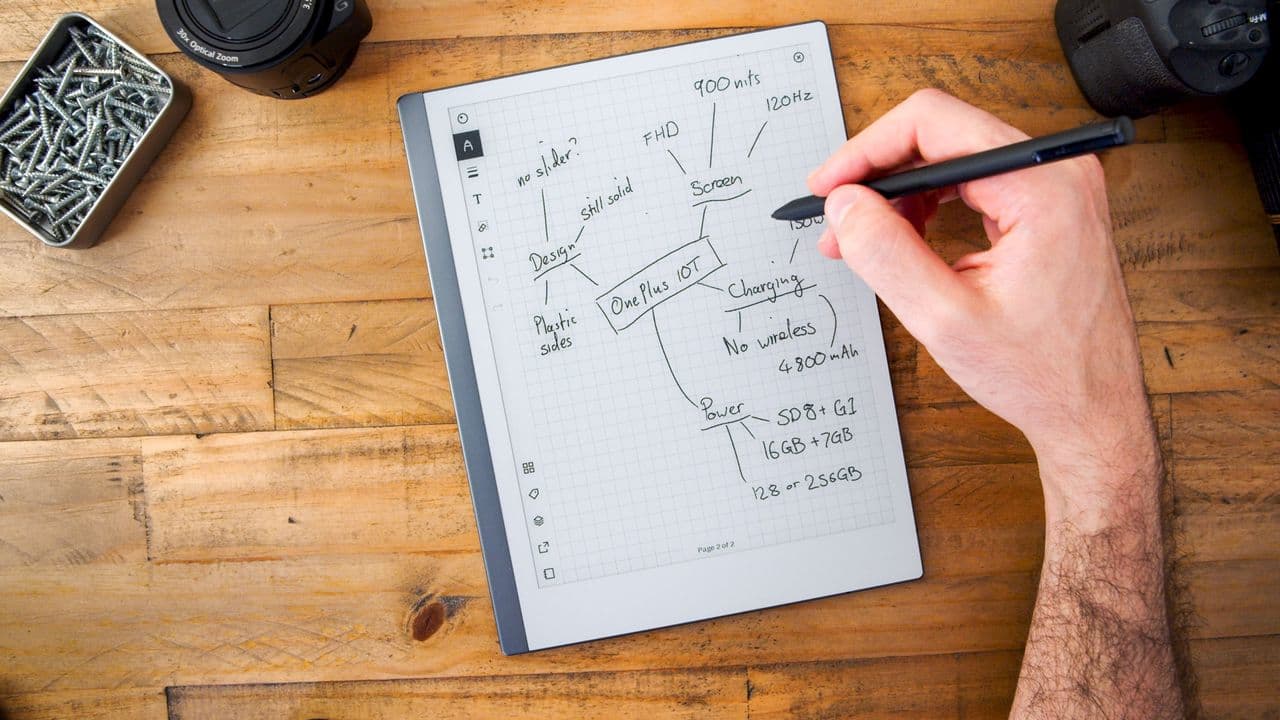
A paper-like tablet is a device built around an E Ink display — the same core technology used in e-readers like the Kindle, but expanded into a full-sized writing surface. Instead of a bright LCD or OLED screen blasting light directly into your eyes, E Ink displays reflect ambient light the way actual paper does. The result is a reading and writing experience that feels dramatically more natural, easier on the eyes, and far less cognitively demanding.
But paper-like tablets go beyond just comfortable reading. The best ones pair their E Ink screens with low-latency stylus support, giving you the sensation of actually writing with a pen on paper rather than dragging a plastic tip across glass. This tactile feedback changes everything for note-takers, students, writers, and anyone who thinks better with a pen in hand.
How This Tablet Solves the Biggest Problem With iPads
The core issue with using an iPad for focused work isn't a software problem — it's a hardware philosophy problem. iPads are designed to do everything, and that "everything" is always competing for your attention. A paper-like tablet, by contrast, is designed to do very little, and that constraint turns out to be its greatest strength.
No Distracting Notifications
Without a full app ecosystem pulling you in every direction, a dedicated paper tablet keeps you on task. There's no Instagram to check, no news feed to scroll, no email badge demanding your attention. When you open it, you write. That single-purpose focus is something no iPad configuration — not even Screen Time limits or Guided Access mode — can fully replicate, because the temptation is always structurally present in the device itself.
A Screen That Doesn't Strain Your Eyes
One of the most consistent complaints from heavy iPad users is eye fatigue. Spending hours reading or writing on a backlit screen takes a real toll, particularly in the evening. E Ink displays sidestep this entirely. Because the screen reflects light rather than emitting it, prolonged use feels significantly less taxing. Many users report being able to read for two or three times longer on an E Ink device before noticing any discomfort — a difference that matters enormously for students, writers, and anyone who works long hours.
Battery Life That Lasts Days, Not Hours
iPads typically deliver somewhere between eight and twelve hours of battery life under real-world conditions. That's fine for most use cases, but it means you're always keeping one eye on the battery indicator. Paper-like tablets, thanks to the power efficiency of E Ink technology, can last days or even weeks on a single charge. The display only consumes power when it refreshes — meaning a static page of handwritten notes costs virtually nothing to display. For travelers, students, and remote workers, this kind of battery endurance is a genuine game-changer.
Who Should Consider a Paper-Like Tablet?
Paper-like tablets aren't for everyone, and they're not trying to be. If you need to edit videos, answer work emails, browse the web, or run complex apps, an iPad or a laptop remains the right tool. But for a surprisingly large group of people, a dedicated writing and reading device is exactly what was missing.
- Students and academics who need to annotate PDFs, take handwritten lecture notes, and read long documents without eye fatigue will find a paper-like tablet transformative for their workflow.
- Writers and journalists who do their best thinking with a pen will appreciate the distraction-free environment and the near-paper writing feel of a quality E Ink stylus experience.
- Avid readers who want something larger than a Kindle but more focused than an iPad will find the large E Ink screen ideal for books, long-form articles, and digital magazines.
- Professionals in meetings who want to take handwritten notes without appearing to be distracted by a laptop or tablet screen will find the subtle, notebook-like form factor socially appropriate and practically effective.
What to Look for in the Best Paper-Like Tablet
Not all E Ink tablets are created equal. When evaluating options in this category, there are a few key specifications and features that separate a truly excellent paper-like tablet from one that will frustrate you within a week.
Stylus Latency
Latency — the delay between moving the stylus and seeing the mark appear on screen — is the single most important factor in how natural a writing experience feels. The best devices on the market have reduced this lag to near-imperceptible levels, while cheaper alternatives can feel sluggish and disjointed. Always look for a device with a latency rating under 20 milliseconds for a genuinely paper-like feel.
Screen Size and Resolution
A larger screen allows for more natural note-taking layouts and makes reading full-page documents far more comfortable. Most serious paper tablets offer screens in the 10-to-13-inch range. Resolution matters too — a higher pixel density means crisper text and more precise handwriting rendering.
Software and Organizational Tools
The hardware is only part of the equation. The best paper-like tablets come with thoughtful software that makes it easy to organize notebooks, search handwritten content, sync notes to the cloud, and convert handwriting to text when needed. These features determine whether a device integrates smoothly into your life or becomes an isolated island of data.
The Verdict: A New Category Worth Taking Seriously
The paper-like tablet market has matured considerably over the past few years, and the best devices available today represent a genuinely different approach to personal technology — one built around depth of focus rather than breadth of function. For anyone who has ever felt that their iPad was simultaneously too powerful and somehow not quite right for reading and writing, a dedicated E Ink tablet may be the most satisfying technology purchase they make this year.
It doesn't try to replace your smartphone or your laptop. It simply gives you back something those devices quietly took away: the ability to think, read, and write without the whole internet waiting one swipe away. In a world of endless digital distraction, that's a feature worth paying for.