
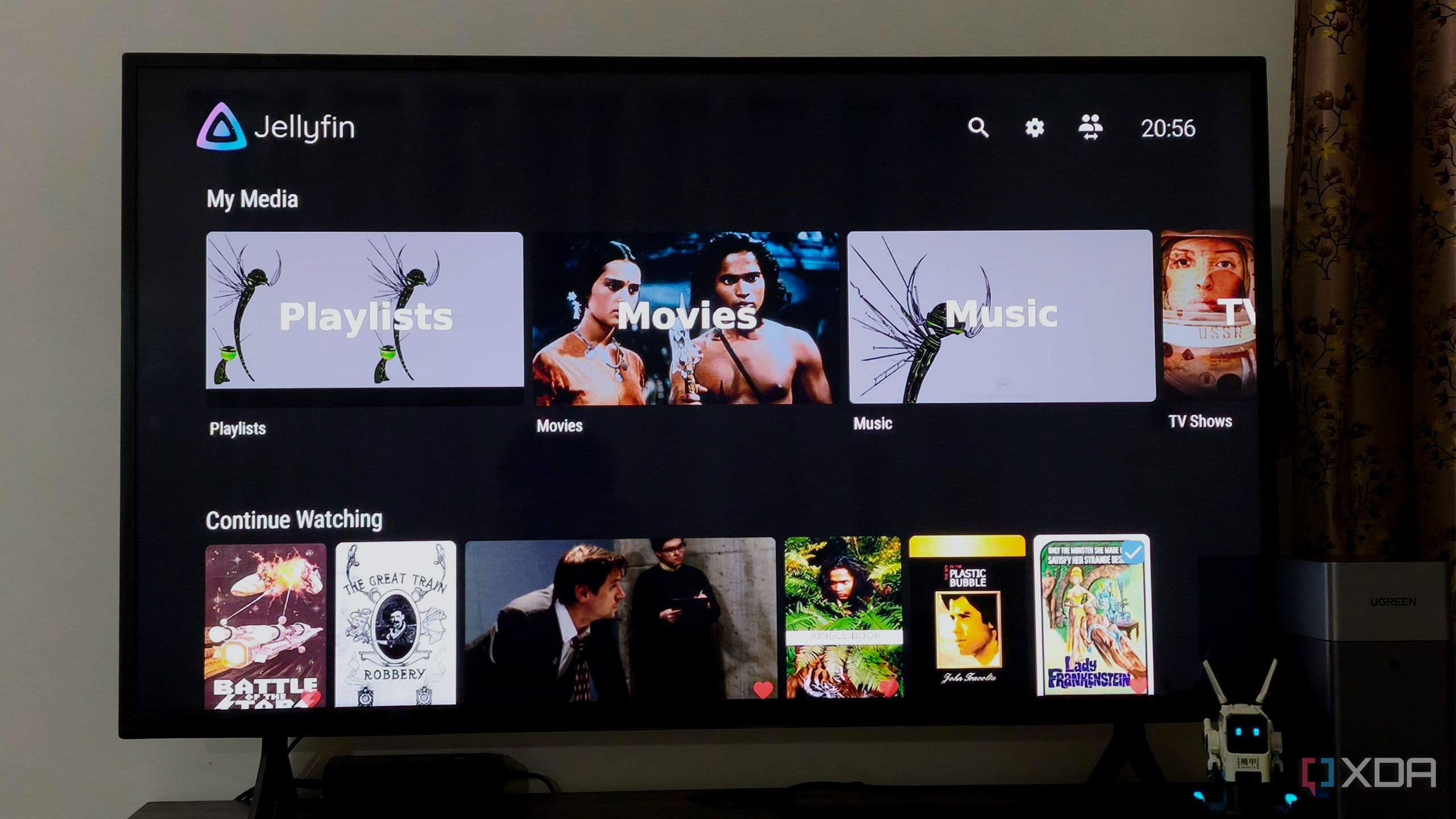
Why Your Smart TV's "Smart" Features Might Be Its Biggest Problem
There's a cruel irony buried inside every modern smart TV. Manufacturers spend enormous resources engineering stunning displays — vibrant OLED panels, high refresh rate LCDs, rich color gamuts — and then they lock all of that visual brilliance behind a sluggish, bloated operating system that makes you regret turning the TV on in the first place. If you've ever sat in front of a Google TV, Tizen, or webOS interface and watched a loading spinner rotate long enough to finish your coffee, you already know exactly what that frustration feels like.
The good news? There's a surprisingly simple fix, and it doesn't require buying a new television. By turning your smart TV into a dumb monitor — essentially bypassing its built-in software entirely — you can reclaim that gorgeous screen and pair it with a far more responsive experience. Here's everything you need to know about why it works and how to do it.
The Real Problem with Smart TV Operating Systems
Smart TV platforms like Google TV are not inherently bad ideas. The concept of having streaming apps, voice assistants, and content recommendations built directly into your display sounds convenient on paper. The reality, however, is often quite different.
The hardware inside most smart TVs is severely underpowered relative to what the software demands of it. Manufacturers cut costs on internal processors, RAM, and storage to keep retail prices competitive, which means the operating system is perpetually fighting for resources. The result is a television that boots slowly, stutters when navigating menus, takes ages to open apps, and generally behaves like a budget smartphone from five years ago — except it's running on a 65-inch screen you paid a premium for.
Google TV in particular has a reputation for sluggish boot times and a homepage that prioritizes aggressive content recommendations over actual usability. Every time you power on the TV, you're waiting for the entire smart interface to initialize before you can do anything useful. That delay adds up fast, and the frustration it generates is very real.
What "Dumb Monitor Mode" Actually Means
Turning your smart TV into a dumb monitor doesn't mean permanently disabling or physically modifying your television. It simply means bypassing the TV's native operating system and using an external device as the brain of your entertainment setup instead.
In practical terms, this looks like one of the following approaches:
- Plugging in a dedicated streaming stick or box — devices like the Roku Streaming Stick, Amazon Fire TV Stick 4K, Apple TV 4K, or NVIDIA Shield Pro connect via HDMI and completely replace the smart TV interface as your primary way of accessing content.
- Connecting a PC or mini PC — running a compact computer like an Intel NUC or a Mac Mini connected via HDMI turns your TV into a full desktop monitor, giving you total flexibility over what software you run.
- Using a gaming console as a media hub — PlayStation 5 and Xbox Series X both double as capable media players, handling streaming apps with significantly more processing power than your TV's built-in chip.
Once you make the switch, you essentially use your TV's own operating system only to select the correct HDMI input — nothing more. Everything else runs through a device that was actually designed and resourced to handle the task well.
Why Every App Feels Faster After Making the Switch
The performance difference after switching to an external streaming device can feel dramatic, even if you're replacing your smart TV software with something like a mid-range Roku stick that costs under fifty dollars. Here's why that happens.
Dedicated streaming devices are purpose-built. Their processors, memory, and software are all optimized for one job: loading and running streaming apps as quickly and smoothly as possible. A Roku or Fire Stick boots in seconds, not minutes. App load times drop noticeably. Scrolling through menus is fluid. Video playback starts faster. Even the act of switching between apps feels snappier compared to the sluggish multitasking on a built-in smart TV platform.
Additionally, dedicated devices receive much more consistent software updates than smart TV operating systems. Manufacturers like Google, Roku, Amazon, and Apple all have strong business incentives to keep their streaming hardware current and well-maintained. Your TV brand, on the other hand, may stop pushing meaningful firmware updates to your model after just a year or two.
Added Benefits Beyond Just Speed
Performance is the headline benefit, but it's far from the only reason to consider this approach. Bypassing your smart TV's operating system also gives you more control over your privacy. Smart TV platforms are notorious for aggressive data collection, tracking viewing habits, and serving targeted advertisements directly on the home screen. External devices aren't perfect in this regard, but they do give you more granular control over privacy settings.
You also gain better app availability. Some streaming services update their smart TV apps infrequently or drop support for older TV models altogether, while their Roku, Fire TV, or Apple TV counterparts stay current. Running your content through a dedicated device means you're far less likely to encounter an outdated app missing new features.
How to Get Started Today
Making the transition is straightforward. Start by identifying a free HDMI port on your television — virtually every modern TV has at least two or three. Choose an external streaming device that matches your priorities: Apple TV 4K leads for quality and ecosystem integration, Roku is an excellent budget-friendly choice with a clean interface, and NVIDIA Shield Pro is the top pick for power users who want Android TV with serious hardware behind it.
Connect the device, complete its initial setup, and switch your TV's input to that HDMI source. From that point on, treat your smart TV's native interface as though it doesn't exist. You'll almost certainly never want to go back.
Your Display Deserves Better Than a Slow Operating System
A beautiful television panel trapped inside a laggy smart TV platform is a display that's never working at its true potential. By treating your TV as a dumb monitor and letting a dedicated streaming device handle the software side of things, you're not downgrading your setup — you're finally letting it perform the way it always should have. The screen stays exactly the same. Everything running on it gets dramatically better.