
Not All iPods Have Bluetooth – Here's What You Need to Know Before You Buy
There's something undeniably charming about picking up a classic iPod in today's world of all-in-one smartphones. Whether you're a vintage tech enthusiast, someone who wants a dedicated music player, or a parent looking to give a child a device without full internet access, the iPod still holds serious appeal. But before you start shopping, there's one critical detail you need to know: not all iPods have Bluetooth. If wireless headphones or speaker connectivity matter to you, buying the wrong model could leave you stuck with a headphone jack and a pile of frustration.
This guide breaks down every major iPod line, tells you exactly which models support Bluetooth, and helps you make an informed purchase decision.
A Quick History of the iPod Lineup
Apple launched the original iPod back in 2001, and over the next two decades, the company released multiple distinct product lines under the iPod brand. These included the iPod classic, iPod mini, iPod nano, iPod shuffle, and iPod touch. Each line went through several generations, and their feature sets varied dramatically. Bluetooth was not a standard feature from the beginning — it was introduced gradually and only ever made it into certain models.
Understanding which line you're looking at is the first step toward knowing whether Bluetooth is in the picture at all.
iPod Models That Do NOT Have Bluetooth
Let's start by getting the bad news out of the way. Several of the most iconic and collectible iPods never received Bluetooth support at any point in their production lifecycle.
iPod Classic
The iPod classic is perhaps the most nostalgic of all iPod models, featuring that signature click wheel and a hard drive capable of storing thousands of songs. Despite going through multiple generations — from the original 2001 iPod all the way to the final sixth-generation model released in 2014 — the iPod classic never received Bluetooth connectivity. If you want wireless audio from this device, you're out of luck. You'll be relying on the 3.5mm headphone jack exclusively.
iPod Shuffle
The iPod shuffle was Apple's ultra-compact, screenless music player designed for simplicity and portability. It was wildly popular for gym workouts and running because of its tiny size and clip-on design. However, despite being used heavily in athletic contexts where wireless headphones would be incredibly useful, no generation of the iPod shuffle ever included Bluetooth. All four generations of the shuffle are Bluetooth-free.
iPod Mini
The iPod mini was a smaller, color-anodized aluminum version of the original iPod, produced between 2004 and 2005. It was discontinued after just two generations when the iPod nano replaced it. Unsurprisingly for such an early device, neither generation of the iPod mini includes Bluetooth support.
iPod Nano (Most Generations)
The iPod nano had one of the longest production runs of any iPod line, going through seven generations from 2005 to 2017. For the vast majority of that run, Bluetooth was absent. However, there is one notable exception covered below, so it's worth paying attention to the specific generation number when shopping for a nano.
iPod Models That DO Have Bluetooth
Now for the good news. Two product lines within the iPod family do support Bluetooth, and one of them is a very capable device by any standard.
iPod Touch (6th and 7th Generation)
The iPod touch is far and away the most feature-rich iPod ever made, and both the sixth-generation (released in 2015) and seventh-generation (released in 2019) models include Bluetooth support. Specifically, both support Bluetooth 4.1, which is more than sufficient for connecting wireless headphones, earbuds, and speakers.
The seventh-generation iPod touch, which was the final model Apple ever released before discontinuing the line in 2022, is the best option if you want a capable Bluetooth-enabled iPod. It runs on the A10 Fusion chip, supports iOS 15, has a 4-inch Retina display, and can connect to a wide range of Bluetooth audio devices without any trouble. It essentially functions like an iPhone without the cellular radio — and that makes it remarkably versatile.
Earlier generations of the iPod touch, including the first through fifth generations, do not include Bluetooth audio support in the way you'd expect for modern wireless headphones. While some earlier models had limited Bluetooth features, they were not designed to pair with standard Bluetooth audio devices the way the sixth and seventh generation models are.
iPod Nano (7th Generation Only)
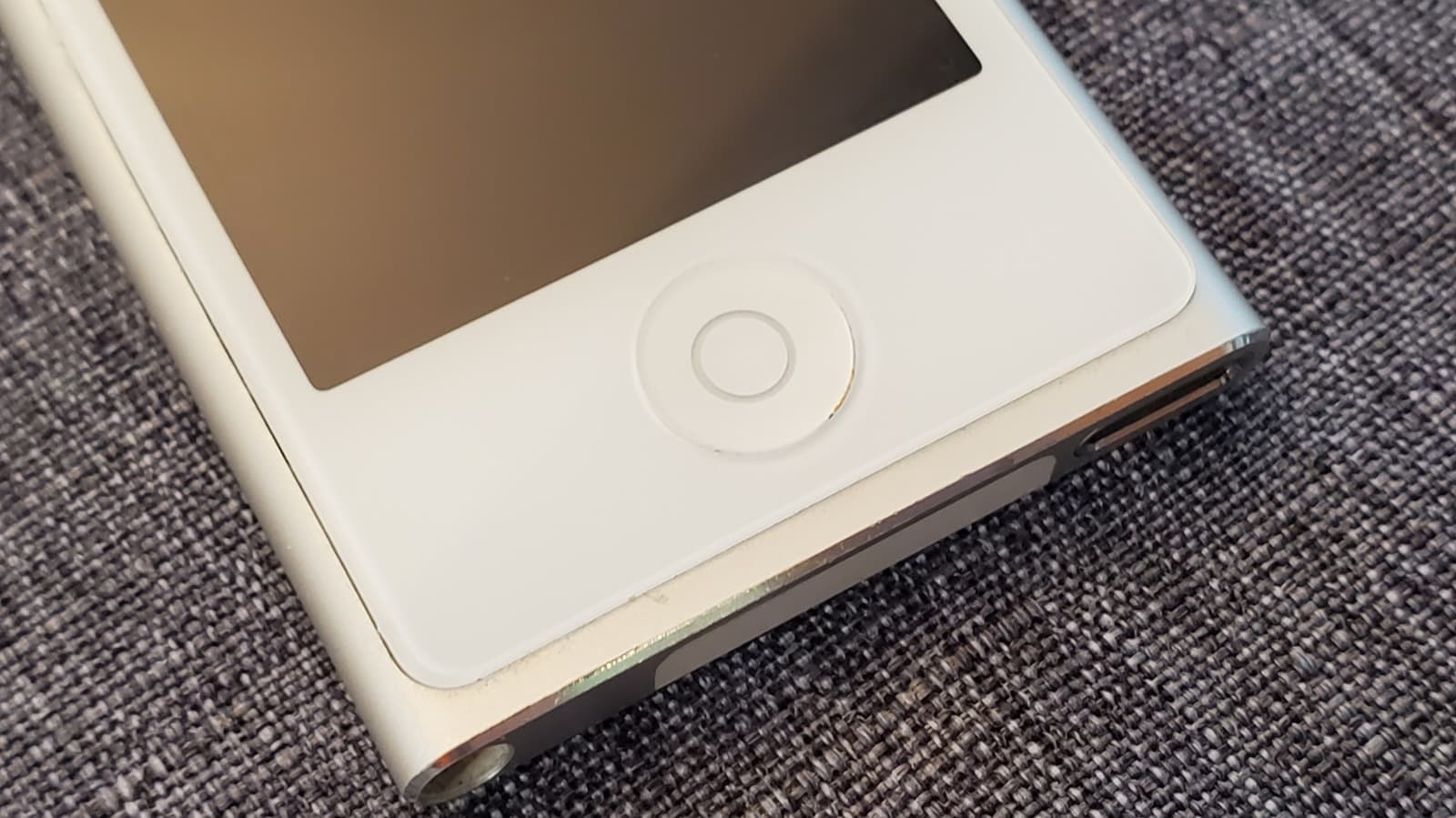
The seventh-generation iPod nano, released in 2012, is the only nano model to include Bluetooth — specifically Bluetooth 4.0. This version of the nano adopted a taller form factor compared to the tiny square sixth-generation model and was designed with fitness use in mind. Its Bluetooth support allows it to connect to Bluetooth headphones and fitness accessories, which was a significant upgrade for runners and gym users at the time.
However, it's worth noting that the seventh-generation nano is still a fairly limited device compared to the iPod touch. It doesn't run apps, has no touchscreen web browsing, and its software ecosystem is minimal. If Bluetooth is your main requirement alongside a richer feature set, the iPod touch remains the smarter buy.
Quick Reference: iPod Bluetooth Compatibility at a Glance
- iPod Classic (all generations): No Bluetooth
- iPod Shuffle (all generations): No Bluetooth
- iPod Mini (all generations): No Bluetooth
- iPod Nano (1st–6th generation): No Bluetooth
- iPod Nano (7th generation): Bluetooth 4.0 — Yes
- iPod Touch (1st–5th generation): No standard Bluetooth audio support
- iPod Touch (6th generation): Bluetooth 4.1 — Yes
- iPod Touch (7th generation): Bluetooth 4.1 — Yes
What to Look for When Buying a Used iPod with Bluetooth
Since Apple discontinued the iPod touch in May 2022, all iPods are now only available on the secondary market through platforms like eBay, Swappa, Facebook Marketplace, or local resale shops. When buying used, there are a few things to keep in mind to make sure you're getting a Bluetooth-capable device.
First, always confirm the generation number, not just the model name. A seller listing an "iPod nano" is not automatically selling you a seventh-generation nano with Bluetooth. Ask for the model number directly, or look it up using the serial number before purchasing. Second, test the Bluetooth functionality before completing a transaction if you're buying locally. Third, check the battery health if possible — older iPods can suffer from degraded batteries that significantly reduce usable listening time.
Is Buying an iPod Still Worth It in 2024?
For most people, a smartphone has long replaced the need for a standalone music player. But the iPod still makes sense in specific scenarios. Parents who want to give children a device with access to music and apps — but without cellular connectivity or a full-blown smartphone — find the iPod touch particularly useful. Audiophiles who want a clean, distraction-free listening device separate from their phone also find value in it.
If you fall into either of those categories and Bluetooth is a must-have, your options are clear: go for the seventh-generation iPod touch or, if you want something more minimal, the seventh-generation iPod nano. Every other iPod model will leave you tethered to a cable, and in a world where wireless audio has become the standard, that's a trade-off worth thinking carefully about before you buy.