
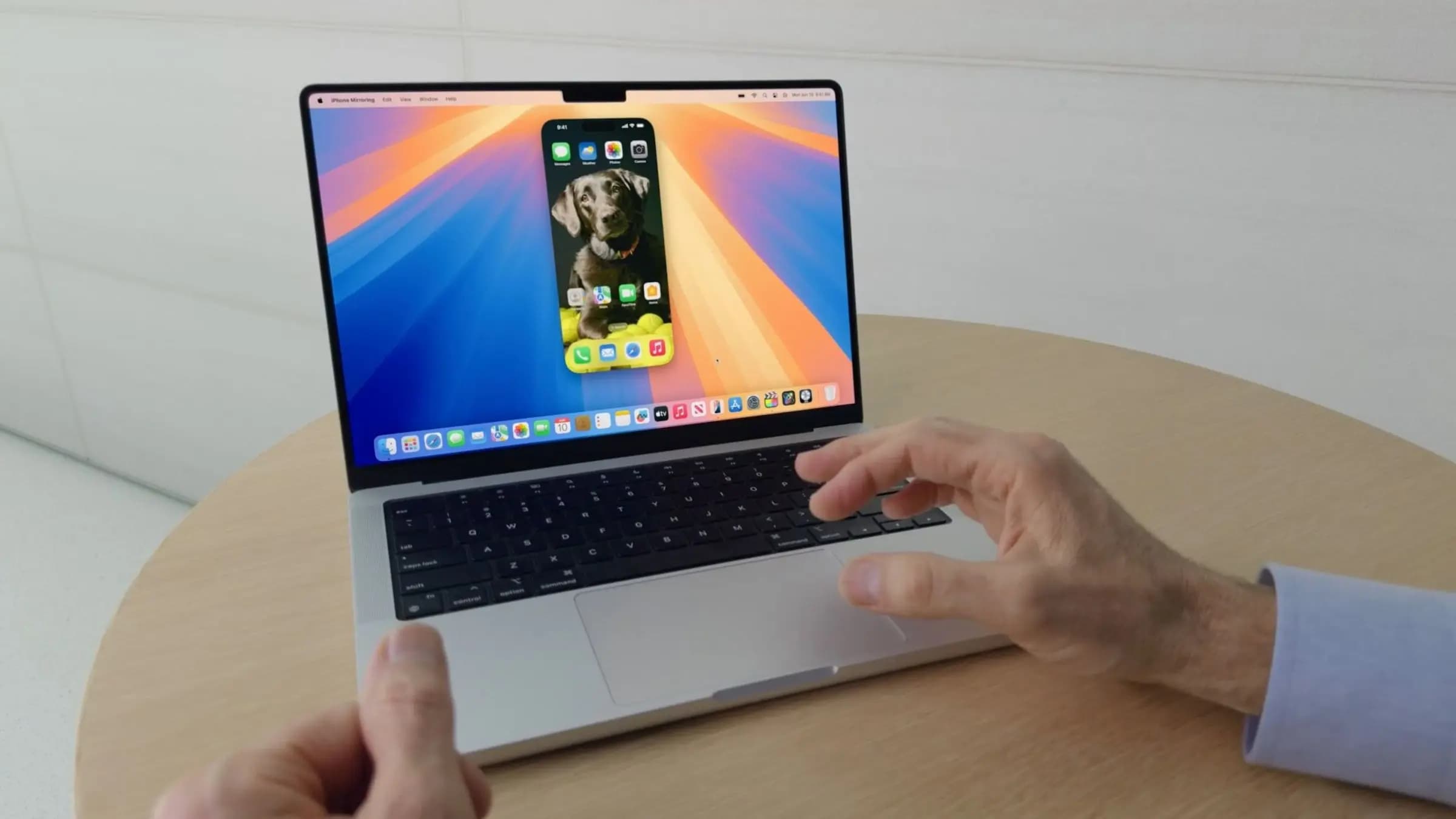
iPhone Mirroring Finally Grows Up in macOS 27 Golden Gate
When Apple introduced iPhone Mirroring with macOS Sequoia in 2024, it felt like a genuine leap forward for the Apple ecosystem. The ability to view and interact with your iPhone directly from your Mac — without ever picking up your phone — was genuinely exciting. But it also arrived with some glaring limitations that left power users wanting more. Fast forward to 2026, and Apple's macOS 27 Golden Gate is finally delivering the polish that iPhone Mirroring always deserved, adding three overdue features that significantly improve the experience for everyday users and professionals alike.
What Is iPhone Mirroring and Why Does It Matter?
For those who may have missed the original rollout, iPhone Mirroring is a built-in macOS feature that lets you stream your iPhone's display directly to your Mac. You can launch apps, reply to messages, browse your photo library, and even interact with touch-based controls — all from your Mac's keyboard, trackpad, or mouse. It works wirelessly over your local network and requires both your iPhone and Mac to be signed into the same Apple ID with Bluetooth and Wi-Fi enabled.
The feature was a direct response to years of demand from users who wanted a seamless, first-party way to control their iPhone from a desktop environment — something that third-party tools had attempted with varying degrees of success. Apple's native implementation offered reliability and deep system integration that no third-party app could match, but it launched with a fixed window size and limited customization, which quickly became a source of frustration.
The 3 New iPhone Mirroring Features Coming in macOS 27
1. A Fully Resizable Window
Perhaps the most requested improvement since iPhone Mirroring launched is finally here: a fully resizable window. In previous versions of macOS, the iPhone Mirroring window was locked to a fixed aspect ratio and a relatively small footprint on your screen. While you could make it slightly larger, the options were limited and felt awkward on large external monitors or ultra-wide displays.
In macOS 27 Golden Gate, Apple has redesigned the iPhone Mirroring window to be freely resizable, allowing users to drag it to virtually any size they need. Whether you want a compact companion window tucked into the corner of your display or a large, full-screen mirror of your iPhone on a secondary monitor, the new implementation accommodates both extremes gracefully.
Interestingly, the resizable window design also appears to hint at Apple's rumored folding iPhone. The interface reportedly supports a wider, more tablet-like aspect ratio — something that would make perfect sense if future iPhone hardware includes a foldable form factor with a larger unfolded display. It's a small but telling detail that Apple may already be laying the software groundwork for next-generation hardware.
2. Audio Streaming Through Your Mac
Another long-standing omission was audio. Until now, iPhone Mirroring was a silent experience — you could see everything happening on your iPhone, but any sound it generated still played through the iPhone's own speakers or connected headphones, not through your Mac. This made the feature feel incomplete, especially for users watching videos, playing games, or previewing audio content on their mirrored device.
macOS 27 Golden Gate addresses this directly by routing iPhone audio through your Mac's speakers or any connected audio output device. This means that when you mirror your iPhone and start playing a YouTube video, launch a podcast app, or receive a FaceTime call, all audio will come through your Mac just as naturally as any other app running natively. It's a quality-of-life improvement that should have been there from day one, and its arrival makes iPhone Mirroring feel like a genuinely complete solution rather than a work in progress.
3. Drag-and-Drop File Sharing Between iPhone and Mac
The third major addition is arguably the most productivity-focused of the bunch: drag-and-drop file sharing between your iPhone and Mac through the mirroring interface. Previously, transferring files between the two devices while using iPhone Mirroring required jumping through hoops — using AirDrop, iCloud Drive, or other intermediary steps that broke the seamlessness of the mirrored experience.
With macOS 27, users can now drag a photo, document, or other file directly from their Mac's desktop or Finder window and drop it into the iPhone Mirroring interface, where it will appear on the iPhone in the appropriate app. The reverse also works — dragging content from the mirrored iPhone screen over to the Mac desktop. This bidirectional drag-and-drop finally makes iPhone Mirroring feel like a true extension of the Mac workspace rather than a separate, siloed screen.
Why These Updates Matter for Apple's Ecosystem Strategy
Taken together, these three improvements signal something important about how Apple views the relationship between iPhone and Mac. Rather than treating them as distinct product lines that happen to share an Apple ID, the company is pushing toward a future where the boundary between devices becomes increasingly fluid. iPhone Mirroring is a central part of that vision, and each incremental improvement makes that vision more tangible.
The resizable window's apparent nod to a folding iPhone is especially noteworthy. Apple rarely adds interface flexibility without a hardware reason to back it up, and building in support for wider display aspect ratios now suggests that the software ecosystem will be ready whenever foldable hardware arrives.
How to Get macOS 27 Golden Gate
macOS 27 Golden Gate was announced at WWDC 2026 and is currently available to developers as a beta release, with a public beta expected to follow in the coming weeks. The final release is anticipated in the fall of 2026 alongside Apple's annual hardware refresh. To take advantage of the new iPhone Mirroring features, you will need a Mac running macOS 27 and a compatible iPhone — Apple typically requires a recent iPhone model for Continuity features of this kind, so checking Apple's official compatibility list before upgrading is always a good idea.
If you have been holding out on using iPhone Mirroring because of its previous limitations, macOS 27 Golden Gate may finally be the update that changes your mind. With a resizable window, proper audio support, and drag-and-drop file sharing now in the mix, the feature has matured from a promising preview into something genuinely useful for daily workflows.