
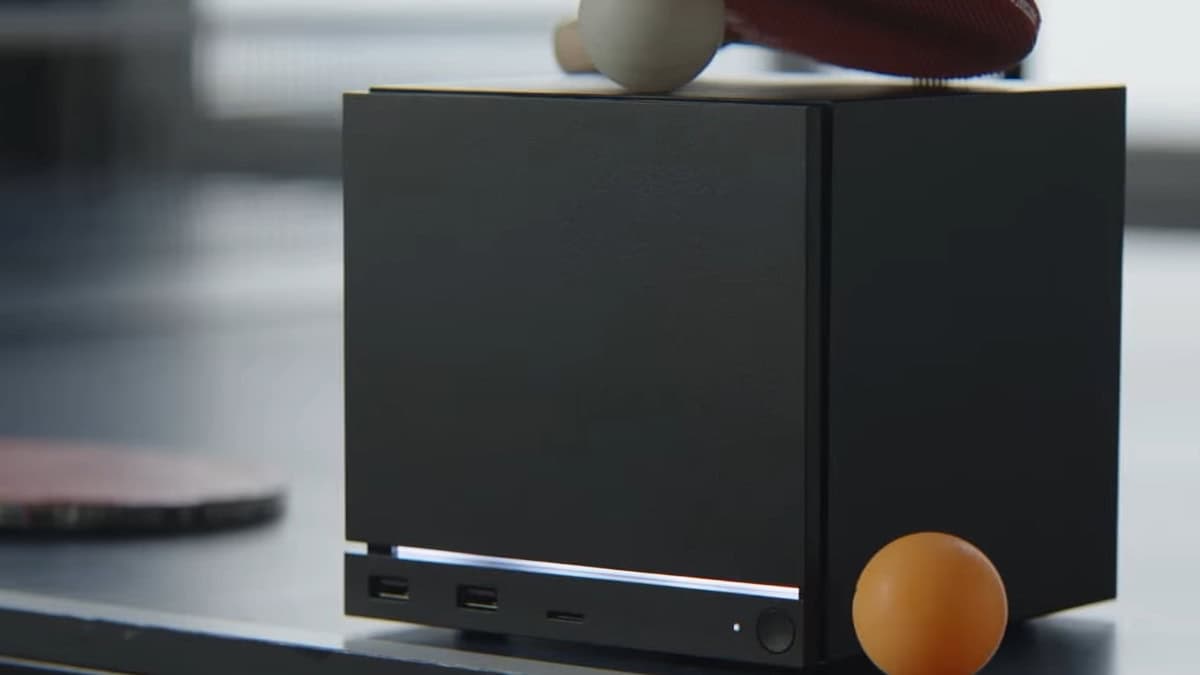
Valve Opens the Door: Build Your Own Steam Machine with SteamOS 3.8
Valve's Steam Machine has quickly become one of the most talked-about pieces of gaming hardware in recent memory. With reservations opening up and a starting price of $1,049, not every gamer is ready or willing to make that financial leap. But in a move that could reshape the PC gaming landscape, Valve has confirmed a game-changing alternative: beginning with SteamOS 3.8, anyone can now transform their existing PC into a fully functional Steam Machine using whatever PC parts they choose.
This announcement, confirmed to The Verge, marks a pivotal moment not just for Valve but for the entire PC gaming community. It democratizes access to the Steam Machine experience, giving budget-conscious gamers, tinkerers, and enthusiasts an entirely new path to living room PC gaming — no reservation required, no premium price tag attached.
What Is the Steam Machine and Why Does It Matter?
The Steam Machine is Valve's vision of a dedicated gaming appliance that bridges the gap between the traditional PC gaming setup and the comfort of couch-based console gaming. It runs SteamOS — Valve's Linux-based operating system — and is optimized to deliver a seamless, controller-friendly gaming experience through Steam's Big Picture mode.
Unlike a standard gaming PC, the Steam Machine is built around simplicity and living room usability. It boots directly into Steam, handles updates in the background, and integrates tightly with the broader Steam ecosystem that hundreds of millions of players already use. Think of it as the best parts of a gaming console married to the flexibility and power of a PC.
However, the official Valve hardware comes with a steep price of entry. At $1,049 for the base model, it's a significant investment — one that many gamers simply cannot or do not want to make, especially when they already own capable PC hardware sitting at home.
SteamOS 3.8: The Update That Changes Everything
Released last week, SteamOS 3.8 is the version of Valve's operating system that officially opens the floodgates to custom-built Steam Machines. Valve has confirmed that the update allows PC gamers to install SteamOS on their own hardware, using virtually any combination of PC components they prefer.
This is a significant philosophical shift. Previously, SteamOS was largely associated with official Valve hardware or select third-party manufacturers. With version 3.8, Valve is effectively endorsing a do-it-yourself approach, acknowledging that the community's desire for flexibility is just as important as the polished, out-of-the-box experience their official hardware provides.
For those who already own a gaming PC with a capable processor, sufficient RAM, and a decent GPU, this could mean spending little to nothing to access the full Steam Machine experience. Rather than buying new hardware, you simply install SteamOS 3.8, configure your setup, and you are ready to game from the couch.
A Viable Alternative for Budget Gamers and Enthusiasts Alike
The ability to build your own Steam Machine is not just a cost-saving measure — it is a genuine alternative experience that caters to different types of gamers. Here is why this announcement resonates across different audiences:
- Budget-conscious gamers who already own mid-range or high-end PCs can repurpose older hardware or spare components into a dedicated Steam Machine without spending a dime on new devices.
- PC building enthusiasts who love customizing their rigs will appreciate the freedom to pick and choose every component, from the case form factor to the GPU and cooling solution, to create a bespoke Steam Machine tailored to their setup.
- Linux gaming advocates who have long championed SteamOS as a powerful alternative to Windows will find this update further validates the platform's maturity and usability.
- Console converts who want the game library and flexibility of PC gaming but prefer the simplicity and living room integration of a console will find the custom Steam Machine route an appealing bridge between both worlds.
NVIDIA Driver Support Is Also on the Way
One of the longstanding criticisms of SteamOS has been its limited support for NVIDIA graphics cards. Historically, the platform has favored AMD hardware, which has deeper compatibility with the open-source graphics stack that SteamOS relies on. For the millions of PC gamers running NVIDIA GPUs, this has been a real barrier to adoption.
In the same confirmation to The Verge, Valve addressed this directly. The company says that a "growing team" is actively working to bring proper NVIDIA driver support to SteamOS. While a specific release timeline was not given, the fact that Valve is dedicating growing resources to this effort is a strong signal that NVIDIA compatibility is a priority — not an afterthought.
This development, when it arrives, could be the final piece of the puzzle for a huge segment of PC gamers who have been sitting on the sidelines, waiting for SteamOS to support their hardware before making the switch.
How to Get Started Building Your Own Steam Machine
If you are ready to dive in, getting started with your own custom Steam Machine is more approachable than it might seem. Here is a general overview of what the process involves:
- Choose your hardware: Valve says you can use "whatever PC parts" you want, though AMD GPUs currently offer the most stable and supported experience under SteamOS.
- Download SteamOS 3.8: Head to the official Valve SteamOS page to grab the latest installer image for version 3.8.
- Create a bootable drive: Flash the SteamOS image onto a USB drive using a tool like Balena Etcher or Rufus, then boot from it on your target machine.
- Install and configure: Follow the on-screen prompts to complete the SteamOS installation. Once complete, your PC will boot directly into the Steam interface.
- Connect a controller and enjoy: Steam's Big Picture mode is optimized for controller input, making it ideal for couch gaming with a gamepad.
The Bigger Picture: What This Means for PC Gaming
Valve's decision to make SteamOS 3.8 broadly available for custom builds is more than a product announcement — it is a statement about the direction of PC gaming. By lowering the barrier to entry and embracing the DIY spirit that defines so much of the PC gaming community, Valve is expanding the potential reach of the Steam Machine concept far beyond what official hardware alone could ever achieve.
Combined with the ongoing work to support NVIDIA hardware and the continued expansion of the Steam library's Linux compatibility through Proton, SteamOS is maturing into a serious platform that can stand on its own merits. Whether you buy the official Valve Steam Machine or build your own from spare parts, the living room PC gaming revolution appears to be well and truly underway.
For anyone who has been curious about the Steam Machine but hesitant about the cost or commitment, SteamOS 3.8 just made the decision considerably easier. Your next gaming PC might already be sitting on your desk — it just needs a new operating system.