
Why the Right Case Is the Most Underrated Home Lab Upgrade
When most home lab enthusiasts think about upgrades, their minds immediately jump to hardware: faster CPUs, more RAM, larger hard drives, or a beefier GPU for AI inference workloads. It makes sense — those components directly affect what your system can do. But after years of running a home server that evolved from a casual tinkering machine into a mission-critical part of my daily life, I discovered that the single best upgrade I ever made had absolutely nothing to do with what was inside the box. It was the box itself.
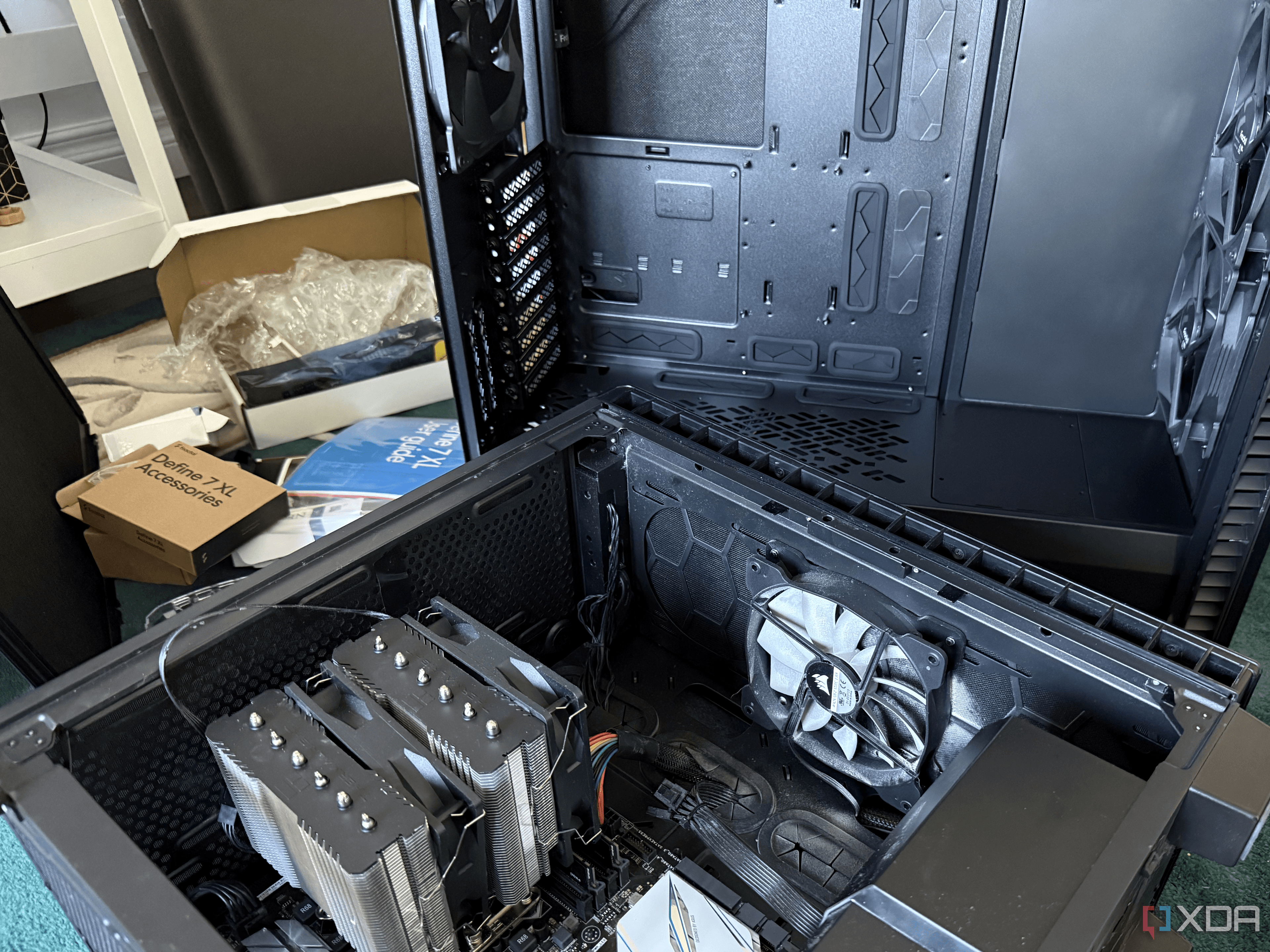
Switching from a standard consumer mid-tower case to a purpose-built home server chassis changed everything about how my lab operates, how easy it is to maintain, and how much I trust it to keep running day after day. If you've been overlooking your enclosure as a place to cut costs or delay spending, this article is for you.
When a Home Lab Stops Being a Hobby and Becomes a Dependency
There's a natural evolution that happens with home servers. You start off spinning up a service here and there — maybe a local media server, a VPN, or a simple dashboard. Before long, you realize the machine is running your NAS, your photo library, your AI inference workloads, your backup server, and possibly a dozen Docker containers you've come to rely on every single day.
At that point, the system is no longer just a toy. It's infrastructure. And infrastructure deserves infrastructure-grade housing. Continuing to run a growing, mission-critical home lab inside an aging consumer mid-tower case — the kind designed for a gaming PC that gets opened once a year — is a bit like running a small business out of a backpack. It works until it really, really doesn't.
That realization is what pushed me to finally make the switch, and I only wish I'd done it sooner.
What a Dedicated Home Server Case Actually Gives You
Superior Drive Bay Capacity and Organization
Consumer mid-tower cases are built around a very different set of priorities than home server enclosures. A gaming or general-purpose tower might offer two or three drive bays at best — fine if you have one SSD and maybe a spinning hard drive, but completely inadequate for a NAS or backup server role. Purpose-built server cases, on the other hand, are designed with storage density as a core feature. Many offer eight, twelve, or even more hot-swap drive bays, often accessible from the front of the chassis without any tools. This alone transforms how you interact with your storage.
Cable management becomes dramatically easier as well. Server cases tend to route power and data cables in ways that keep airflow unobstructed and make future upgrades far less of a tangled mess. Anyone who has wrestled with a cable-choked mid-tower to swap a drive will immediately appreciate the difference.
Better Thermals and Airflow Design
Home lab servers often run continuously — 24 hours a day, seven days a week, 365 days a year. Unlike a gaming PC that gets used for a few hours and then powered down, your server is always on, always generating heat, and always relying on its cooling solution to maintain safe operating temperatures. Consumer cases were not necessarily designed with this sustained workload in mind.
Server-oriented enclosures typically feature larger, more efficient fan configurations, better-organized airflow pathways from front intake to rear exhaust, and more robust ventilation overall. The result is a system that runs cooler under sustained load, which directly translates to longer component lifespan and fewer unexpected shutdowns during critical workloads.
Build Quality That Inspires Confidence
There is a tangible, almost immediately noticeable difference in the build quality of a proper server chassis compared to a budget or mid-range consumer tower. The steel is thicker, the panel tolerances are tighter, and everything about the construction communicates that it was built to last. When your home lab is housing years of family photos, local AI models you've fine-tuned, and irreplaceable backups, that sense of solidity actually matters.
Common Objections — and Why They Don't Hold Up
"It's Too Expensive"
Quality server cases do cost more than budget consumer towers — that's true. But consider what you're protecting. If your home lab is running your NAS, your photo library, your offsite backups, and your self-hosted services, a case failure or thermal-induced hardware failure can be far more costly than the price difference. Many excellent home server chassis options exist across a range of price points, and the long-term value proposition is hard to argue with.
"My Current Case Works Fine"
It probably does — until it doesn't. "Working fine" and "optimized for the role" are two very different things. A mid-tower case works fine for a gaming PC. It works less fine as a 24/7 server housing eight drives, a beefy GPU, and a motherboard pushed to its limits. Fine is not always good enough when you're relying on the machine.
Making the Switch: What to Look For
When shopping for a home server case, there are several key factors worth prioritizing. First, count your current drives and anticipate future growth — buy more bays than you think you need today. Second, look for hot-swap capability if you want to be able to add or swap drives without powering down. Third, pay attention to fan size and configuration, since larger fans at lower RPMs are generally quieter and just as effective as smaller fans spinning harder. Finally, consider rack-mount versus tower form factor depending on whether you plan to eventually move to a proper rack setup.
The Bigger Lesson: Infrastructure Deserves Infrastructure Thinking
The best upgrade I made to my home lab cost less than a new GPU and required no driver updates, no firmware flashing, and no compatibility research. It was simply putting a system that I genuinely depend on into a chassis that was actually designed for dependable, always-on operation. The components inside didn't change. The workloads didn't change. But the reliability, the organization, the thermals, and my overall confidence in the system changed completely.
If your home lab has grown from a weekend project into something you actually rely on, it's time to give the enclosure the same serious thought you give to every other component in your build. You might be surprised to discover it's the most impactful upgrade you've ever made.