
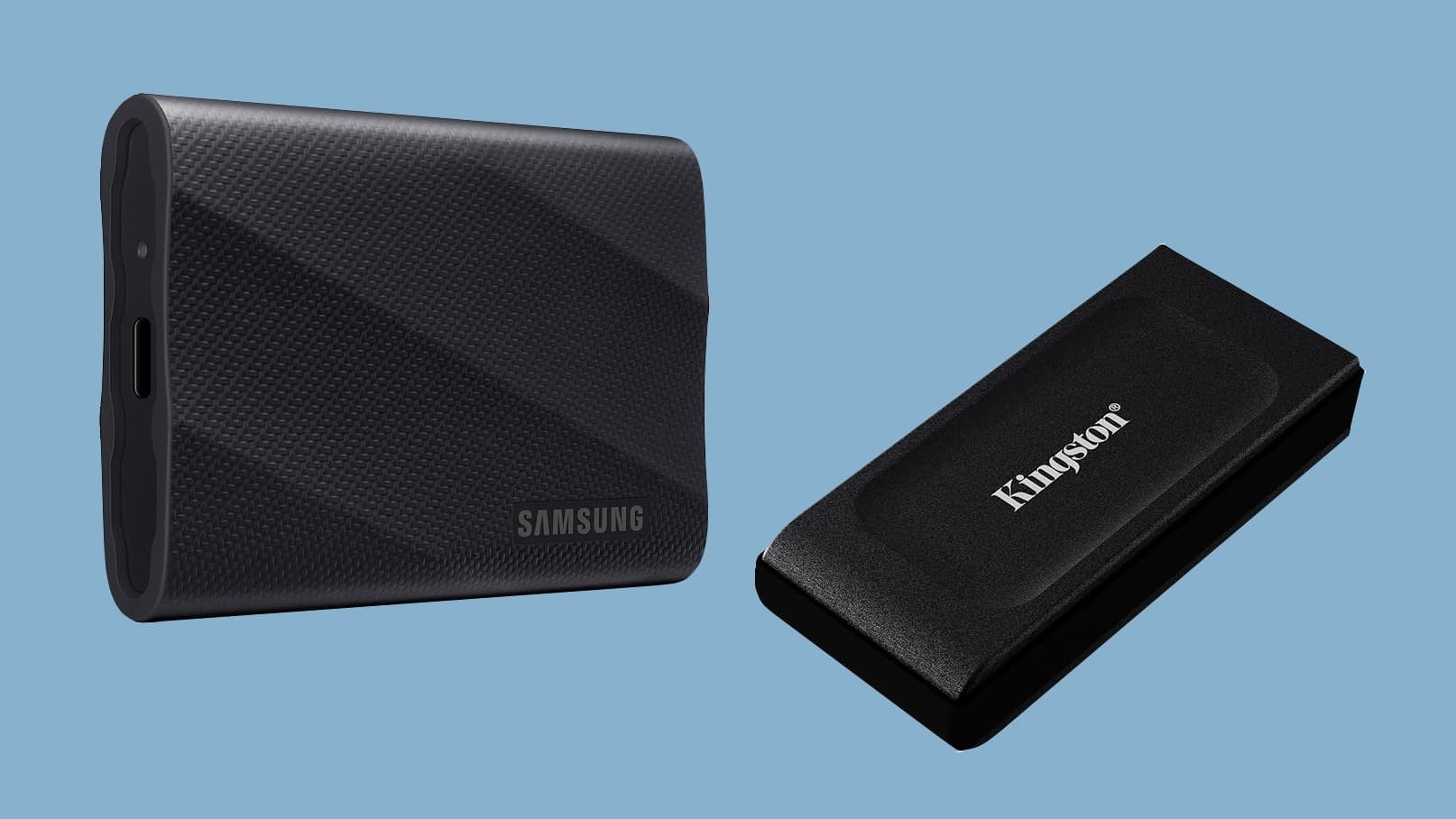
Why a Portable SSD Is One of the Smartest Upgrades You Can Make for Your Mac
If you own a Mac, you already know the struggle. Apple's internal storage options are fast and reliable, but they come at a premium price — and once you've bought your machine, upgrading that internal drive is either impossible or prohibitively expensive. That's where portable SSDs come in. A good external solid-state drive gives you blazing-fast read and write speeds, rugged portability, and a meaningful boost to your available storage, all without requiring a trip to an Apple Store or a mortgage on your home.
The good news is that portable SSD prices have dropped significantly over the past few years. Whether you're a photographer backing up raw files on the go, a video editor who needs fast scratch storage, or simply someone who has run out of room on their MacBook Air, there has never been a better time to pick up a portable SSD — especially when you know where to look for the best deals.
What to Look for When Shopping for a Portable SSD
Before you jump on the first sale you see, it pays to understand what separates a great portable SSD from a mediocre one. Not all drives are created equal, and a deal is only a deal if the product actually meets your needs.
Read and Write Speeds
Speed is arguably the most important spec to consider. Portable SSDs typically connect via USB-C or Thunderbolt, and the interface makes a huge difference. A Thunderbolt 3 or Thunderbolt 4 drive can deliver read speeds upward of 2,000 MB/s, making it fast enough to edit 4K video directly from the drive. USB 3.2 Gen 2 drives are more affordable and still deliver solid performance in the range of 1,000 MB/s — plenty fast for most users. Make sure you match the drive's interface to the ports on your Mac for the best results.
Storage Capacity
Portable SSDs are widely available in capacities ranging from 250GB all the way up to 4TB and beyond. For most users, a 1TB or 2TB drive offers the best balance of price and practicality. Photographers and videographers dealing with large raw files will likely want to step up to 2TB or 4TB. Keep an eye on price-per-gigabyte when comparing deals — sometimes buying a larger drive on sale works out cheaper per GB than a smaller one at full price.
Durability and Build Quality
Since you'll be tossing this drive into a bag and carrying it everywhere, build quality matters. Look for drives that are rated for drop resistance (usually from 1 to 3 meters) and have an IP rating for dust and water resistance. Many top brands offer drives with rubber bumpers or aluminum enclosures that can handle the bumps and drops of everyday life. If you work outdoors or in demanding environments, prioritize ruggedness alongside performance.
Brand Reputation and Warranty
Stick with established brands like Samsung, SanDisk, Western Digital, Crucial, and Seagate. These manufacturers back their drives with solid warranties — typically three to five years — and have a proven track record for reliability. A cheap no-name drive might look tempting at a lower price point, but the risk of data loss and the lack of customer support rarely make it worth the gamble.
Top Portable SSD Categories Worth Watching for Deals
Budget-Friendly Drives Under $60
You don't have to spend a lot to get a capable portable SSD. Several drives in the sub-$60 range deliver USB 3.2 speeds and capacities of up to 1TB. These are ideal for everyday backup tasks, storing a music or photo library, or keeping extra documents handy. Watch for flash sales on Amazon, Best Buy, and retailer websites, where these drives frequently drop to new low prices.
Mid-Range Drives for Everyday Power Users
Spending between $80 and $150 opens up a much wider field of options with better speeds, higher capacities, and improved durability. This is the sweet spot for most Mac users. Drives in this category often offer 1TB or 2TB capacities with read speeds around 1,000–1,050 MB/s. Look for models from Samsung's T7 lineup or the SanDisk Extreme series, both of which regularly feature in deal roundups with significant discounts off their list prices.
High-Performance Thunderbolt Drives for Professionals
If you're editing video, running virtual machines, or doing anything that demands the absolute fastest external storage, a Thunderbolt SSD is worth the investment. These drives can be pricier, but they occasionally appear in sales and bundle deals that bring the cost down substantially. Brands like OWC and LaCie make excellent Thunderbolt options that pair exceptionally well with MacBook Pros and Mac Studios.
How to Find the Best Portable SSD Deals
Timing is everything when it comes to snagging a great price. Major retail events like Amazon Prime Day, Black Friday, Cyber Monday, and back-to-school season tend to bring the deepest discounts on portable storage. Setting up price alerts through tools like CamelCamelCamel for Amazon listings means you'll never miss a price drop.
Tech-focused websites and newsletters that track Apple-related deals are another excellent resource. These curated roundups do the legwork for you, surfacing genuine discounts and filtering out misleading "sale" prices that are barely below the original retail cost.
Getting the Most Value From Your Purchase
- Always check the return policy before buying, especially from lesser-known retailers.
- Read recent user reviews to confirm the drive's real-world performance matches the advertised specs.
- Consider buying a slightly larger capacity than you think you need — storage fills up faster than most people anticipate.
- Look for bundles that include a carrying pouch or cable, as these add genuine value.
- Verify compatibility with your specific Mac model, particularly if you're eyeing a Thunderbolt drive.
Final Thoughts: Don't Overpay for Portable Storage
A portable SSD is one of the most practical accessories any Mac user can own. It keeps your internal storage breathing room, protects your files with an off-device backup, and travels with you wherever you go. With prices at record lows and deals popping up constantly across major retailers, there's no reason to pay full price. Stay patient, keep an eye on trusted deal sources, and when a great offer lands on a reputable drive with the capacity and speed you need, don't hesitate — good SSD deals move fast.
Whether you're picking up your first portable drive or upgrading to something faster and more capacious, the market has never been better stocked with high-quality options at genuinely competitive prices. Your Mac — and your wallet — will thank you.