
Pixel Screenshots Is No Longer Limited to On-Device AI — Here's What Changed
Google's Pixel Screenshots app has been one of the more underrated features available on Pixel devices. Designed to help users do more with the screenshots they take every day, the app uses artificial intelligence to analyze, organize, and surface information from captured images. Since its launch, one of its defining selling points was that all of this processing happened entirely on-device — meaning your screenshots never left your phone. That's now changed, and the update is turning heads in the Android community.
What Is Pixel Screenshots and Why Does It Matter?
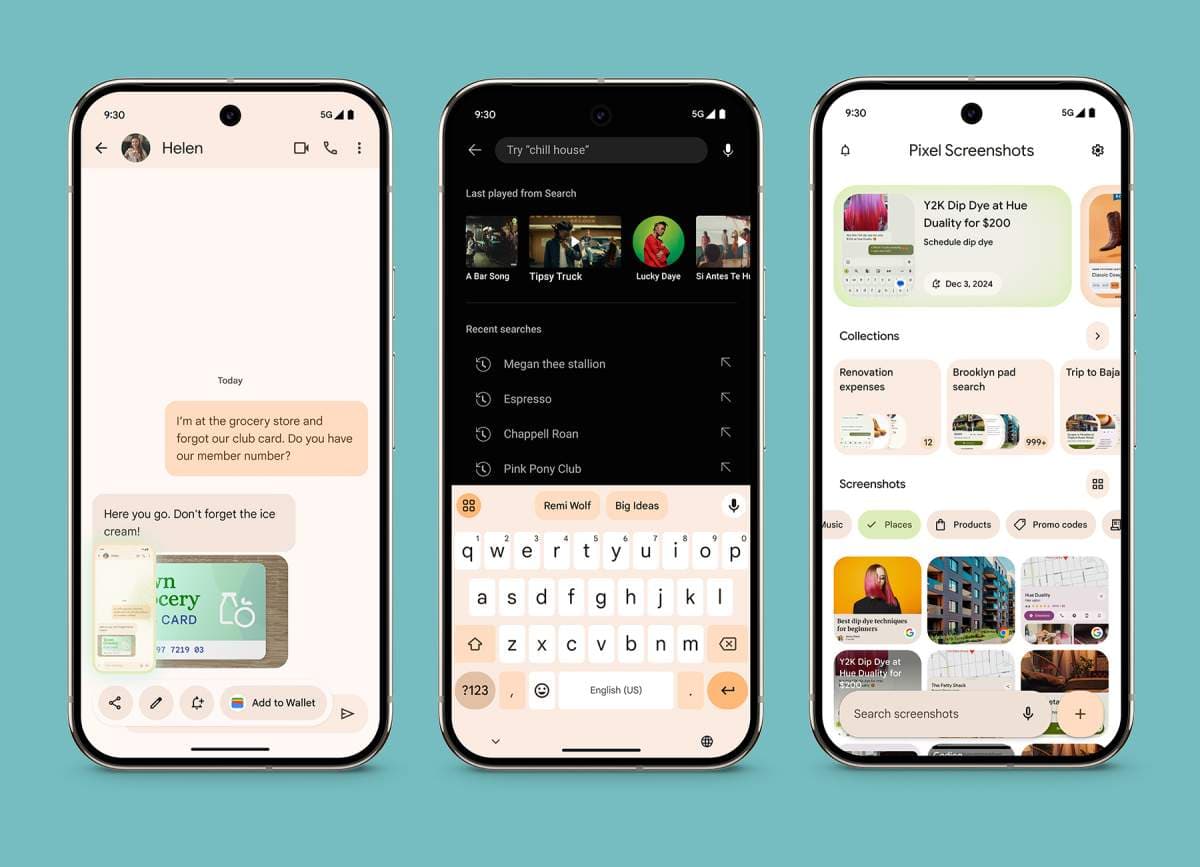
For those unfamiliar, Pixel Screenshots is a dedicated Google app available on Pixel smartphones that takes screenshot management to a whole new level. Rather than simply storing images in a folder, the app applies AI to read and understand the content of your screenshots. It can identify text, products, web addresses, contact information, and much more — all without you having to manually search or tag anything.
This kind of intelligent screenshot organization has proven incredibly useful for people who rely on screenshots for research, shopping, note-taking, or saving information on the go. The app essentially turns a passive archive into an active, searchable knowledge base. And because it originally ran entirely on the device itself, users had strong privacy assurances baked right in from day one.
The Big Change: Cloud Processing Has Entered the Picture
With version 1.26.134.11 of the Pixel Screenshots app, something notable has shifted. Hidden inside the settings menu, the wording that once described the app's core functionality has been quietly but meaningfully updated. Where the app previously read "Search your screenshots with on-device AI," it now simply says "Search your screenshots with AI." That one removed phrase — "on-device" — signals a significant architectural change under the hood.
The updated description also reinforces this shift with new language around how your data is handled: "Data used by Screenshots is protected in a secure, isolated environment on your device or in the cloud." The addition of "or in the cloud" confirms that screenshot data can now be uploaded and processed remotely, not solely on the Pixel hardware itself.
What Does This Mean for Privacy?
Naturally, any time the word "cloud" gets introduced into a feature that previously kept everything local, privacy-conscious users are going to have questions. That's a fair and reasonable concern. Screenshots can contain sensitive information — bank statements, personal messages, passwords, medical records, and more. Knowing that this data could potentially be sent to a server rather than processed on your own phone warrants a closer look.
Google has addressed this by emphasizing that the cloud environment used for processing is described as "secure" and "isolated." This language suggests they are implementing measures to ensure that uploaded screenshots are not accessible to human reviewers, are not used for ad targeting, and are processed in a sandboxed environment designed specifically to protect user privacy. That said, users who prefer to keep all their data strictly on-device should pay close attention to whether a toggle or opt-out option becomes available, if it isn't already.
Why Would Google Add Cloud Processing at All?
The move to enable cloud-based AI processing is likely driven by capability and performance. On-device AI, while impressive and constantly improving, is still constrained by the hardware limitations of a smartphone. Cloud-based models can be significantly more powerful, more accurate, and better at handling complex queries — especially as the amount of screenshot data a user accumulates grows over time.
By offloading some of that processing to the cloud, Google can potentially offer:
- Faster search results across large screenshot libraries
- More accurate content recognition, especially for handwritten text, complex layouts, or multilingual content
- Access to more sophisticated AI models that would be too resource-intensive to run on a phone
- Improved cross-device syncing if the feature eventually expands beyond a single Pixel phone
In short, this change is likely part of Google's broader strategy to make Pixel devices more capable AI-powered tools by blending the strengths of on-device processing with the raw power of cloud computing.
How Does This Fit Into the Broader Google AI Strategy?
Google has been aggressively pushing artificial intelligence across its entire product ecosystem. From Gemini being integrated into Android and Google Workspace, to AI Overviews in Search, to the on-device AI features built into Pixel devices through the Tensor chip series — the company is clearly betting big on AI as a differentiator. Pixel Screenshots expanding into cloud AI territory is consistent with that broader direction.
It also signals that Google may be preparing Pixel Screenshots for more advanced features down the line. If the foundation now supports cloud processing, it opens the door to capabilities like cross-device screenshot search, proactive AI suggestions based on your screenshot history, and deeper integration with other Google services like Google Drive, Keep, or Lens.
Should Pixel Users Be Concerned or Excited?
Honestly, the answer depends on what you value most. If seamless, more powerful AI-driven search over your screenshots sounds like a productivity win, this update is great news. If you purchased a Pixel partly because of the privacy guarantees of on-device processing, it's worth digging into the settings and understanding exactly what is and isn't being uploaded when you use the app.
What's clear is that Pixel Screenshots is evolving — and Google is making moves to ensure it stays relevant and increasingly capable. Keeping an eye on future app updates and any accompanying privacy documentation will be key for users who want to stay informed as this feature continues to develop.
Final Thoughts
The update to Pixel Screenshots in version 1.26.134.11 is a small textual change that carries big implications. Moving from strictly on-device AI to a hybrid model that includes cloud processing marks a new chapter for the app. Google is promising that the cloud environment remains secure and isolated, but the change is worth knowing about — whether you're a privacy advocate, a power user, or simply someone who takes a lot of screenshots. Stay tuned to see how this feature grows, because it's clearly just getting started.